The best (and worst) smartwatches, fitness bands, and wearables of 2015

Wearables are going mainstream—what worked, what didn’t, and what’s in between?

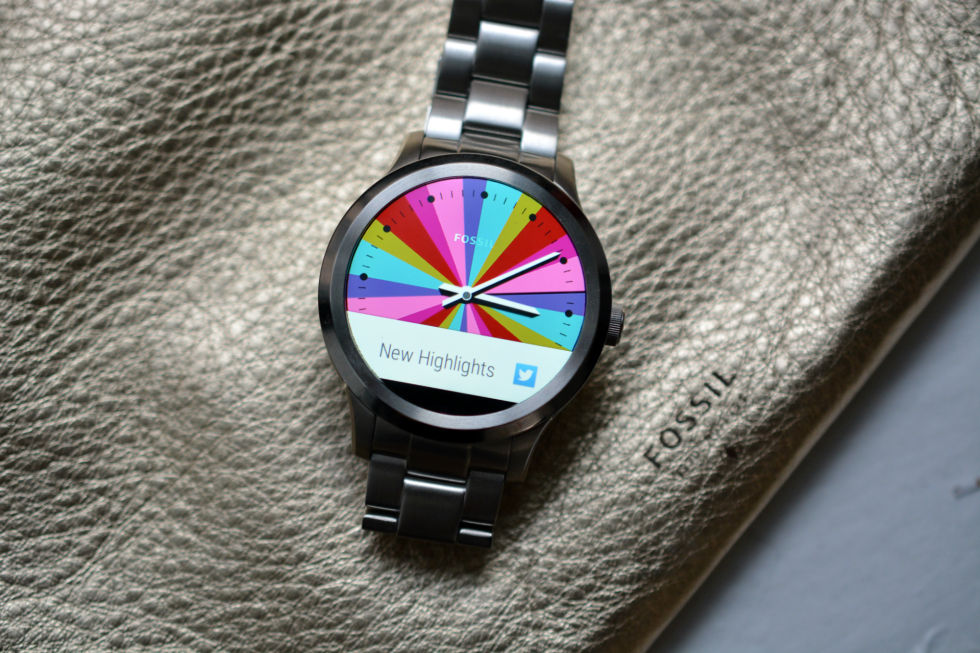
Enlarge / The Fossil Q smartwatch. (credit: Valentina Palladino)

It has been a big year for wearables. The Apple Watch was born (finally), Google Glass died (finally), and bands that track everything from steps to mood changes have grown up and become not terrible (finally!). While wrist-bound devices have cemented themselves as the face of wearables, we started to see other forms of wearable technology grow in popularity, like smart scales, textiles, and jewelry. There were hits and misses in 2015, and trends are emerging that indicate where these devices will go in the coming year. Here are some of the wearables that stood out in 2015—for better and for worse.

What worked

Fitbit Charge HR

Fitbit has been the king of fitness trackers since 2013, and it's keeping that title this year by making the best tracker for the money: the Fitbit Charge HR. It does everything you'd want a fitness tracker to do and has the right mix of extras to make it worth the $150 price tag. It monitors steps, distance, calories, floors climbed, and sleep and has a continuous heart rate monitor to use throughout the day, whether during workouts or just sitting around. It also delivers call notifications to your wrist, and now with software updates, the SmartTrack feature will automatically know when you're doing some type of workout and record it to the app.

Fitbit has one of the most extensive lines of fitness trackers available, and the Charge HR is easily the most cost-effective way to monitor your activity. It's a no-brainer choice for anyone in need of a tracker but not sure where to start, as it provides the simplicity of the more affordable Fitbits with the heart rate monitor and exercise tracking software similar to the $250 Fitbit Surge. Overall, Fitbit remains the top fitness tracker company because its devices are versatile enough (and priced well enough) to appeal to people with all kinds of lifestyles—from coach potato to marathoner to anyone in between.

Read 15 remaining paragraphs | Comments

The Moto 360 Sport reviewed: Good, but not enough fitness to be worth it

The $299 smartwatch is a runner’s companion; all other athletes look elsewhere.

(credit: Valentina Palladino)

When Motorola launched new Moto 360 models earlier this year, it also announced the Moto 360 Sport as an Android Wear watch for the more active among us. The Sport will be available for purchase on January 7 (it's already on sale in the UK and France). With a built-in GPS and heart rate monitor, the watch has the hardware chops to compete with dedicated workout devices, and it works with the Moto Body fitness app to track just as much information as the hardcore Fitbits and Garmins of the world.

The $299 Moto 360 Sport is the only Android Wear watch to really sell itself as an advanced activity tracking device in addition to a Google-powered smartwatch, and in many ways it combines the best of both. But it's not as much a general sport watch as it is a dedicated running watch, and since it is powered by Android Wear, you'll have to deal with those limitations as well.

Design: toy-like, but not necessarily immature

The Moto 360 Sport was designed to be the more durable version of the new Moto 360, resulting in a watch you'd see drawn on the wrist of Charlie Brown. It's round, friendly, and simple, with a silver bezel surrounding the 1.37-inch, 360×325-pixel display and a strong silicone band. The display is always on, like most other Android Wear watches, and it has "any light" technology that uses sunlight instead of the watch's backlight to illuminate the display. This makes it easier to read in direct sunlight for those who often jog outside.

Read 22 remaining paragraphs | Comments

How to succeed with hoverboards without catching on fire

There’s no silver bullet, but here’s what you need to know before buying one.

(credit: Swagway)

The news has been overrun the past few weeks with stories of hoverboards causing frightening fires and explosions. After one of the most popular hoverboards caught fire and damaged someone's home, Amazon pulled the Swagway board from its website (it has since been brought back). Since then a few more stories of flaming and exploding boards have popped up, causing more stores to stop selling them and leading the postal service along with some US airlines to ground them. But don't worry, you can still buy hoverboards—provided they are in stock—but you should know how they work so you can avoid any fiery mishaps.

Why are hoverboards exploding?

The main reason hoverboards have self-destructed is because of their batteries. All of the major hoverboard brands use rechargeable lithium-ion batteries for power, and those can be dangerous for two reasons: cheapness and mistreatment. Li-ion batteries are used in everyday devices such as smartphones and tablets, but typically the companies making those devices can afford to use higher-quality, more expensive batteries. You won't be able to tell how good the li-ion batteries are in your hoverboard, but it's safe to say that cheaper, "knockoff" hoverboards use mass-produced cells of lower quality to cut costs.

Also, according to Wired, hoverboard batteries are typically placed inside the footrest of the device, so they're getting stepped on, kicked, and roughed-up every time you go for a ride. Not to mention that hoverboards are going to be abused more than, say, your laptop, so there's a greater chance its battery could get damaged by rough play, and any damage makes them more susceptible to malfunction or explosion.

Read 6 remaining paragraphs | Comments

D-Link’s Wi-Fi camera provides a sharp, 180-degree view of your home

Review: $179 camera lets you see more of the house, but has trouble standing out.

(credit: Valentina Palladino)

D-Link promises to watch over much more of your home with its new Wi-Fi security camera. While it resembles other cameras like the Nest Cam and the Samsung Smartcam HD Plus in many ways, its 180-degree field of view is unbeatable. If positioned against a wall, the D-Link camera could watch over an entire room, leaving no hidden nook or concealed cranny. It's not priced badly either, at $179, but it comes with a few caveats worth considering before you decide to choose this camera over another.

Design: The bulging eye returns

SPECS AT A GLANCE: D-LINK DCS-2630L WI-FI CAMERA
CAMERA RESOLUTION Up to 1080p
FIELD OF VIEW 180 degrees
INTERNET 802.11ac (compatible with 802.11n/g)
LIVE STREAMING Yes
NIGHT VISION Yes
MOTION/SOUND DETECTION Motion and sound
MOBILE APP Android, iOS, and Windows Phone
SUBSCRIPTION None; can record locally on a microSD card up to 128GB microSD, but no card is included with the camera
EXTRA FEATURES Two-way talk, activity zone selection, customizable decibel detection level
PRICE $179

I don't know who decreed that home security cameras had to look like bulbous, singular alien eyes, but D-Link certainly got that memo. The DCS-2630L Wi-Fi camera has a large, circular head that's much bigger than both the Nest Cam and the Samsung Smartcam HD Plus, and it's wider, too. Its neck is a piece of U-shaped plastic attached to a flat, round base. You can bend the neck back and forth to adjust the vertical angle of the camera's view, but you can't spin it from side to side.

However, you can rotate the face of the camera (the front part of the circular head) a full 360 degrees to adjust the viewpoint. On the front of the camera lies the built-in microphone, the glass camera lens, the light sensor for switching between day and night vision, six infrared LEDs to support night vision, and two PIR sensors that detect infrared radiation so the camera can tell when someone walks by even in the dead of night. The back of the head is full of small holes for the device's speaker, and there's also a status light, a WPS button, the microSD card slot, and the microUSB port for power. A major bummer is that, unlike the Smartcam HD Plus, the D-Link camera doesn't include a microSD in the box; you'll have to buy one before the camera can save recorded clips locally.

Read 23 remaining paragraphs | Comments

Pebble’s new Health app integrates with Timeline, suggests tips to get healthier

The company’s first native fitness app makes weekly step and sleep reports, too.

(credit: Pebble)

Pebble is stepping up its fitness game, literally, with a new software update today. The company announced the release of Pebble Health, the first native fitness-tracking app for its Time series of smartwatches. In late 2014, Pebble watches gained the ability to track steps and sleep via a software update, but Pebble wants to expand on this feature with an actual app that works in the background of your daily watch interactions and integrates with its Timeline layout.

Referencing images provided by Pebble, the health app seems to focus on steps, active time, and sleep. In a statement, the company notes the app is meant to provide "helpful and actionable daily insights" on how to be more active and get a better night's rest. Rather than setting a step goal in the thousands, Pebble Health will learn your routine over time and compare your daily step count to your personal average. Weekly step and sleep graphs are also provided, and the app may suggest an earlier bedtime if it notices you've been a bit lazier than usual. Since Pebble Health works with the timeline layout of the newest watches, you'll be able to see daily sleep summaries and activity summaries at the beginning and end of each day, respectively.

Pebble has a history of being very open with its products, and Pebble Health is no different. Developers will have access to the new app via an upcoming API, which the company is hoping will encourage them think of new ways to visualize and use health data. At the launch of the Time and Time Steel smartwatches, Pebble did something similar by allowing developers to make "smart straps" that would add new features to the devices like heart rate monitoring functionality. While smart straps are not a dead yet, we haven't seen many come out either. In addition, Pebble is giving researchers at the Stanford Wearable Health lab access to the app's technology for those looking into "dependable health and medical standard for data collection and study."

Read 2 remaining paragraphs | Comments

Fossil Q Founder review: Bold, beautiful, but average with Android Wear

It’s not stellar, but it could introduce Google’s wearables to a wider audience.

(credit: Valentina Palladino)

Fossil knows watches: its wide selection of timepieces are made of quality materials and with a consistent style while remaining on the affordable side of luxury. Now the fashion company is bringing its watch expertise to Android Wear with the Q Founder smartwatch. The most expensive device in the new line of Q wearables from Fossil, the Q Founder represents the first Google-powered smartwatch to come from a company that focuses more on style rather than specs.

That doesn't mean Fossil forgot about technical details: the Q Founder has a bright LCD display, it's powered by an Intel Atom processor, has a 400mAh battery, and works with both Android and iOS devices (as limited as Android Wear for iOS is, at least it's an option). It looks great on paper—and in person—but despite nice specs and even nicer looks, Fossil's Android Wear watch doesn't do anything to set itself apart from the other Google-powered options out there. No one was expecting it to revolutionize Android Wear, though. Instead, it could do something much more important for smartwatches and Android Wear as a whole.

Design: Very beautiful, very big

The Q Founder is, quite literally, the big sister of the Q collection. It has a 46mm round case, and my review model had a stainless steel, metal link band. There is a model with a genuine leather band that's a little less expensive at $275, but the all-silver model is the stunner and will cost you $295. The crown sits in the middle of the right side of the case on its 13mm-thick edge.

Read 16 remaining paragraphs | Comments
Microsoft Band updated to include music controls and inactivity alerts

And a “What’s New” tile could indicate more regular updates in the future.

(credit: Valentina Palladino)

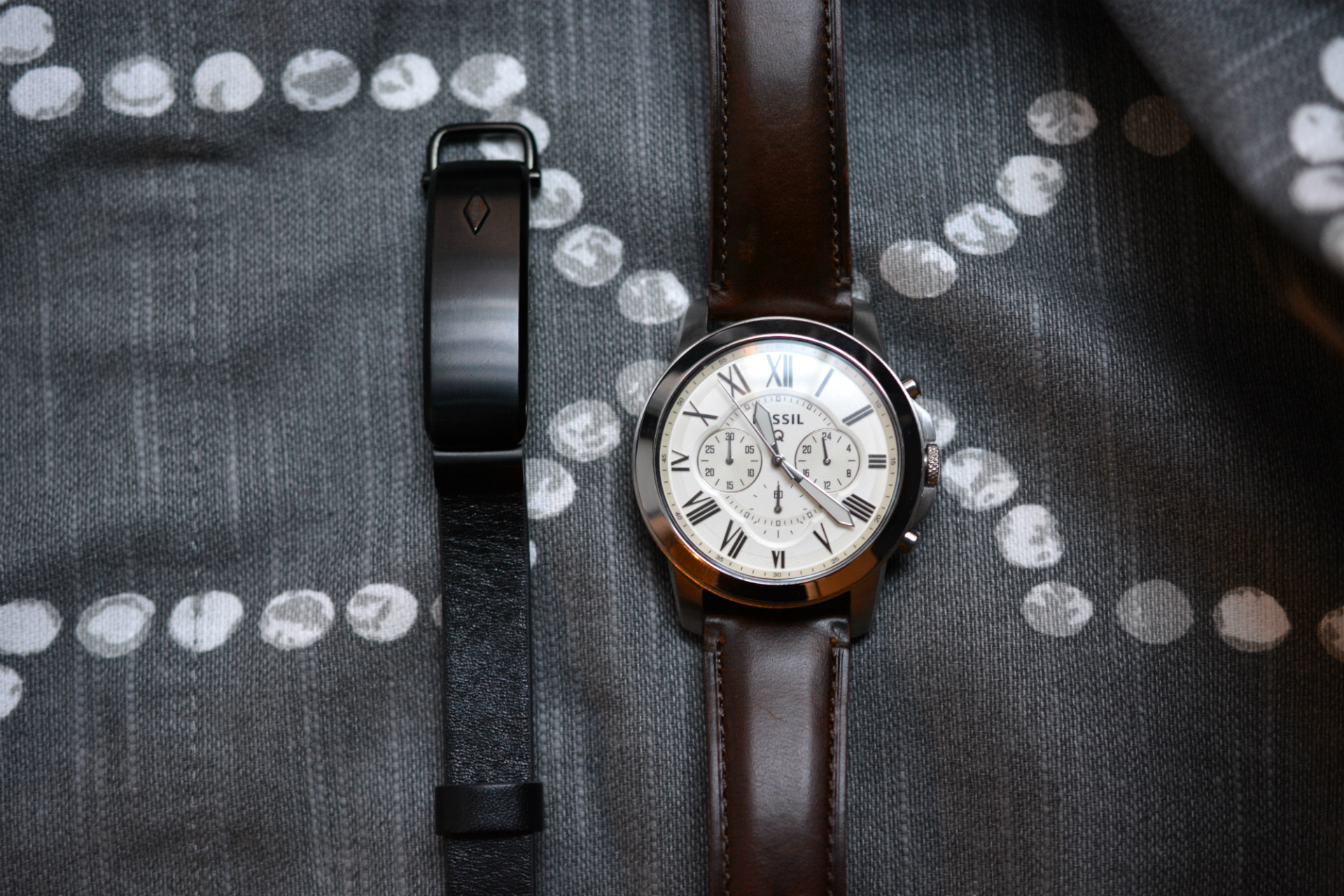
Just a few months after the new Microsoft Band came out, the company is adding functionality with a small software update. The two biggest features of this update—music controls and inactivity alerts—contribute to the band's identity as part smartwatch and part fitness tracker.

According to Microsoft's blog, you'll be able to control music playback on your smartphone from the Microsoft Band. The touchscreen will display the song's title and icons to play, pause, and skip tracks, as well as adjust volume levels. Microsoft calls out Spotify in its blog post, but you'll be able to control playback from any music app that connects with your smartphone's Bluetooth features. While some higher-end fitness trackers have music controls, it's a feature more often found on smartwatches.

To get up to speed with even the most basic activity trackers, Microsoft added customizable inactivity alerts to the band as well. We can only assume these will come in the form of band vibrations and display flashes when you've been inactive for too long. Microsoft does explain that you'll be able to set days and times for when you want the inactivity alerts to jolt you,so the band shouldn't rudely wake you from sleep.

Read 2 remaining paragraphs | Comments

Apple’s $99 Smart Battery Case adds 25 hours of talk time to iPhones

The silicone case looks familiar, except for that battery bump.

(credit: Apple)

If you need to invest in a battery pack to help your iPhone survive the whole day, now you'll have an Apple-made option to choose from. Apple unveiled its first official battery pack for the iPhone 6 and 6S, dubbed the Smart Battery Case, by putting it up for sale on its website.

The $99 Smart Battery Case comes in white and charcoal gray and Apple claims it will add up to 25 hours of talk time to the iPhones, up to 18 hours of Internet use on LTE, and up to 20 hours of video playback. Photos on Apple's website show the iPhone slipping into the case rather than the case separating into multiple pieces. Apple describes it as a "soft elastomer hinge design," which just means the case is made of silicone so it's flexible enough for you to pull down an edge and slip your smartphone inside. The interior has a microfiber lining.

(credit: Apple)

Clearly noticeable is the case's battery bump, sitting in the middle of the pack on back of the iPhone. Other than the bump, the Smart Battery Case looks quite similar to Apple's regular iPhone cases. Many competing cases from companies like Mophie extend the length and width of the entire case in order to hide the battery, which looks more symmetrical but also adds thickness and bulk to the phone. Apple clearly wanted to let as much of the iPhone's thin design shine through even with the necessary bump on the back.

Read 2 remaining paragraphs | Comments

InBody Band review: Activity tracking meets body fat measurement—but should it?

Just because you can measure body fat on the go doesn’t mean you should.

(credit: Valentina Palladino)

InBody, a South Korean company that makes comprehensive body composition machines, is now bringing the core of that technology to your wrist with the InBody Band. The daily activity tracker does the usual things—measuring heart rate and steps and calories burned—but also doubles as a "body composition analyzer," using a quartet of small electrodes to measure body fat. That work has usually been done by bulky smart scales that can measure weight, BMI, and muscle mass; the InBody Band makes body composition measurements mobile.

But the $180 Band isn't perfect—and it raises questions about the usefulness of measuring body fat anywhere and everywhere.

Design: Electrodes all around

The InBody Band looks the way the new Microsoft Band should have looked. It's a completely curved device, with an LCD display that sits on top of your wrist. Two bioelectrical impedance sensors hug the display module; two more sit underneath it. These shiny little strips measure your body fat and heart rate.

Read 23 remaining paragraphs | Comments

Pivotal Living fitness band and smart scale reviewed: $12 a year, well spent

A fitness tracker membership plan and a $40 scale aren’t as crazy as they sound.

There are few fitness trackers under $50, and you'll be hard-pressed to find many good ones in that price range. There are even fewer with subscription plans, but Pivotal Living is incorporating both of these strategies into its devices. The company's Tracker 1 is a basic band that monitors your activity and sleep, giving you full access to its app for the small price of $12 per year. The company has recently come out with its first companion device, the $40 Smart Scale, which is quite affordable compared to other weighty scales that can cost up to $150.

Pivotal Living's mission is to make activity devices accessible for those who need them most. So it makes sense for the company to have both trackers and scales working together and to offer affordable prices for each. According to the Food Research and Action Center, lower income neighborhoods have fewer physical activity resources than higher income neighborhoods, meaning they don't have as much access to parks, recreation centers, and other areas that encourage physical activity. While Pivotal Living's devices lack the advanced features that would appeal to serious athletes, they combine functionality and affordability well enough to motivate those in need of a new way to change their activity and dietary habits.

Design: no unnecessary bells and whistles

Pivotal Living kept things simple with the Tracker 1: it's a black band with a rectangular OLED display that sits on top of your wrist. On its right side is one physical button, which you press to scroll through time, steps, distance, calories, and goal percentage on the screen. It has a snap closure and isn't hard to put on, and otherwise it just kind of sits there—there's nothing extraordinary about the Tracker 1, but you get what you pay for.

Read 18 remaining paragraphs | Comments