Simulating the ever-changing scenery

The secrets of the environment settings

If you look at aerial imagery of a region every day for a year, it never changes. Yet if you would fly over the same region in reality every day, it would almost never look the same twice. In reality, nature is a dynamically changing environment, and what you see from a cockpit reflects this.

Some of these changes have to do with weather – on a cloudy day, the light is different from bright sun, the shadows are muted, the amount of haze may change so that faraway terrain looks fainter… and these …
Read the rest… >>

The secrets of the environment settings

If you look at aerial imagery of a region every day for a year, it never changes. Yet if you would fly over the same region in reality every day, it would almost never look the same twice. In reality, nature is a dynamically changing environment, and what you see from a cockpit reflects this.

Some of these changes have to do with weather – on a cloudy day, the light is different from bright sun, the shadows are muted, the amount of haze may change so that faraway terrain looks fainter… and these are readily captured by the weather simulation.

Yet there are more subtle effects. For instance, snow may linger on the ground even on a sunny day with temperatures above freezing if the original layer was thick enough. Snow may fall, but not remain on the ground if the ground is warm enough. In essence, whether you see snow or not depends not so much on how the weather is now, but how it has been the last days, weeks or even months.

Such changes to the scenery in FG are taken care of by the environment settings which control how the terrain is shown. You can find the menu as an entry under Environment.

Currently, the full range of environment effects is only implemented for the Atmospheric Light Scattering (ALS) framework starting from medium quality settings, however the snow effect is available for all rendering frameworks.

Let’s explore some of the things this can do:

Seasonal changes

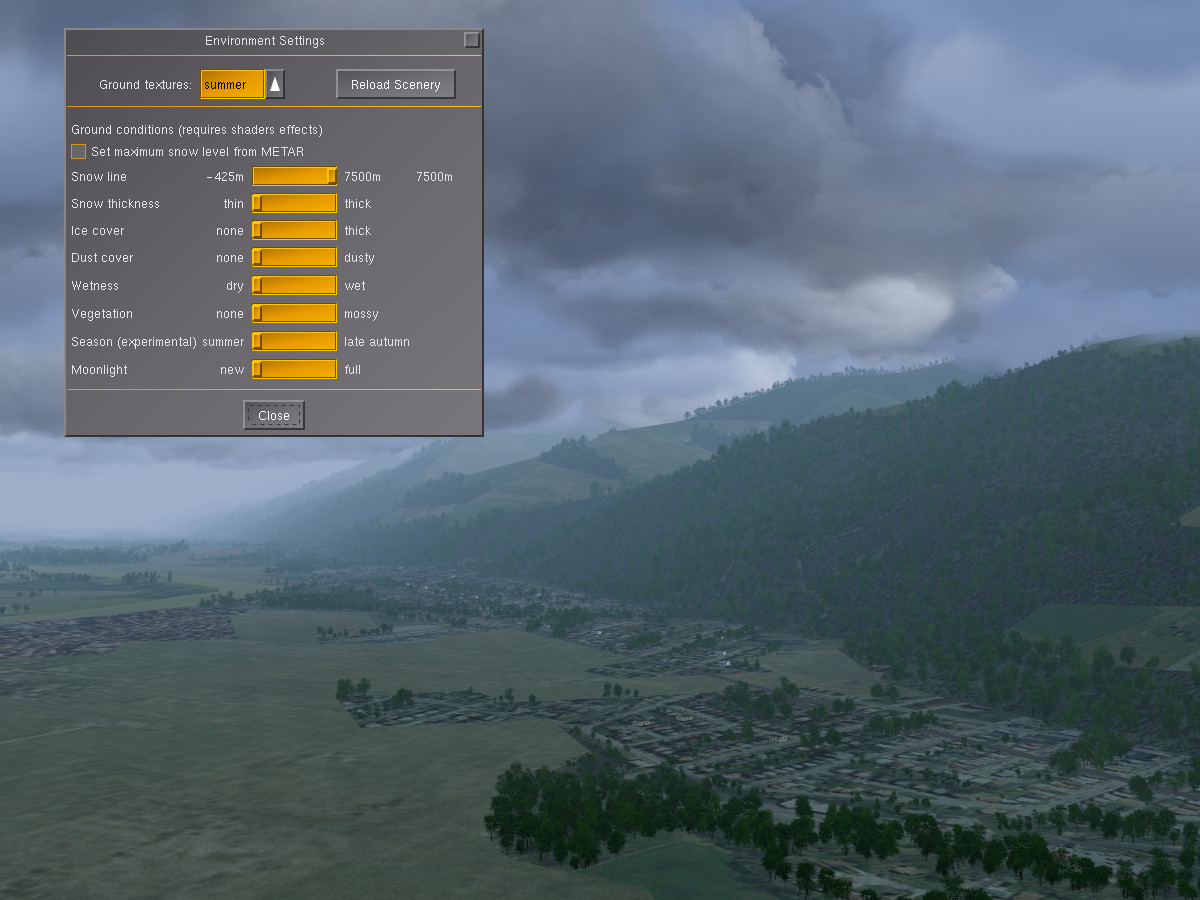
This is how the default terrain is shown without any environment effects – a summer day in Grenoble:
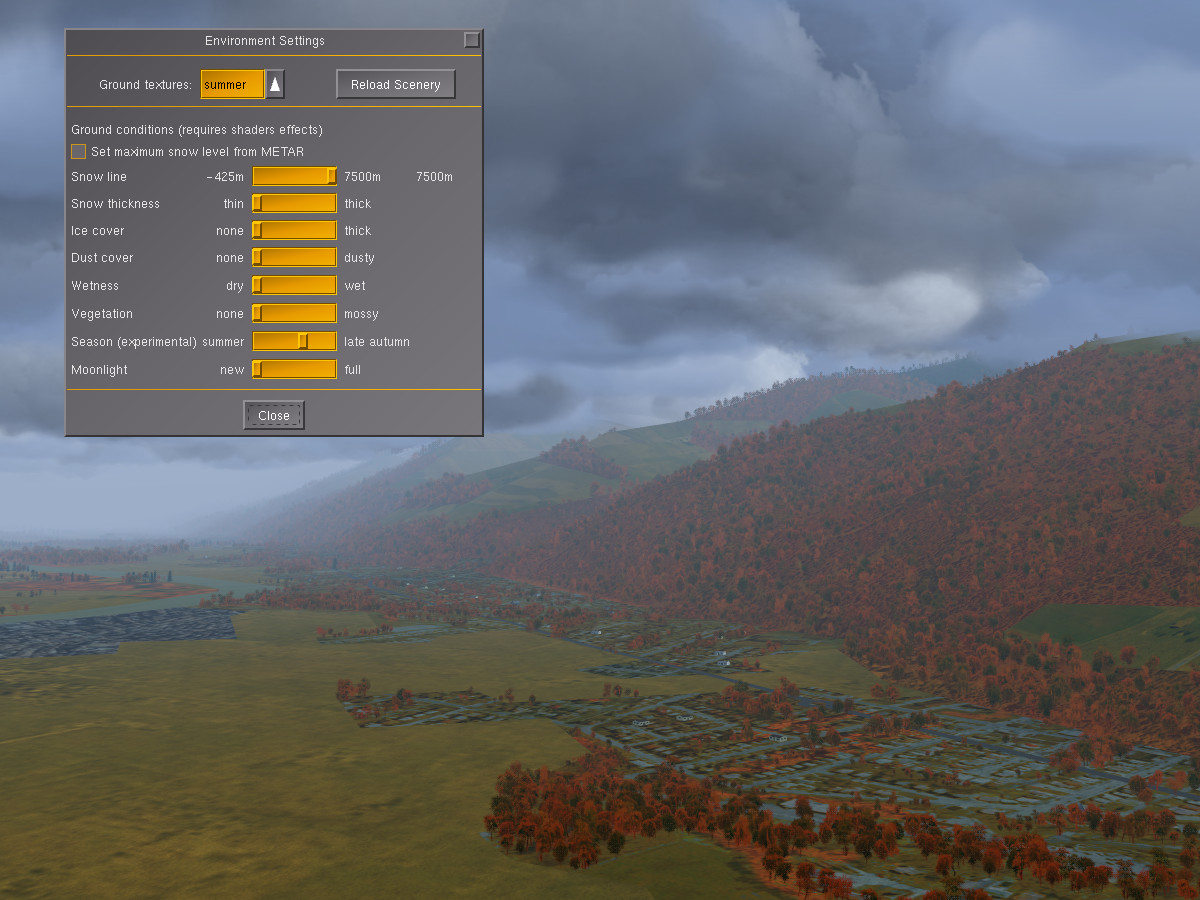
Moving the season slider somewhat to the right brings autumn coloring into the scene – deciduous tree patches change colors to orange-red, fields and grass appear yellowish:
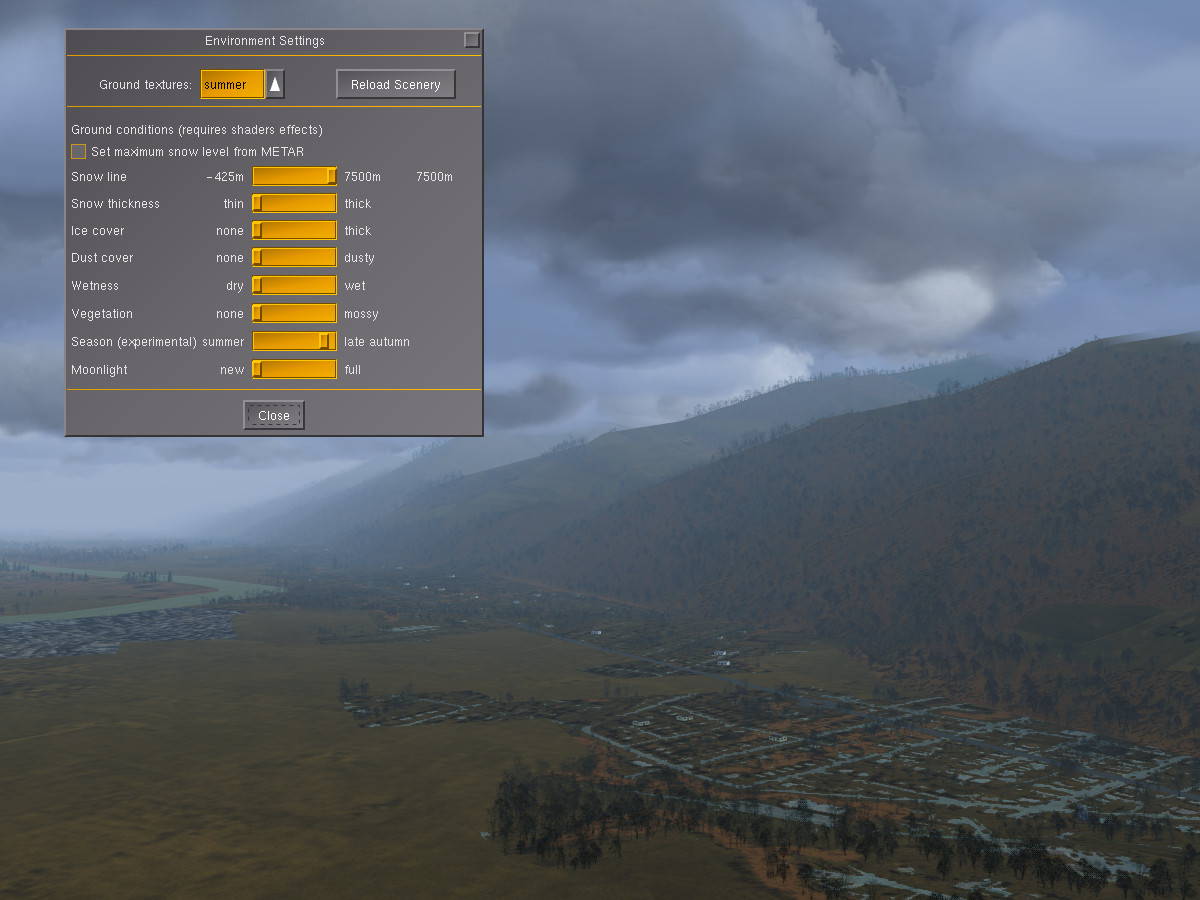
Changing to a yet later season causes deciduous trees to shed leaves and changes most of the vegetation to a dull brown:
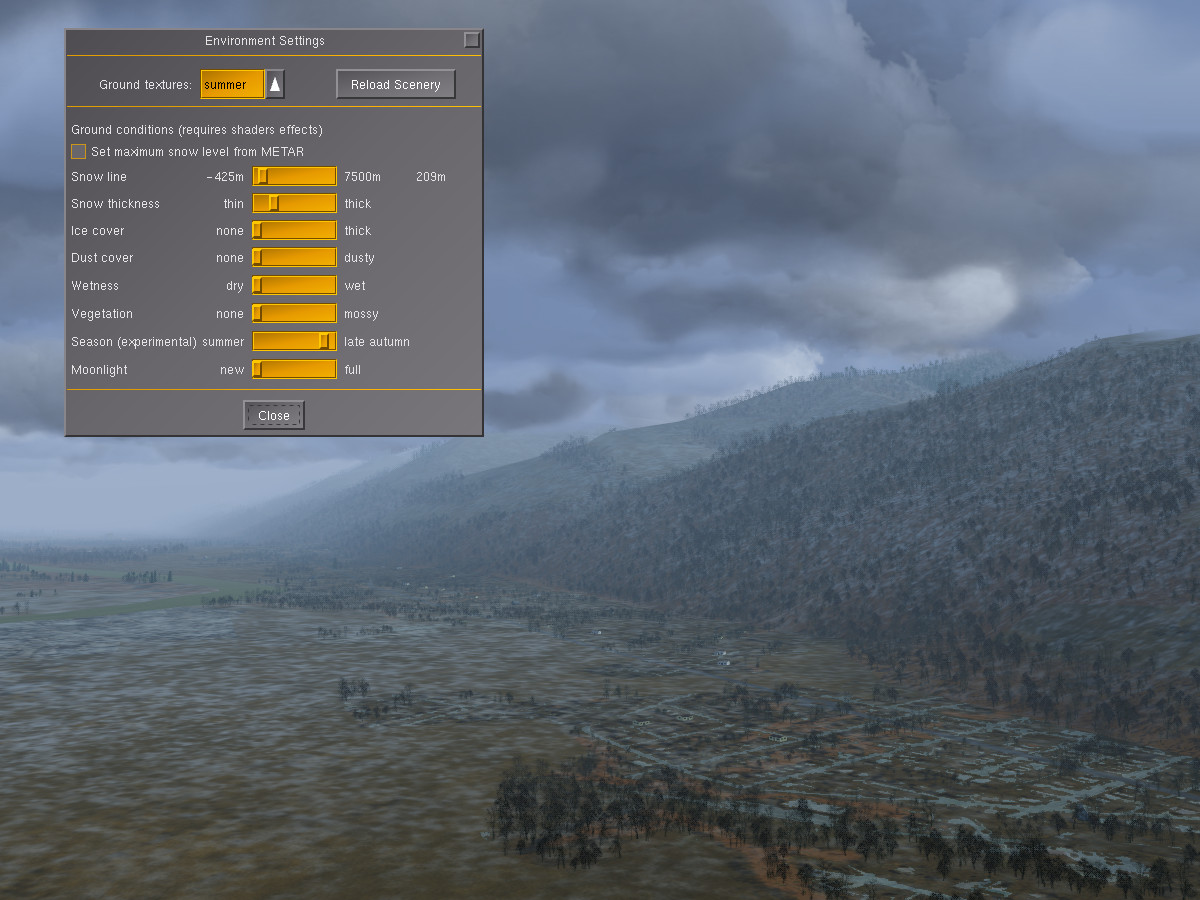
Modifying the snow line and thickness allows to add a sprinkle of snow to the valleys, simulating the first snowfall of late fall:
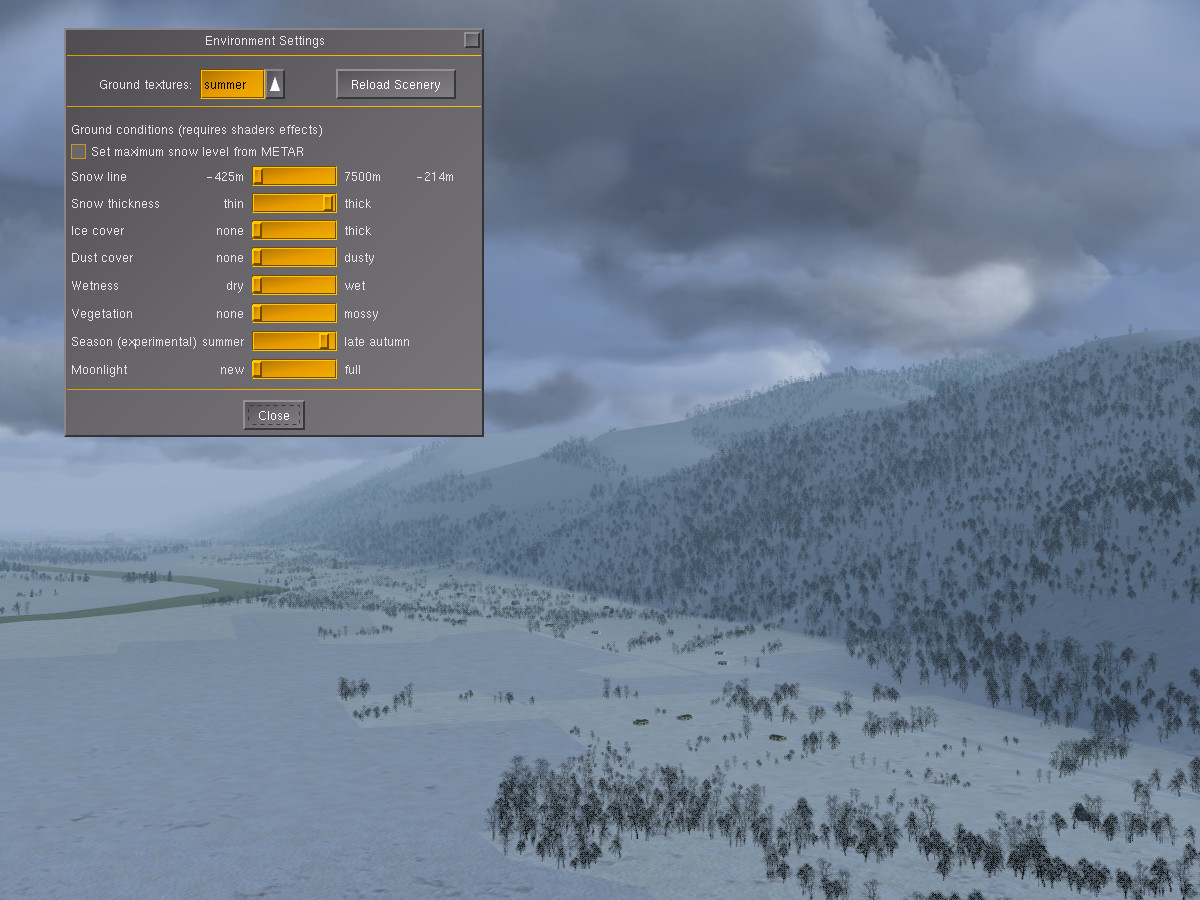
Finally, adding more snow changes the whole scene into deep winter:
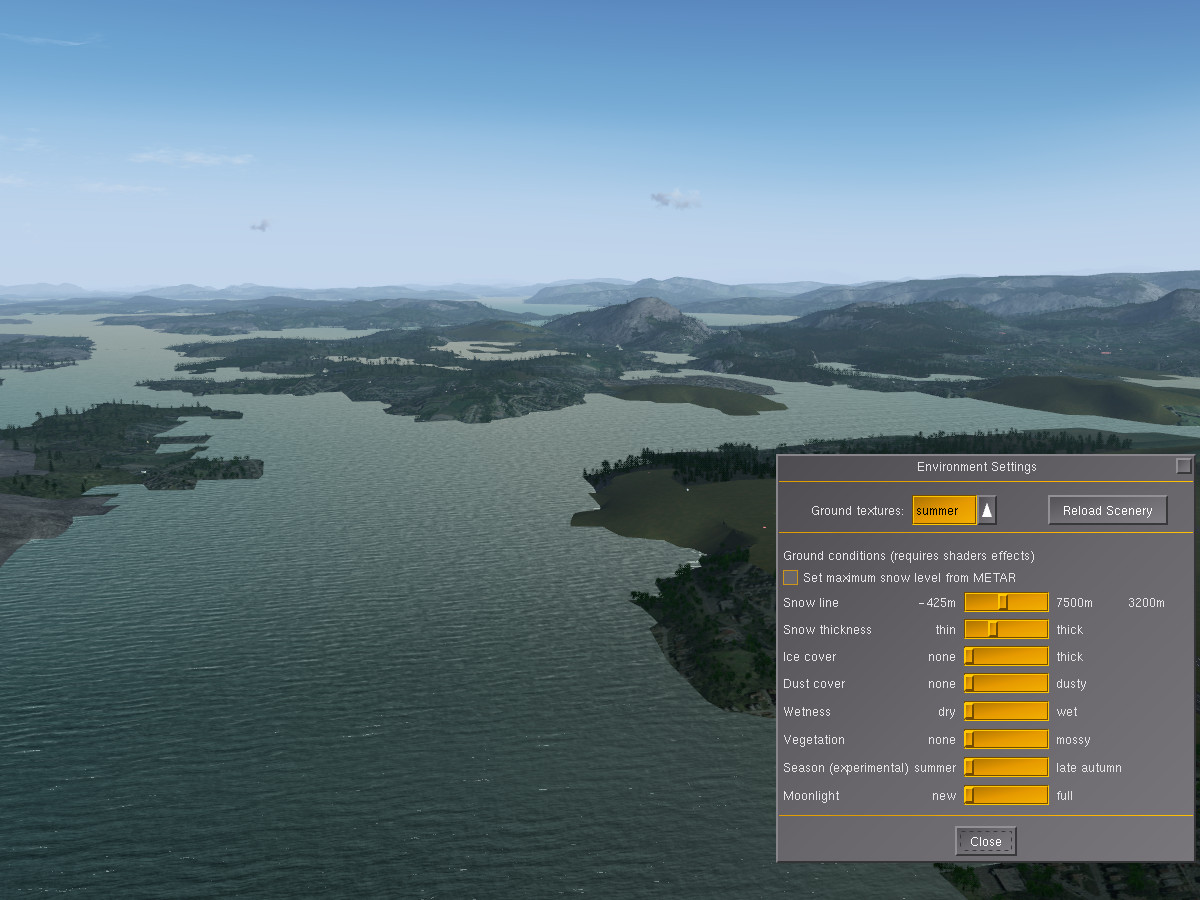
In coastal regions, the appearance of water can also be changed. Here is the coast of Norway near Bergen in summer:
Using the snow and ice sliders allows to simulate winter with lots of drift ice in the sea:
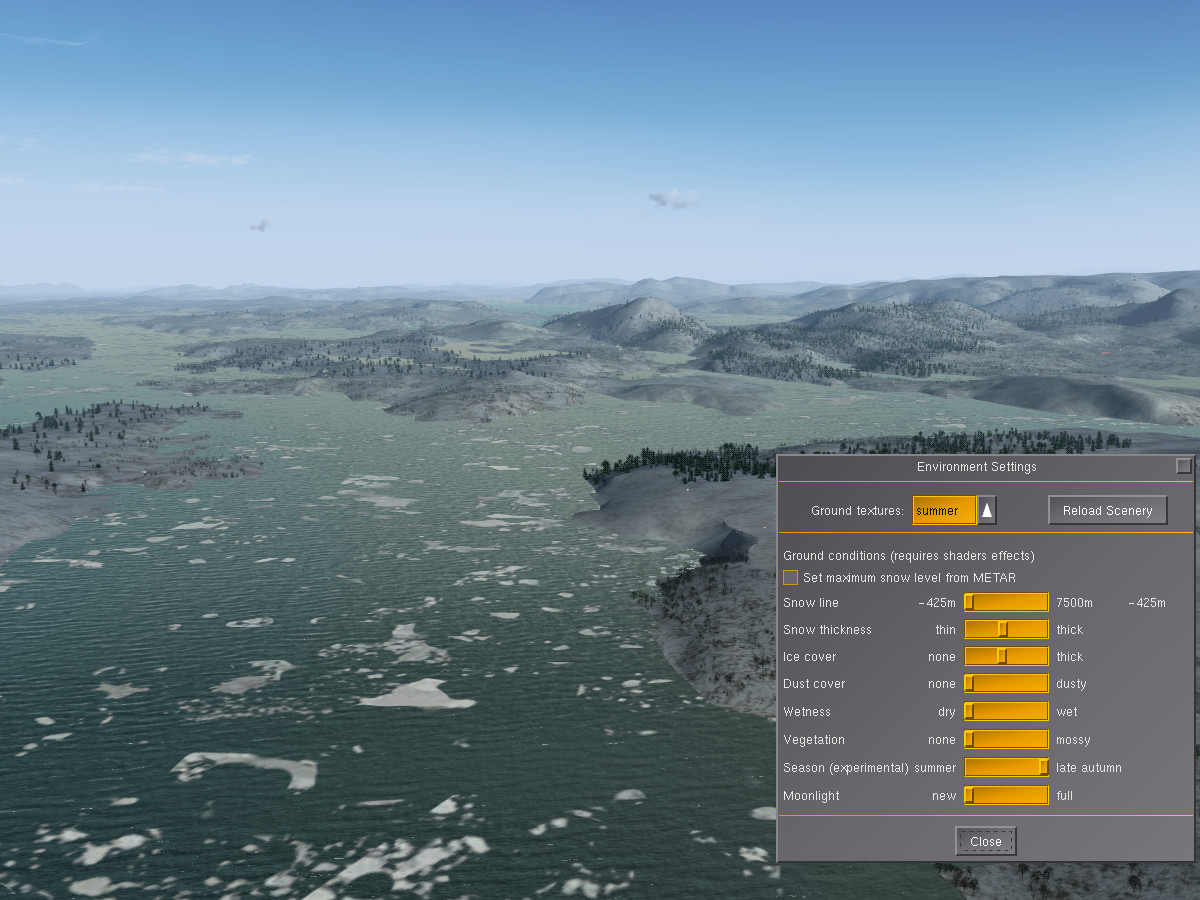
Using a combination of the season and snow settings, it is hence possible to simulate a lot of the seasonal changes during the year. But that’s not all.

Dust and greenery

Have you noticed how colors fade during a long spell of dry weather, to be restored only when rain washes the dust away? Or how a desert might look green for a few weeks after rainfall, to change to its usual dusty appearance later? The environment system also provides those options – let us take a look at the Sierra Nevada. This is how the chain appears from China Lake (with a good measure of snow added to the peaks):

Using the dust slider makes all the colors fade and lets the scene appear dry:
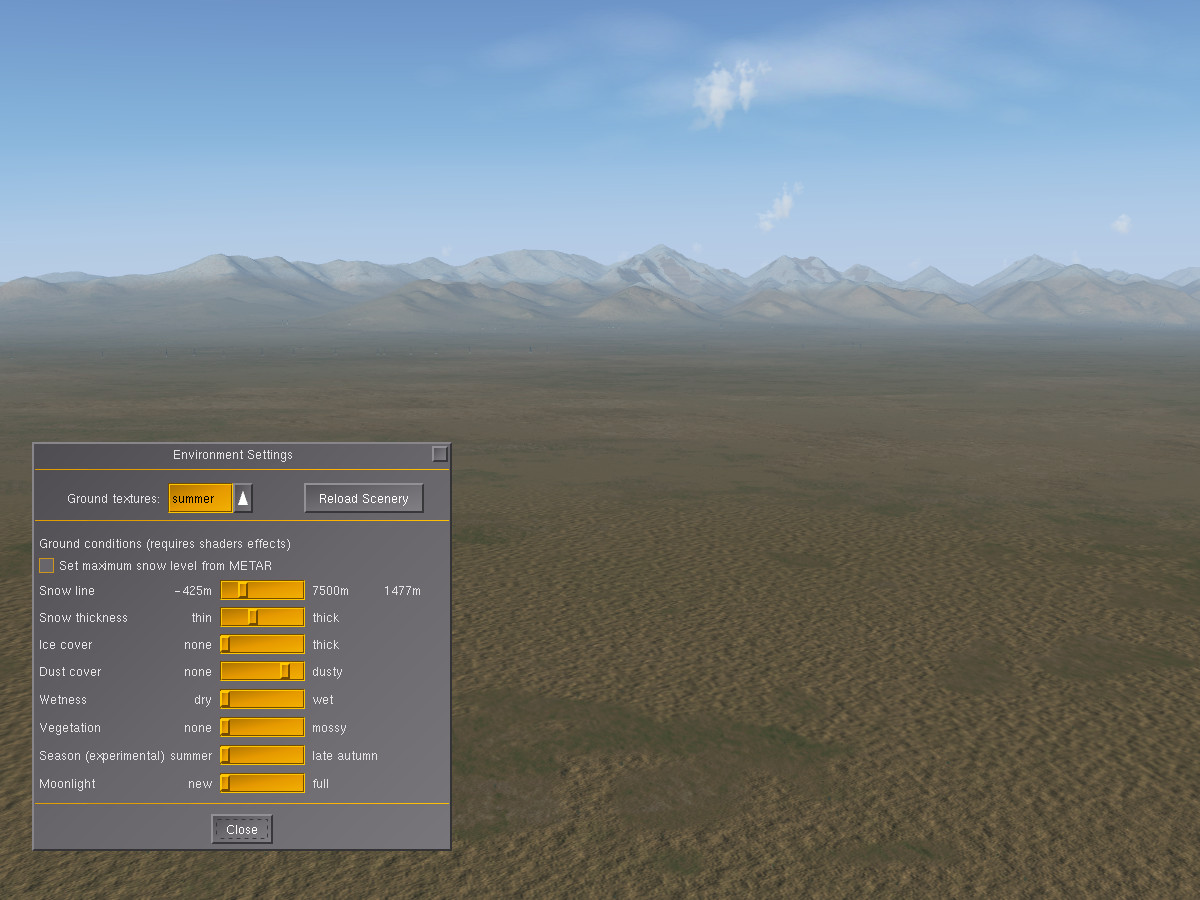
Using the vegetation slider instead gives a fresh green touch to the desert as if after a rainfall:
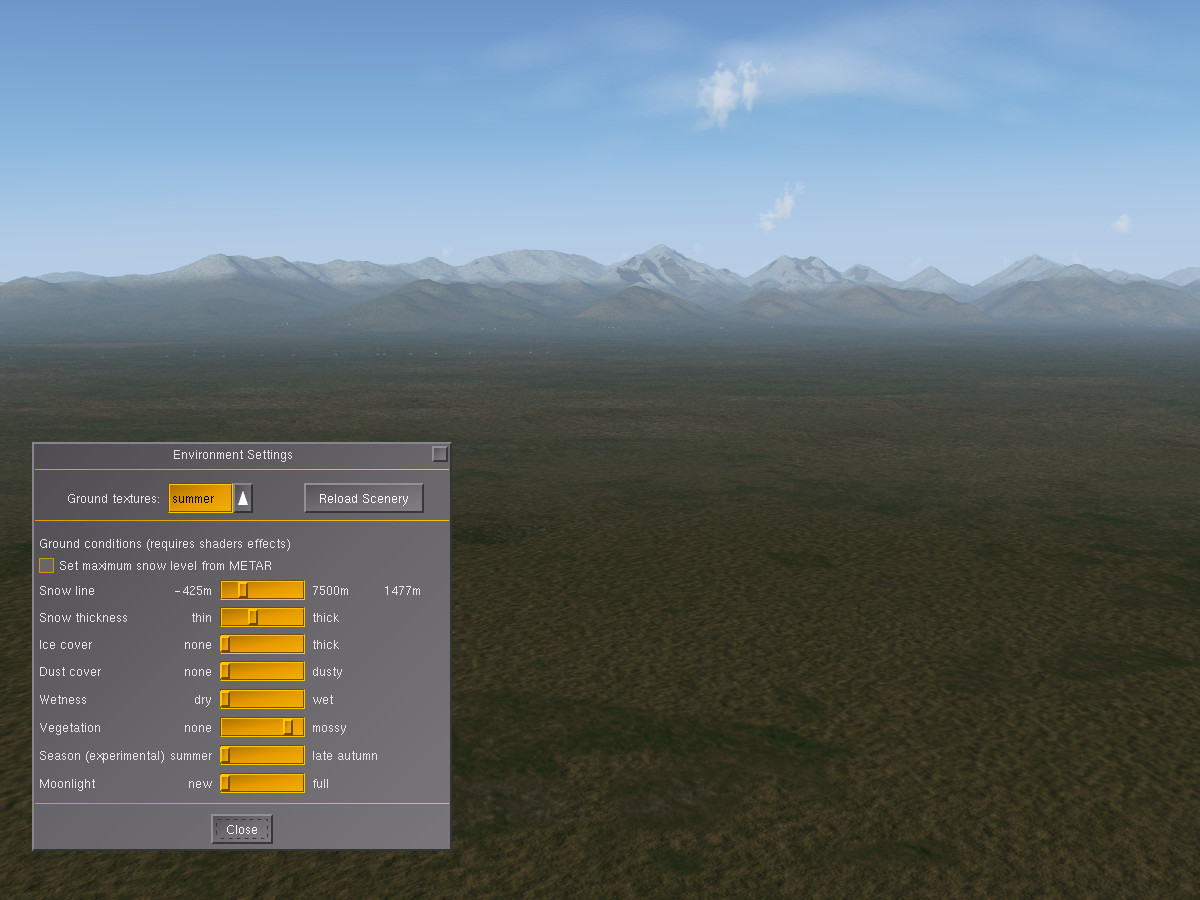
Changes may be subtle and affect more than just color. Consider this close-up of a dry runway:
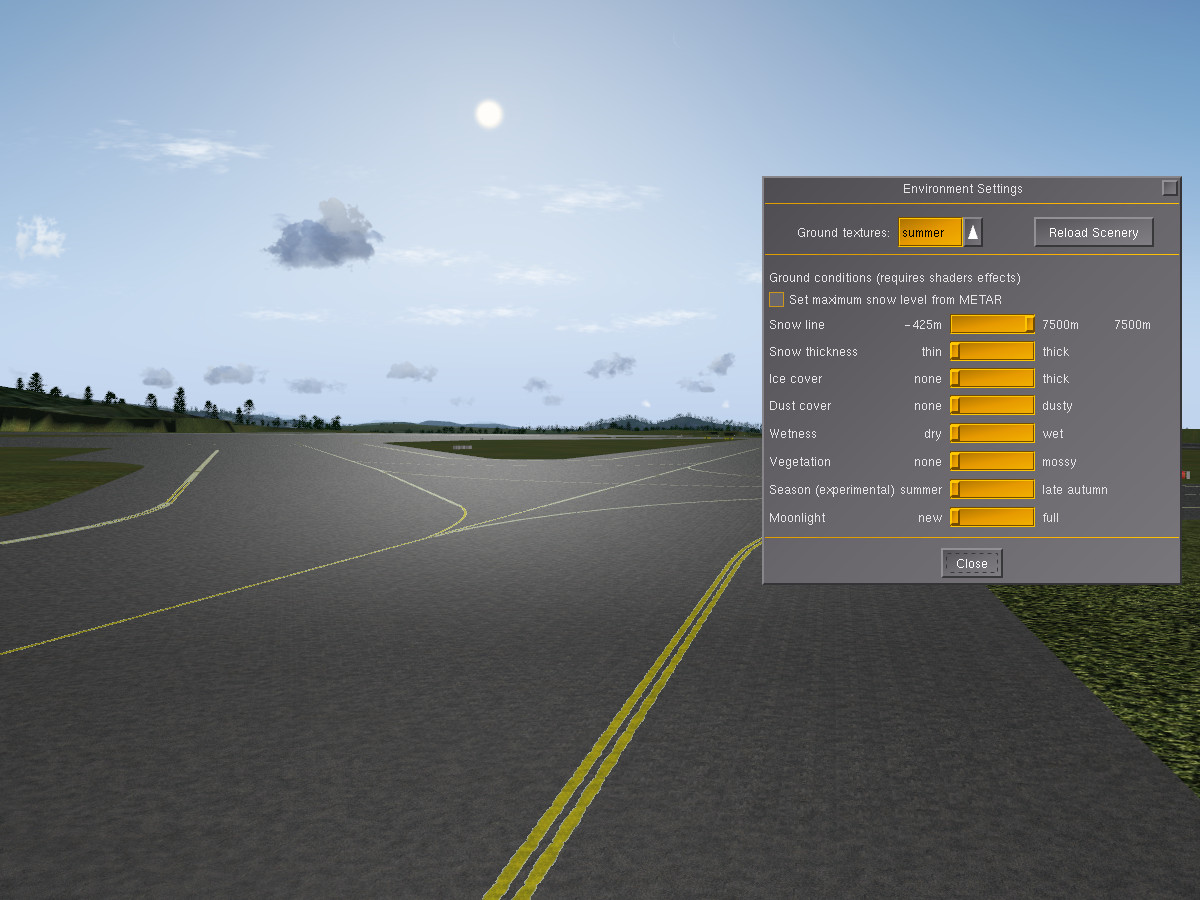
The environment settings allow to make it wet (this will happen automatically when the weather predicts rain, but terrain can be wet without current rainfall). This creates puddles and alters the whole reflectivity of the surface – look at how the light changes:
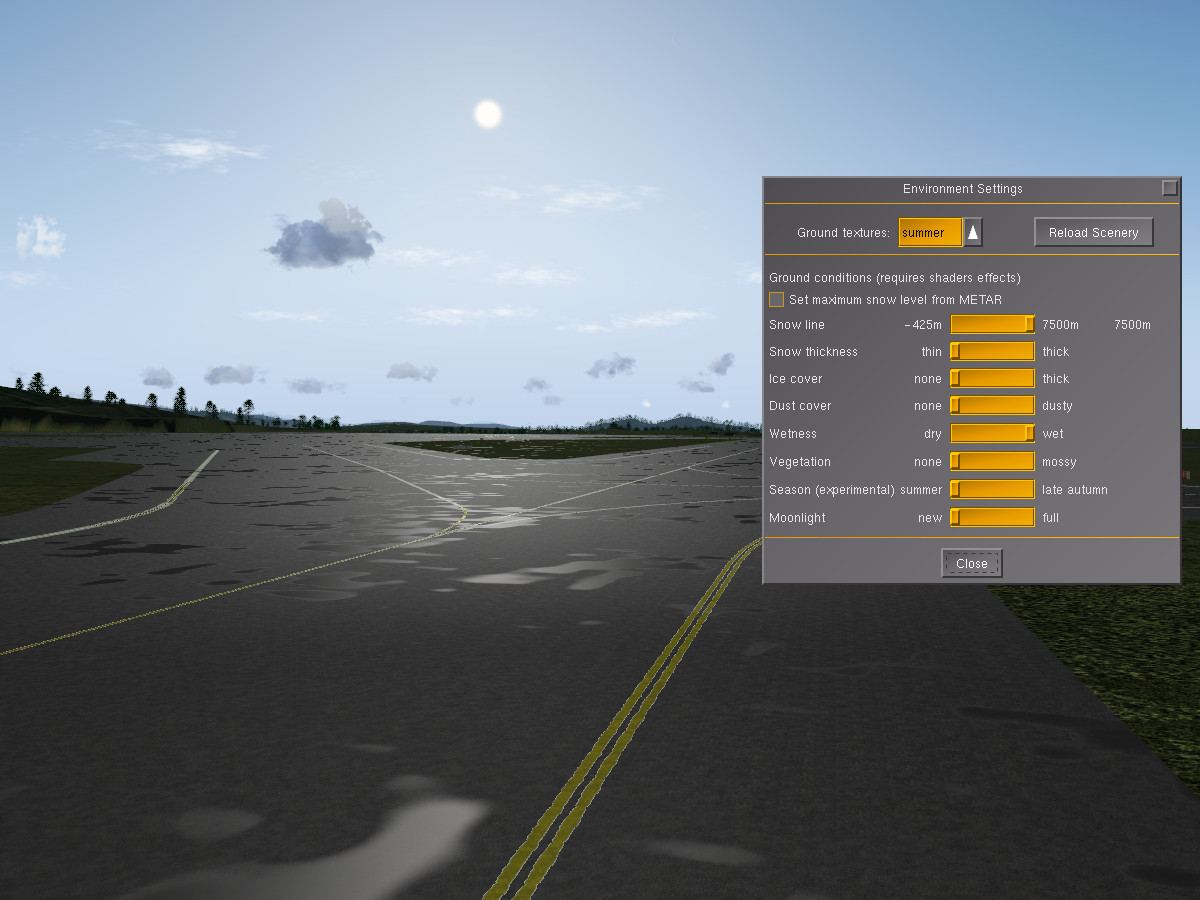
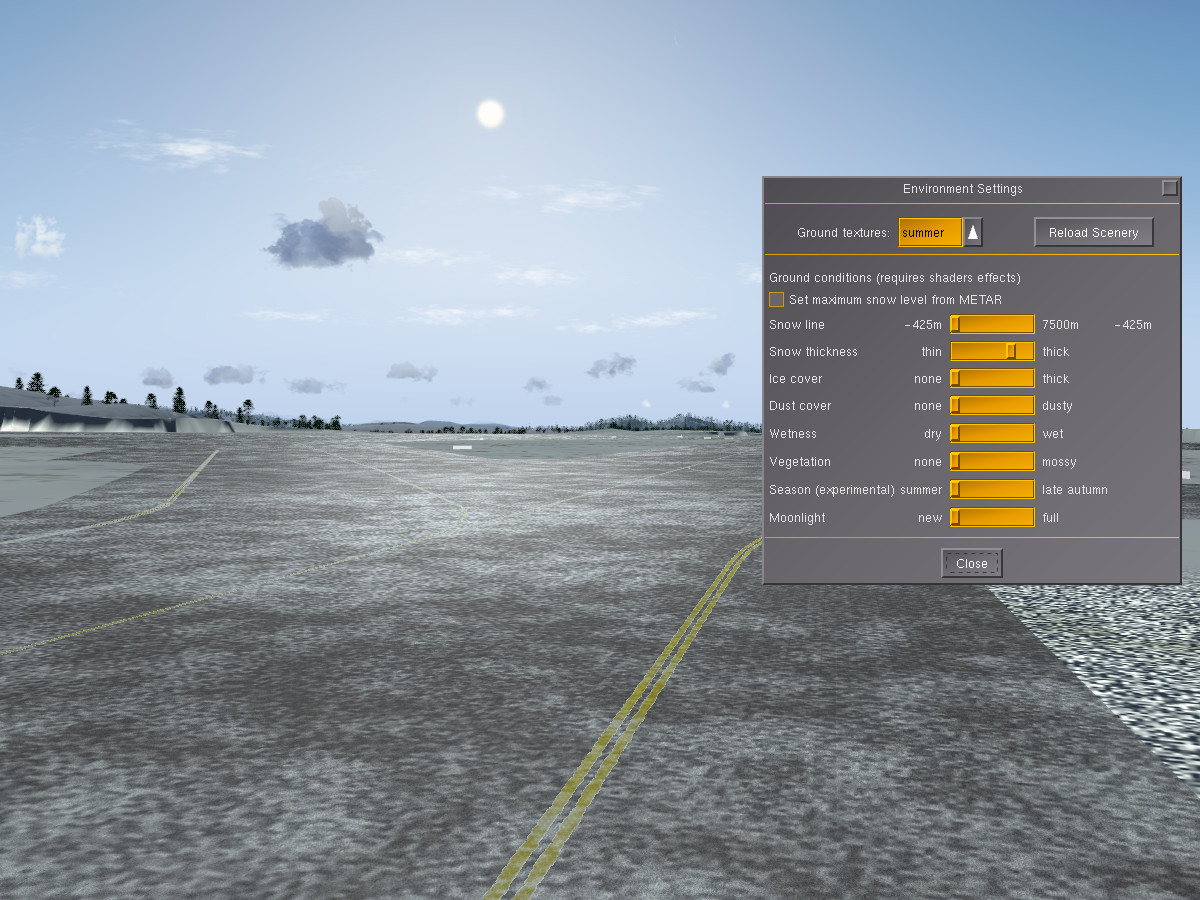
Finally, adding snow covers the runway partially in snowdrifts:
Why can’t this happen automatically?

The environment subsystem just renders as it is told, it is hence easy to misuse it – think snowfall and ice cover on Caribbean islands for instance. Sometimes, the question gets asked why this is implemented that way, and why parameters aren’t just set automatically.

The answer to that is – based on what should they be set? Flightgear does not include a global climate simulation as would be needed to determine how likely it was that there was e.g. snowfall during the last days or weeks, or that there was a dry summer and hence everything should look dusty.

The idea is that the user can adjust these settings, either based on how the scene currently looks at a location, or based on what the user wants to experience (it’s a simulation after all – there’s nothing wrong with simulating a tropical day in Hawaii on a bleak winter day).

If used with some care, the environment settings offer a chance to experience the same scenery in a hundred different ways, each time subtly different.

If misused, the settings deliver weird to crazy results of course.

For the sake of completeness, for low-performance systems which are unable to run shader effects, using the commandline option –season=winter offers at least the choice between the default summer textures and a snow-covered set of textures, although no control over snowline and thickness.
FlightGear v3.4 Released

av9DBjV

The FlightGear development team is delighted to announce the v3.4 release of FlightGear, the free, open-source flight simulator. This new version contains many exciting new features, enhancements and bugfixes. Highlights in this release include frame-rate improvements on some systems, reduced memory usage and enhancements to the built-in web server.

Founded in 1997, FlightGear is developed by a worldwide group of volunteers, brought together by a shared ambition to create the most realistic flight simulator possible that is free to use, modify and distribute. FlightGear is used all over the world by desktop flight simulator enthusiasts, for research in universities and


Read the rest… >>

av9DBjV

The FlightGear development team is delighted to announce the v3.4 release of FlightGear, the free, open-source flight simulator. This new version contains many exciting new features, enhancements and bugfixes. Highlights in this release include frame-rate improvements on some systems, reduced memory usage and enhancements to the built-in web server.

Founded in 1997, FlightGear is developed by a worldwide group of volunteers, brought together by a shared ambition to create the most realistic flight simulator possible that is free to use, modify and distribute. FlightGear is used all over the world by desktop flight simulator enthusiasts, for research in universities and for interactive exhibits in museums.

FlightGear features more than 400 aircraft, a worldwide scenery database, a multi-player environment, detailed sky modelling, a flexible and open aircraft modelling system, varied networking options, multiple display support, a powerful scripting language and an open architecture. Best of all, being open-source, the simulator is owned by the community and everyone is encouraged to contribute.

Download FlightGear v3.4 for free from FlightGear.org

FlightGear – Fly Free!

Major enhancements in this release

Performance

  • Improved frame-rates on some systems from more efficient use of Uniforms
  • Reduced memory occupancy for scenery tiles
  • AI models are now rendered based on display size rather than range
  • AI/MP models may now define objects as being part of the interior, which will not be rendered at large distances

Usability

  • Built-in web server now includes a moving map, a screenshot grabber, and supports SVG-based panels
  • In-application launcher for Mac, based on Qt5

Graphics

  • Improved rendering of runway and other lights under ALS
  • Landing and spotlight support for ALS

Scenery

  • Improved materials XML format making customer material definition easier
  • Procedural rock material definition

JSBSim

  • Synchronization with latest JSBSim

Highlighted new and improved aircraft

  • Extra EA-500
  • North American P-51D Mustang
  • Cessna Citation II
  • F-14b

Other

  • Firewall exceptions are automatically added during setup on Windows systems
  • Aircraft moved to a SVN repository.

Bug fixes

  • See our bugtracker for an extensive, yet incomplete, list of the bugs fixed in this release.

“BadUSB — On accessories that turn evil” at PacSec, Tokyo, Nov 12-13 2014

Karsten Nohl will be presenting on BadUSB at PacSec in Tokyo on Nov 12 2014. This talk introduces a new form of malware that operates from controller chips inside USB devices. Peripherals can be reprogrammed in order to take control …

Karsten Nohl will be presenting on BadUSB at PacSec in Tokyo on Nov 12 2014.

This talk introduces a new form of malware that operates from controller chips inside USB devices. Peripherals can be reprogrammed in order to take control of a computer, exfiltrate data, or spy on the user. We demonstrate a full system compromise from USB and a self-replicating USB virus not detectable with current defenses.

“BadUSB — On accessories that turn evil” at POC, Seoul, Nov 4-7 2014

Karsten Nohl will be presenting on BadUSB at POC in Seoul on Nov 6 2014. This talk introduces a new form of malware that operates from controller chips inside USB devices. Peripherals can be reprogrammed in order to take control …

Karsten Nohl will be presenting on BadUSB at POC in Seoul on Nov 6 2014.

This talk introduces a new form of malware that operates from controller chips inside USB devices. Peripherals can be reprogrammed in order to take control of a computer, exfiltrate data, or spy on the user. We demonstrate a full system compromise from USB and a self-replicating USB virus not detectable with current defenses.

Turning USB peripherals into BadUSB

USB peripherals can turn against their users

USB devices are connected to – and in many cases even built into – virtually all computers. The interface standard conquered the world over the past two decades thanks to its versatility: Almost any computer peripheral, from storage and input gadgets to healthcare devices, can connect over the ubiquitous technology. And many more device classes connect over USB to charge their batteries.

This versatility is also USB’s Achilles heel: Since different device classes can plug into the same connectors, one type of device can turn into a more capable or malicious type without the user noticing.

Reprogramming USB peripherals. To turn one device type into another, USB controller chips in peripherals need to be reprogrammed. Very widely spread USB controller chips, including those in thumb drives, have no protection from such reprogramming.

BadUSB – Turning devices evil. Once reprogrammed, benign devices can turn malicious in many ways, including:

  1. A device can emulate a keyboard and issue commands on behalf of the logged-in user, for example to exfiltrate files or install malware. Such malware, in turn, can infect the controller chips of other USB devices connected to the computer.
  2. The device can also spoof a network card and change the computer’s DNS setting to redirect traffic.
  3. A modified thumb drive or external hard disk can – when it detects that the computer is starting up – boot a small virus, which infects the computer’s operating system prior to boot.

Defenses?
No effective defenses from USB attacks are known. Malware scanners cannot access the firmware running on USB devices. Behavioral detection is difficult since behavior of an infected device may look as though a user has simply plugged in a new device. Blocking or allowing specific USB device classes and device IDs is possible, however generic lists can easily be bypassed. Pre-boot attacks may be prevented by use of a BIOS password and booting only to the hard drive.

To make matters worse, cleanup after an incident is hard: Simply reinstalling the operating system – the standard response to otherwise ineradicable malware – does not address BadUSB infections at their root. The USB thumb drive, from which the operating system is reinstalled, may already be infected, as may the hardwired webcam or other USB components inside the computer. A BadUSB device may even have replaced the computer’s BIOS – again by emulating a keyboard and unlocking a hidden file on the USB thumb drive.

Once infected, computers and their USB peripherals can never be trusted again.

More details are available in the slides of our talk at PacSec 2014. (An earlier version of the talk was presented at BlackHat 2014.) YouTube has a video of the BlackHat talk.

Proof-of-Concept. We are not yet releasing the modified USB controller firmwares. Instead we are providing a proof-of-concept for Android devices that you can use to test your defenses: BadAndroid-v0.2

Questions? – usb [you know what to put here] srlabs.de

…Companion Cube from Portal

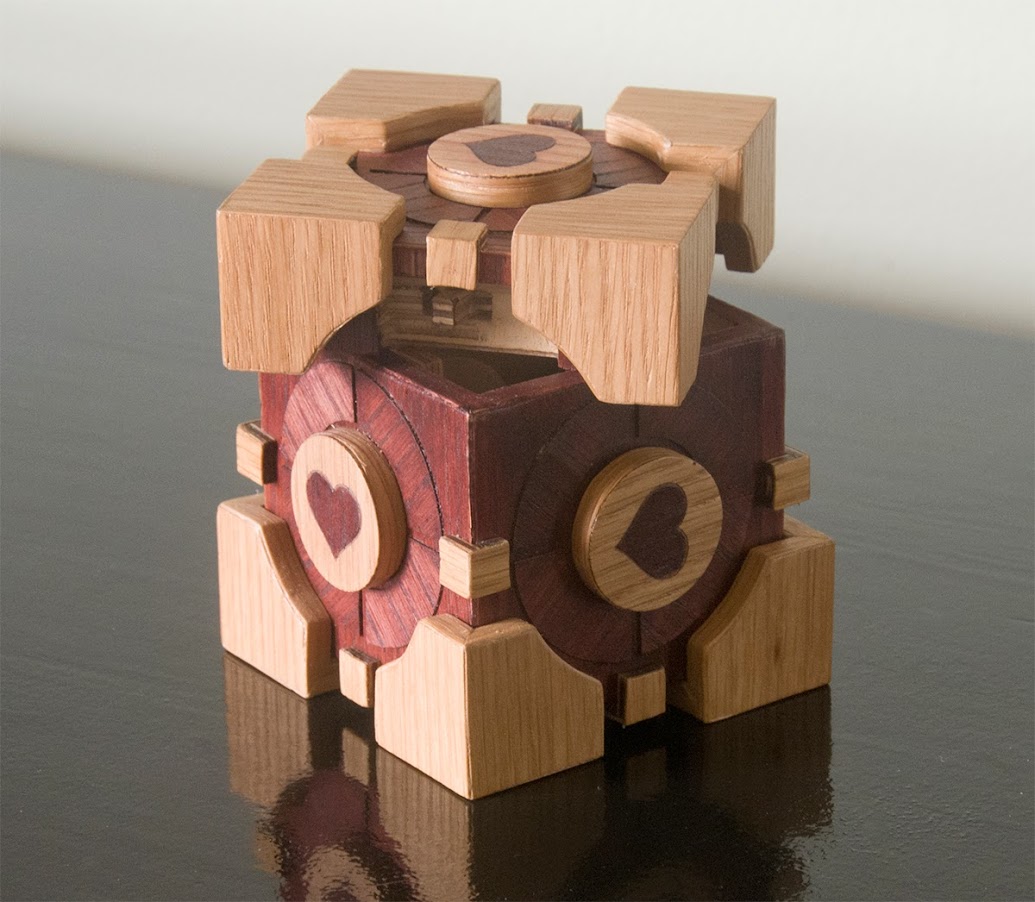
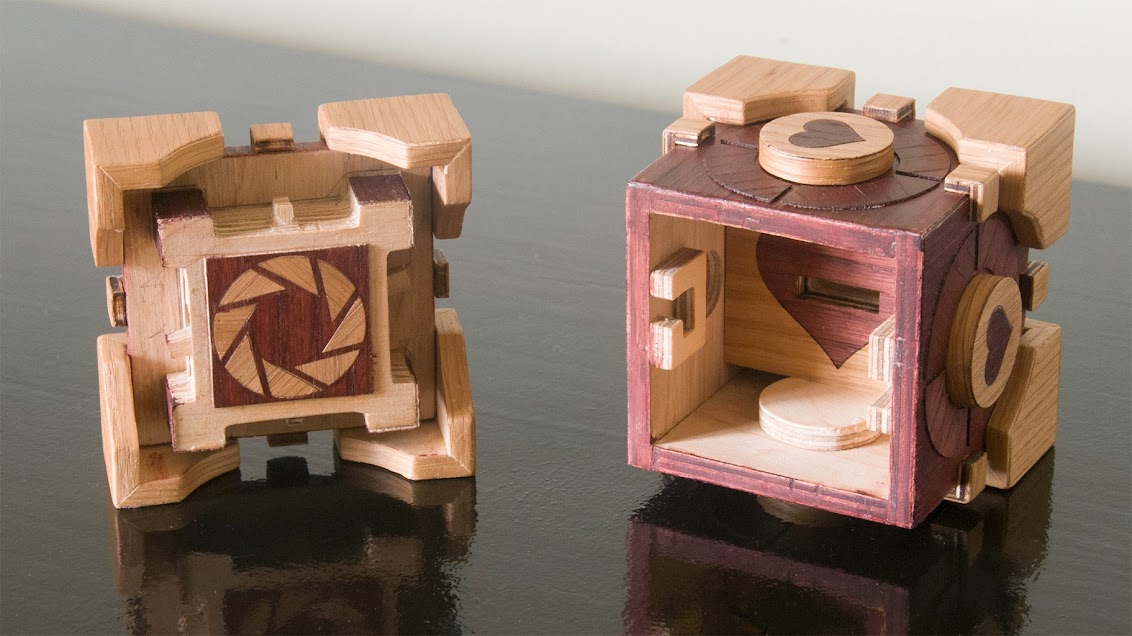
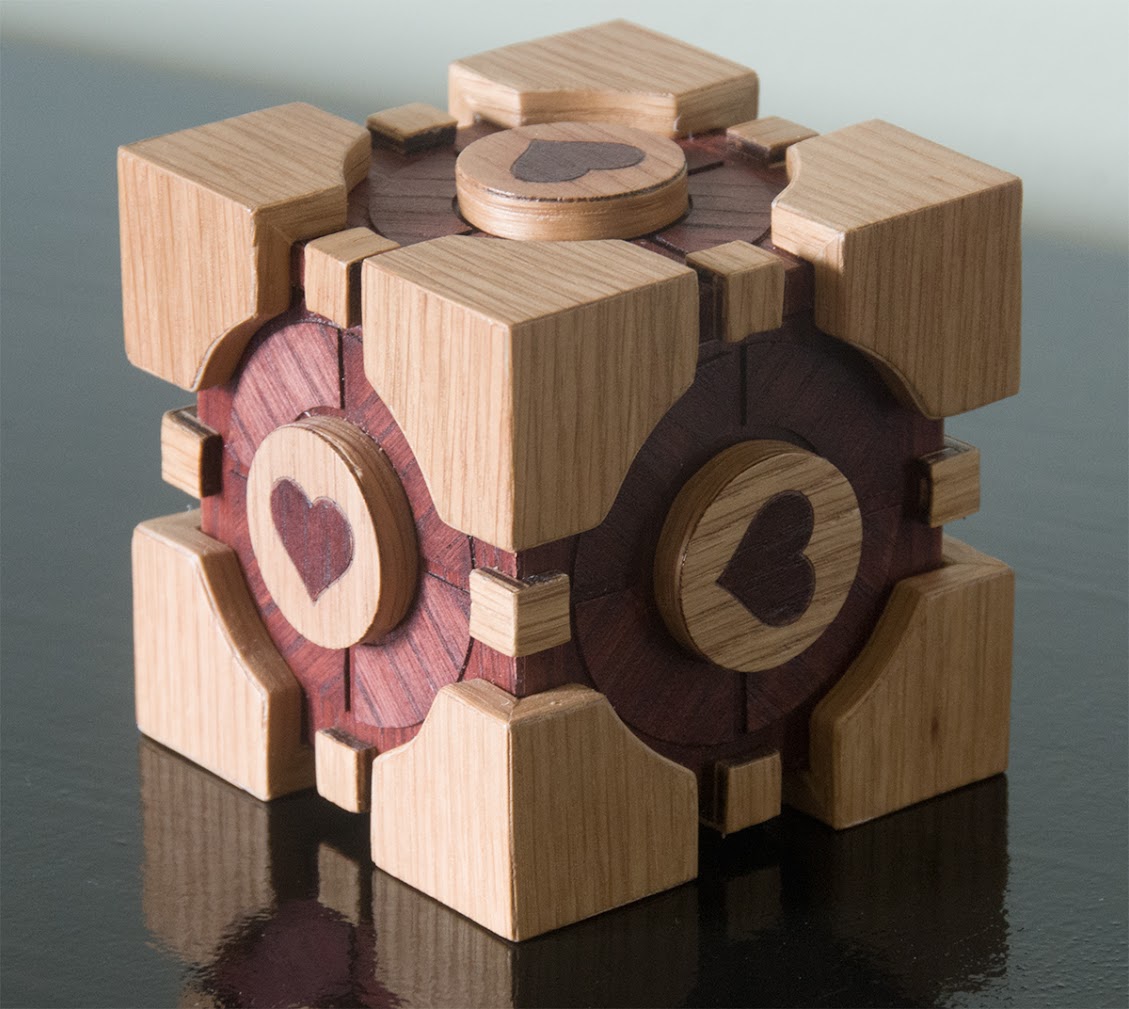
I just spent the last couple of weeks tinkering around with this… a Companion Cube from the video game Portal. It’s made from quarter inch plywood with laser cut oak veneer for the surface detail. The locking mechanism is basically identical to this project. And yes… it was a triumph. Click on any of the […]

(Visited 8,155 times, 1 visits today)

I just spent the last couple of weeks tinkering around with this… a Companion Cube from the video game Portal. It’s made from quarter inch plywood with laser cut oak veneer for the surface detail.

The locking mechanism is basically identical to this project.

Companion Cube from Portal Companion Cube from Portal Companion Cube from Portal

And yes… it was a triumph.

Click on any of the images above to see more construction pictures.

Share

(Visited 8,155 times, 1 visits today)

“BadUSB — On accessories that turn evil” at Black Hat, Las Vegas, Aug 6-7 2014

Karsten Nohl and Jakob Lell will be presenting BadUSB at BlackHat 2014 in August 2014 USB has become so commonplace that we rarely worry about its security implications. USB sticks undergo the occasional virus scan, but we consider USB to …

Karsten Nohl and Jakob Lell will be presenting BadUSB at BlackHat 2014 in August 2014

USB has become so commonplace that we rarely worry about its security implications. USB sticks undergo the occasional virus scan, but we consider USB to be otherwise perfectly safe — until now.

This talk introduces a new form of malware that operates from controller chips inside USB devices. USB sticks, as an example, can be reprogrammed to spoof various other device types in order to take control of a computer, exfiltrate data, or spy on the user.

We demonstrate a full system compromise from USB and a self-replicating USB virus not detectable with current defenses.

We then dive into the USB stack and assess where protection from USB malware can and should be anchored.

“Mobile network attack evolution” at Positive Hack Days, Moscow, May 21-22 2014

Karsten Nohl will be presenting on Mobile network attack evolution at Positive Hack Days in Moscow, May 21-22 2014. Mobile networks should protect users on several fronts: Calls need to be encrypted, customer data protected, and SIM cards shielded from …

Karsten Nohl will be presenting on Mobile network attack evolution at Positive Hack Days in Moscow, May 21-22 2014.

Mobile networks should protect users on several fronts: Calls need to be encrypted, customer data protected, and SIM cards shielded from malware.

Many networks are still reluctant to implement appropriate protection measures in legacy systems. But even those who add mitigations often fail to fully capture attacks: They target symptoms instead of solving the core issue.

This talk discusses mobile network and SIM card attacks that circumvent common protection techniques to illustrate the ongoing mobile attack evolution.

“On our fear and apathy towards smartphone attacks” at Re:publica, Berlin, May 7 2014

Linus Neumann and Ben Schlabs will be presenting On our fear and apathy towards smartphone attacks at Re:publica on May 7th 2014. Smartphones are migrating from lifestyle object to the epicenter of communication on the individual and societal level. Equipped …

Linus Neumann and Ben Schlabs will be presenting On our fear and apathy towards smartphone attacks at Re:publica on May 7th 2014.

Smartphones are migrating from lifestyle object to the epicenter of communication on the individual and societal level. Equipped with cameras and microphones and constantly connected to communication networks, the phones are also becoming an attractive target for spies and data thieves. The fear among smartphone users grows without their knowing if and how they are actually being attacked.

This talk aims to take the fear factor out of the smartphone security discussion: We explain how phone attacks work and which ones you should be worried about, what you should demand from your network operator, and how you can protect yourself. To further drive mobile security evolution, we introduce a crowdsourced way to measure mobile network protection around the world.

Web Site Updates

December 30, 2014:

  • Upgraded to wordpress 4.1
  • Testing a new theme that is a bit less “bloggy”
  • Added a big fat “download now” button on the front page.
  • Fixed layout for small screens (like smart phones in portrait mode.)

January 24, 2014:

  • v3.0.0 release candidates are available for download and testing.  The official v3.0.0 release is scheduled for 17 Feb.
  • Upgraded to WordPress 3.8.1

December 20, 2013:

Upgraded to WordPress 3.8 and the Twenty Fourteen theme.

November 25, 2013:

FlightGear v2.12.1 (bug fix release) is now available for download.

October 3, 2013:

Upgraded to WordPress 3.6.1 and new TwentyThirteen theme.  …
Read the rest… >>

December 30, 2014:

  • Upgraded to wordpress 4.1
  • Testing a new theme that is a bit less “bloggy”
  • Added a big fat “download now” button on the front page.
  • Fixed layout for small screens (like smart phones in portrait mode.)

January 24, 2014:

  • v3.0.0 release candidates are available for download and testing.  The official v3.0.0 release is scheduled for 17 Feb.
  • Upgraded to WordPress 3.8.1

December 20, 2013:

Upgraded to WordPress 3.8 and the Twenty Fourteen theme.

November 25, 2013:

FlightGear v2.12.1 (bug fix release) is now available for download.

October 3, 2013:

Upgraded to WordPress 3.6.1 and new TwentyThirteen theme.  The FlightGear web site server hardware has been relocated to a newer larger building.  And v2.12 has just been released!

February 13, 2013: Updated Scenery Download Path

The FlightGear scenery downloads has been updated to v2.10 in preparation for the 17 Feb v2.10 release.  The scenery content does not follow the same release schedule and has updates and improvements every few days.  Thus this is more of a name change formality, and the “v2.10” scenery will work fine with v2.8 and probably most v2.x versions of FlightGear.

January 12, 2013: New Wiki Server

The FlightGear Wiki (http://wiki.flightgear.org) has been moved from a shared hosting server to a new dedicated virtual private host.  The FlightGear wiki is *very* popular and generates a lot of traffic and server load so hopefully this will improve the performance and reliability of our wiki and at the same time help all the other services on the old shared hosting server.

The new wiki host has been donated to the FlightGear project by DigitalOcean. If you are searching for a good hosting service among an ocean of possible options, they are good guys.

December 18, 2012: WordPress 3.5 & New Theme

The FlightGear web site has been upgraded to the newest version of wordpress (3.5) and I am experimenting with a new theme.  We can always return to the old them if we decide we like that better, or we can more forward too.  The new theme has some better support for mobile devices.

December 29 update: when switching to the new 2012 theme, we ended up with comments enabled on all content pages.  This was unintentional.  The page comments were mostly support requests or the odd snarky comment.  I have removed the comments area from regular content pages, but comments are still allowed (and encouraged) for “post” pages.  However, comments will be filtered carefully for topic and usefulness.  Do they expand or clarify the conversation of the post topic?  Support questions will still be referred to the FlightGear forum.  Random positive/negative statements (like “I love flightgear” or “I hate flightgear” will generally be ignored.)  English is preferred for post comments, but exceptions have been made and probably will be made in the future.

October 24, 2012: Scenery Download Page updated

The World Scenery Download page is updated to SVN version 20579.  It may take a day or so for the updated files to flush through the mirror system.

September 7, 2012: WordPress 3.4.2

Upgraded to wordpress-3.4.2.

August 20, 2012: Updated Gallery

Featuring the winning entries of the 15th anniversary screenshot contest, we have added a new screenshot gallery to go along with the v2.8.0 release!

August 17, 2012: Version 2.8.0 Released

Yeah!  Look on the front page (or the recent posts list in the side bar) to read the official release announcement.  Better graphics, new aircraft, new visual effects, tons of new things to explore!

July 30, 2012: v2.8.0 Release Candidate “RC4” Available.

If you are interested in trying the next release of FlightGear ahead of time (and helping us sniff out any remaining bugs or packaging issues) then please take a look for download links in the release candidate section towards the bottom main download page.  Also notice that updated v2.8.0 aircraft are also available for download along with the pre-release.

June 28, 2012: WordPress 3.4.1

The FlightGear web site software has been updated to WordPress v3.4.1.

February 28, 2012: Version 2.6.0 Updates

Both Mac OS X and Windows have had small tweaks to follow up the v2.6 release.  For Mac OS X there is “r319” version of the 2.6.0 dmg which fixes a couple problems some Mac users were seeing.  For Windows there is a “Setup FlightGear 2.6.0.1.exe” which fixes one small 32bit vs. 64bit dll packaging problem some 64bit users were seeing.

February 17, 2012: Version 2.6.0 Released

There has been a large number of changes and updates to the download and information pages as part of the v2.6.0 roll-out.

Jan 29, 2012: New v2.6.0 Release Candidate Available

A complete test release for the upcoming FlightGear 2.6.0 version is available to try.  Follow this link to the FlightGear v2.6.0 Release Candidate page.

Jan 6, 2012: New Developer Snapshot Available

A new developer snapshot (v20120105) is available for download and testing.  This is a way to keep up with all the coolest new features and experimentation without needing to compile the code yourself from scratch.  You can find the download link on the main download page.

Dec 28, 2011: Contributors Section added

A new section has been added to the FlightGear web site: Contributors.  We plan to periodical add profiles of different contributors to this section.  If you’d like to be included here, or have corrections or updates to existing entries, please contact the web master!

Sep 27, 2011: Scenery Download Page added

A World Scenery Download page has finally been added to the new web site.  You can find the page in the main site menu.  The graphical download page has also been updated.  All the links should now point to the v2.4.0 version of the scenery (this corresponds to svn version 16700 from the terrascenery archives.)  Update: a small link error has been fixed so the download map should be working again.  Thanks to those who reported it!

Sep 27, 2011: New wiki and liveries server

The server hosting wiki.flightgear.org and liveries.flightgear.org has been upgraded and the content has been migrated over.  There shouldn’t be any problems, but of course if you spot something odd, please let us know.