Google Play Music Podcasts launches today

US and Canadian users should see the podcast store on the Web and Android.

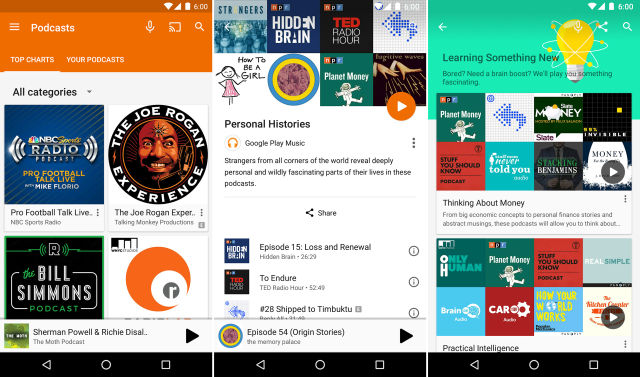
Google Play Music Podcasts in action. (credit: Google)

Google Play Music Podcasts has finally launched. Back in October, Google announced that it was jumping back into podcast distribution and began accepting RSS feeds to build a podcast store. In what was seemingly an accident, the feature briefly went live for some users in February. But today, Google says the feature will officially go live on the Web and roll out to Android devices. There's no mention of an iOS launch, but it can't be far behind.

Google Play Music Podcasts sticks a podcast store right in the Google Play Music interface. You can search for and subscribe to your favorite shows and then play them everywhere Play Music works. Play Music will occasionally check for new episodes and download them automatically. To start, the store is only live in the US and Canada.

The addition of podcasts makes the Google Play Music app an even busier place. The app is now home to podcasts, an online music locker, a Pandora-style radio system, hand-curated playlists from Google's Songza acquisition, an à la carte music store, and an all-you-can-eat music subscription service. This is also the first non-music content offered in an app called Google Play Music. Mashing everything into a single catch-all audio app means it should be easy to get podcasts to work on Android TV, Android Wear, and Android Auto, but it makes the interface a bit more complicated.

Read on Ars Technica | Comments
Android N takes baby steps toward becoming a virtual reality platform

Android N gets a “VR helper service” and a “sustained performance mode.”

Enlarge (credit: Ron Amadeo)

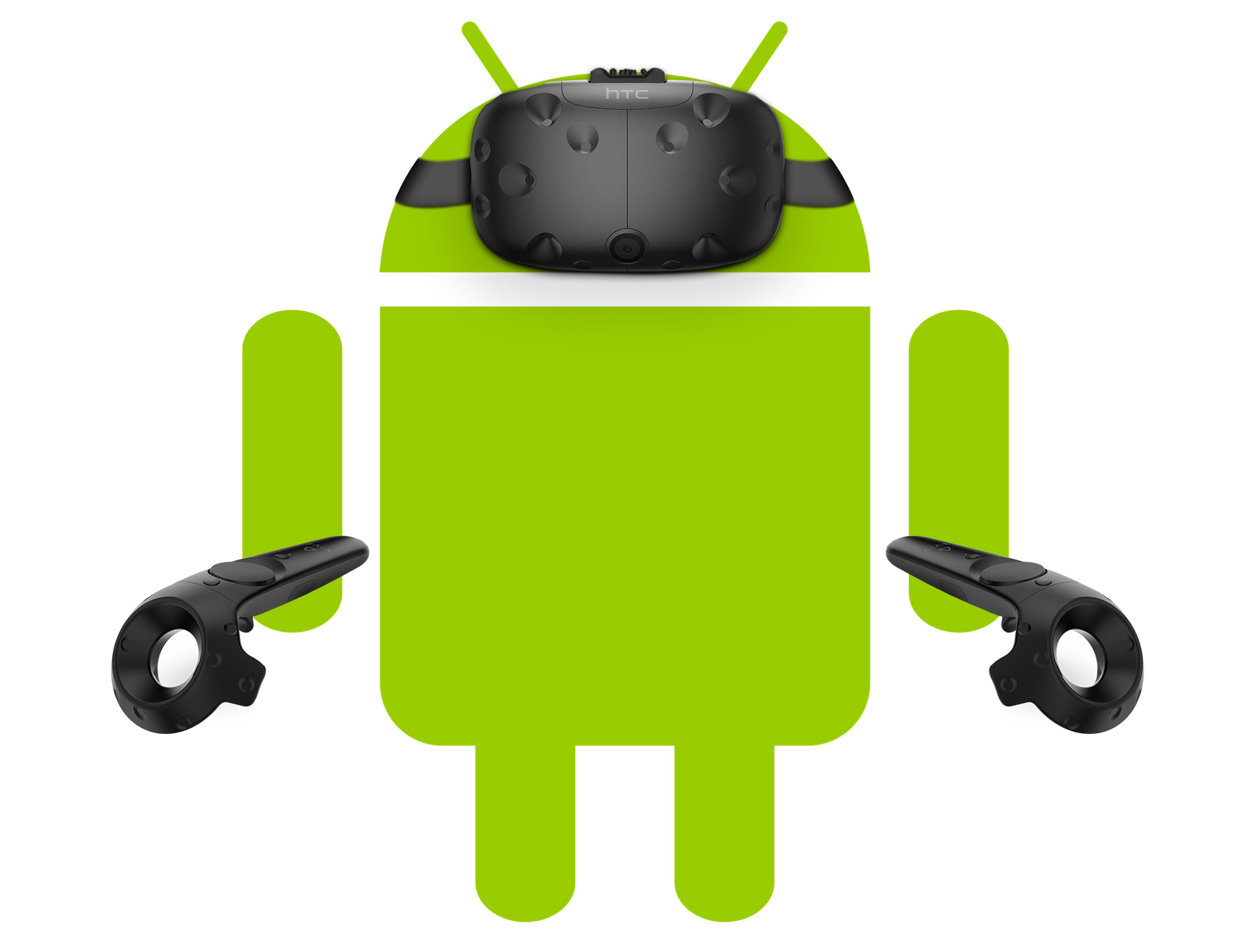
The second Android N Developer Preview came out this week, and while it brings support for Vulkan, new emojis, and a few UI tweaks, there are also a few references to virtual reality buried inside the new update.

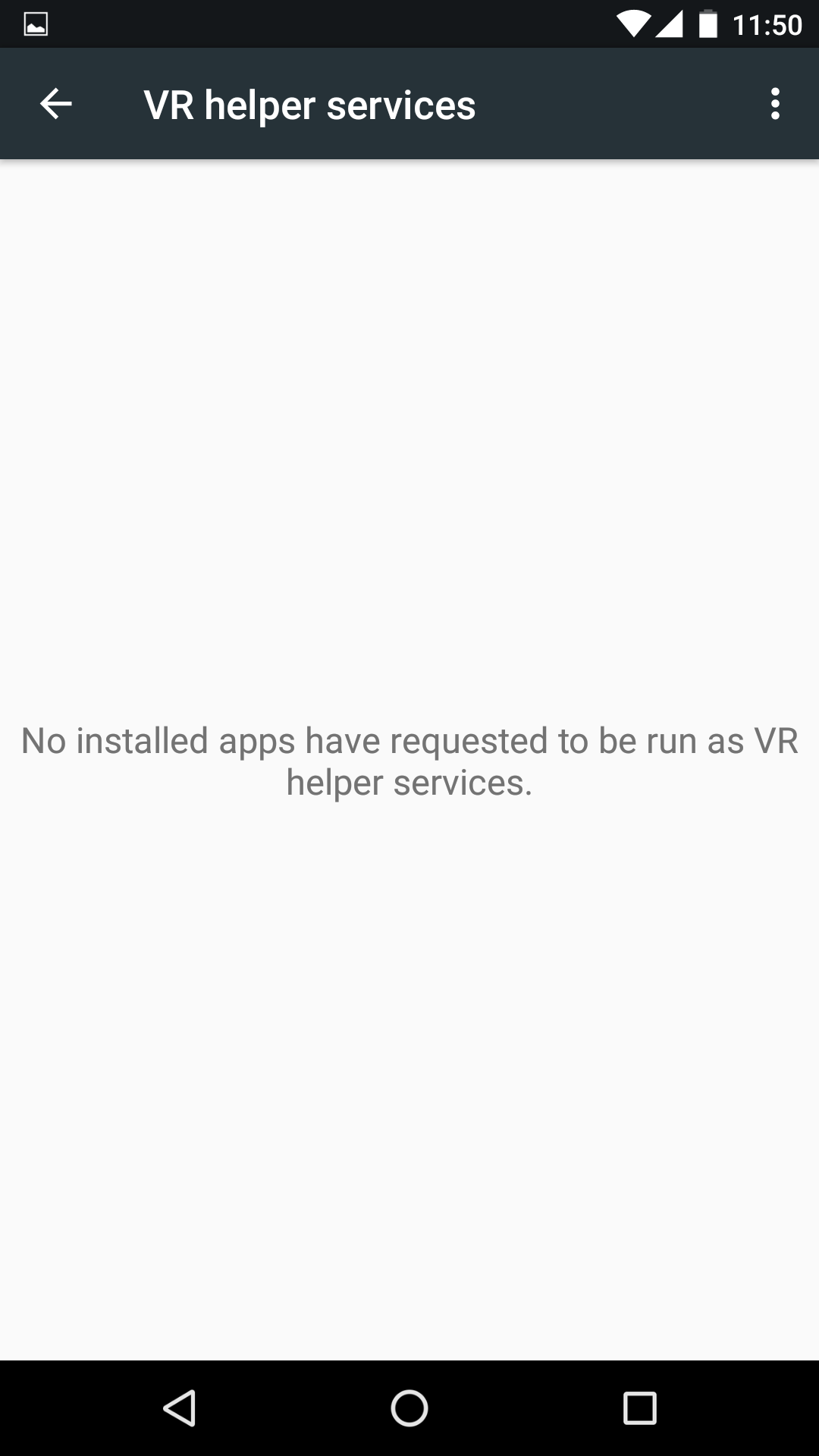
It looks like apps will soon be able to register themselves as something called a "VR Listener" or "VR Helper." In the latest Android N you can see this by navigating to Settings -> Apps -> Configure apps (the gear button in the top right) -> Special Access -> VR helper services. It looks like this will work similarly to the "Notification Access" screen (used by Android Wear to bring notifications to a smartwatch)—the VR helper services screen will show a list of apps that plug into this API, and users can allow or deny the permission.

In the settings strings there's a permissions warning related to the VR service that states "[app name] will be able to run when you are using applications in virtual reality mode." It sounds like when Android kicks over into whatever this VR mode is, the helper app will be able to pop up and do... something. We're not sure what. We're also not sure how comprehensive this "Virtual Reality Mode" is.

Read 3 remaining paragraphs | Comments

HTC 10 review: HTC builds the best Android flagship of 2016

No gimmicks, no nonsense—HTC keeps it simple and builds an awesome smartphone.

The last 12 months have been dark for HTC. Year over year, the company's revenue was cut in half. At one point, the stock price hit an all-time low of $1.25 a share. Last we heard, HTC's market share was hovering somewhere less than two percent of the market—it's hard to get up-to-date numbers when analysts only ever list the company under "other."

HTC is clawing back, though. The HTC Vive—a VR headset it made in conjunction with Valve—leapfrogged Oculus to be the best and most complete VR package out there. For the past year or two, the company has been searching for alternative revenue stream away from the smartphone market. And while the Vive is still an early-adopter product, it's a big bright spot in the company's line up.

So what about the smartphone division then? For 2016, HTC has the HTC 10, a $700 (£570) all-metal smartphone. The specs are your standard 2016 flagship levels: a 2.15 GHz Snapdragon 820 with 4GB of RAM and a 5.15-inch 1440p display. It's the design that is the big differentiator here, though. The 10 looks a lot like HTC's post-2013 flagships, but the new phone works like a "best of" collection of past HTC design decisions.

Read 26 remaining paragraphs | Comments

Google’s Eddystone beacons offer a privacy-focused way to track your stuff

Google’s bluetooth beacon hopes to bring the Internet of Things to all your things.

(credit: Google)

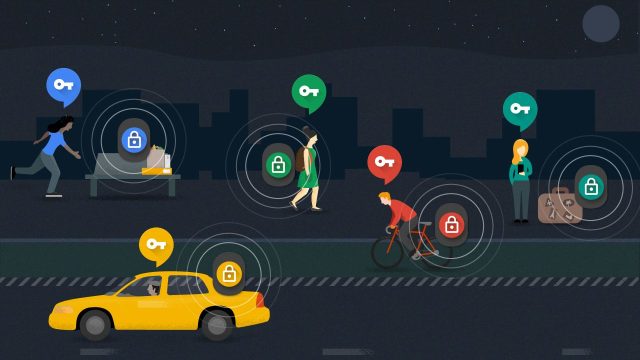
About a year ago, Google announced "Eddystone," an open source, cross-platform Bluetooth LE beacon format. The Internet of Things initiative is a competitor to Apple's iBeacon, but it ups the ante by working on both Android and iOS and offering a wider selection of data payloads. Eddystone has been primarily focused on business and the enterprise, but today Google is providing more details on the secure beacon mode that it hopes will find its way into consumer goods.

Eddystone has four different frame types. Like iBeacon, there's the Universally Unique Identifier (UUID) payload, a 128-bit value that uniquely identifies every beacon in the world. The value itself isn't of much value unless you have an app from the beacon owner that knows to look for that specific beacon and do something with it. Imagine a Starbucks beacon that gets picked up by the Starbucks app and identifies itself as being at that specific store location.

For something a little more independent, there's the URL payload. The beacon beams a URL to every device in earshot that users can tap on to load a webpage. This is great for "one time" transactions where using an app would cause too much friction, like viewing a bus stop schedule or beaming money to a vending machine from your phone.

Read 8 remaining paragraphs | Comments

BlackBerry plans to launch two mid-range Android phones this year, says CEO

CEO says the $700 BlackBerry Priv was too expensive, eyes the $400 price point.

Very blurry images of the supposed Blackberry Hamburg (left) and Blackberry Rome (right). (credit: DHabkirk's BBM Channel)

In an interview with the Middle Eastern site The National, BlackBerry CEO John Chen detailed the company's plans for the future. If you haven't been following along, BlackBerry is now an Android OEM, having launched the BlackBerry Priv at the end of 2015. The Priv was $700, a price point Chen admitted "was probably not as wise as it should have been." Now the company is going to try a pair of "mid-range" Android devices.

Chen told The National that "A lot of enterprise customers have said to us, ‘I want to buy your phone, but $700 is a little too steep for me. I’m more interested in a $400 device.'" The report says BlackBerry plans "to launch two mid-range Android handsets this year, one with a physical keyboard and one with a full touchscreen."

Chen's comments line up perfectly with a very blurry image that appeared last week on the BBM channel of BlackBerry Central founder Dylan Habkirk. Pictured are prototypes of the "BlackBerry Hamburg" and the "BlackBerry Rome," both of which are described as "mid-range" devices, with "two new hardware features that haven't been on a BlackBerry before." Habkirk later shared a BlackBerry patent on a fingerprint reader.

Read 1 remaining paragraphs | Comments

LG G5 review: An interesting idea, shoddily executed

Fit and finish problems mar an otherwise promising phone.

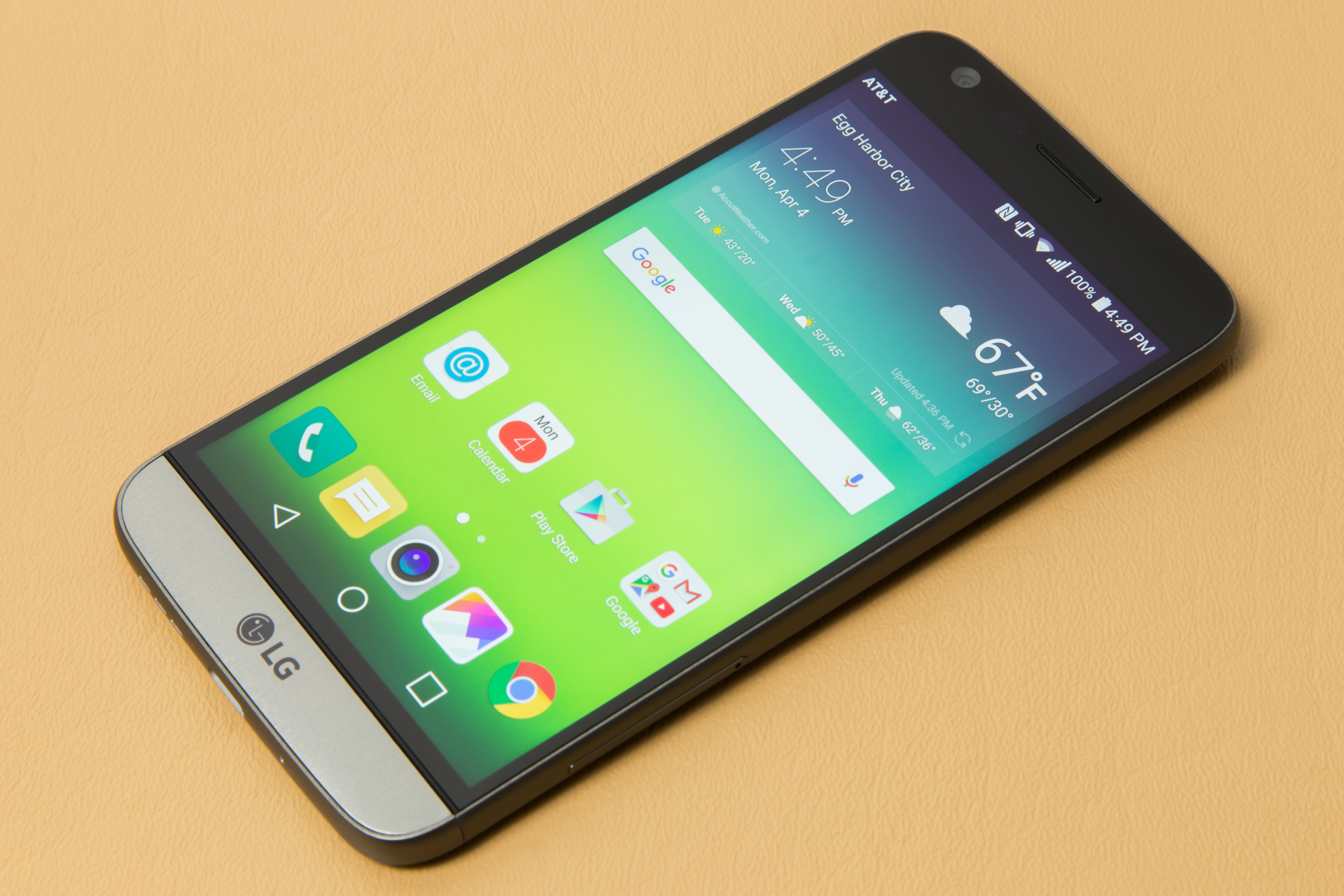
On paper, the LG G5 seems like a great device. There's an innovative modular design that gives you both a removable battery and an aluminum unibody enclosure. It's got the usual high-end 2016 flagship specs: a Snapdragon 820, 4GB of RAM, and a 5.3-inch 1440p display. All the little extras seem to be there too: a microSD slot, a USB Type-C port, a fingerprint reader, and an IR blaster.

There's more to a device than what the specs look like on paper, though. And when you take a closer look, the LG G5 starts to disappoint. Our review unit fails to meet really basic manufacturing and engineering standards. Exposed edges in commonly-touched places are so sharp that they're uncomfortable. Components don't line up correctly, the backlight isn't even, and in general it feels more like a rushed engineering prototype than a polished, finished product.

Design and build quality

There has been some controversy online as to whether or not the G5 body is metal. This video shows large plastic-looking chunks being shaved out of the G5 with a razor blade. LG felt this was damaging enough to issue a press release:

Read 36 remaining paragraphs | Comments

The Windows 10 Anniversary Update can mirror Android notifications

Get Android notifications on your desktop. The catch: You have to install Cortana.

The Windows 10 Anniversary Update just keeps getting crazier. After teaming up with Ubuntu to build an entire Linux subsystem and Unix's Bash shell into Windows 10, Microsoft is now integrating Android-specific features into the OS. If you're an Android user, you'll be able to mirror your phone notifications on your Windows 10 computer, and if you dismiss a notification on one device, it will be dismissed on all your devices.

Microsoft actually gave cloud capabilities to the entire Action Center in Windows 10, allowing Windows 10 devices to sync notification centers with one another. Since Android 4.3, Android has provided a way to ship the entire notification panel off to other apps. With the Cortana app, Microsoft is connecting these capabilities, provided you sign in to both devices with your Microsoft account. You don't just see the notifications—you can interact with them, too. The demo (which starts at about 16:30 in this video) demonstrates replying in-line to an Android SMS notification from a Windows 10 device.

At Build 2016, the keynote barely mentioned Windows Mobile at all. Instead, iOS and Android were name dropped more than Microsoft's own platform. Microsoft seems less interested in using its ecosystem to prop up Windows Mobile and more interested in helping Windows users live a multi-OS life on whatever mobile platform they prefer. With the Action Center's cloud capabilities, Microsoft is making the world's most popular desktop operating system work with the world's most popular mobile operating system.

Read 1 remaining paragraphs | Comments

Android for Work overhauls setup process, now possible for mere mortals

Setup of Google’s dual-persona system goes from 14 pages to a single click.

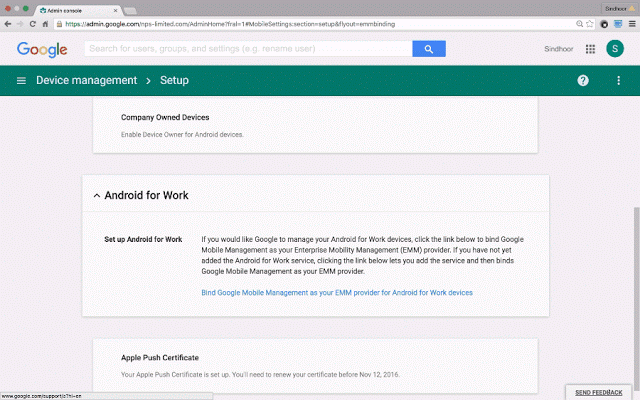
Android for Work is Android's built-in dual-persona system for enterprises and small businesses. For Google Apps subscribers, the feature allows users to access separate apps and data for work and personal usage. This allows users to have a "Work Gmail" app and "Personal Gmail" app, for instance.

The biggest negative we found in our review of Android for Work was the ridiculously complicated setup process. It involved ticking checkboxes all over the Google Apps Dashboard and even copying and pasting security tokens from one part of the dashboard to another. Google seems to agree that the process was a bit much—setup for Android for Work has been overhauled and now happens with one click.

Google's blog post comes out pretty strongly against the old system, saying, "No longer must admins complete fifteen steps spread across different pages in the admin console, cutting and pasting security tokens, to set up Android for Work." The prerequisite Mobile Management Setup is an easy one-step setup process now, too. Just press the "Manage now" button and it will automatically enforce sensible policies like a lock screen and remote wipe.

Read 2 remaining paragraphs | Comments

Windows 10 Anniversary Update puts new Ink features “front and center”

Update focuses on stylus features for pen-equipped devices.

One of the first announcements coming out of Microsoft's Build 2016 conference this week is a slate of new Windows 10 stylus features for the Surface Pro and other pen-equipped devices.

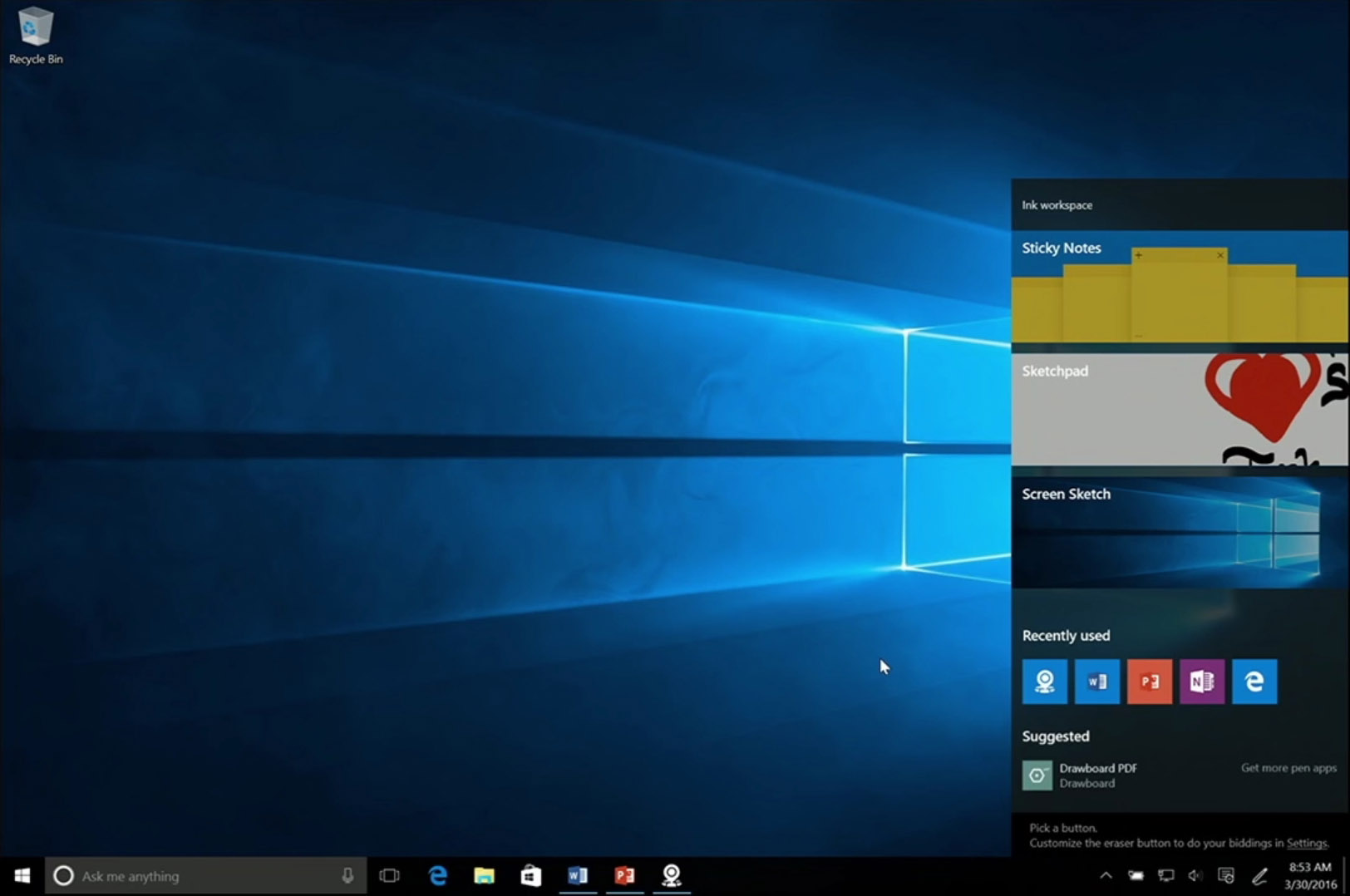
The first new feature is the "Ink Workspace." Tapping the top of the pen on a Surface Pro brings up a new panel with common pen apps. In the demo, large tiles were reserved for Sticky Notes, Sketchpad, and Screen Sketch, along with a smaller set of tiles for "recently used" apps. At the bottom of the panel is a "Suggested" section, which promotes pen apps from the Windows Store. The promotion of pen apps is another upgrade to the Windows 10 ecosystem—there's now a dedicated section for apps that support styluses.

Sticky Notes can now be used to feed reminders into Cortana. In the demo, writing "Call mom tomorrow" caused "tomorrow" to be highlighted, and tapping on the word brought up Cortana to set a reminder. Bing is integrated, too, so sticky notes will be able to recognize places and link to maps.

Read 3 remaining paragraphs | Comments

Google Fiber makes phone service official, starts at $10 a month

A “cloud based” phone number brings Google Voice features to landlines.

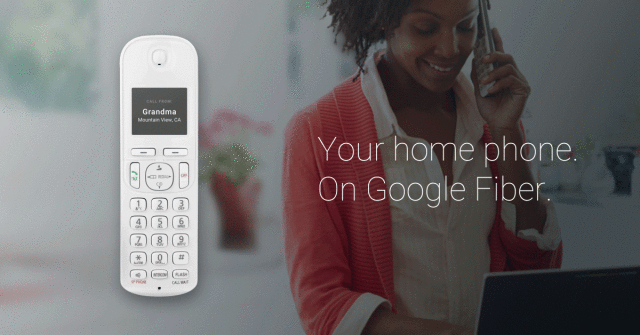
Google Fiber Phone. Phone handset not included.

Google Fiber's phone service is official. Secret invitations to the phone service leaked back in January, but today Google announced the addition of optional phone service for Google Fiber residential customers. The addition of phone service allows Google Fiber to finally compete with "Triple Play" home offerings, which bundle Internet, TV, and phone service from a single company.

In addition to the regular Google Fiber bill, "Fiber Phone" costs $10 per month for unlimited local and nationwide calling. For international calls, the service uses Google Voice's international rates. The actual hardware you receive from Google won't be a phone, it's a VOIP phone box that will bridge your new-school fiber connection with an old-school landline phone.

The service is clearly an offshoot of Google Voice/Project Fi and carries over most of that feature set. You get a "cloud based" phone number that you can forward to any phone with spam filtering, call screening, and do-not-disturb features. There's a voicemail system with speech-to-text transcription, which we'd imagine requires an app or website of some kind. There's also call waiting, caller ID, and, critically, 911 access.

Read 2 remaining paragraphs | Comments