Microsoft kills off Qik, the video messaging service you didn’t know it had

It was never really clear why it was created in the first place.

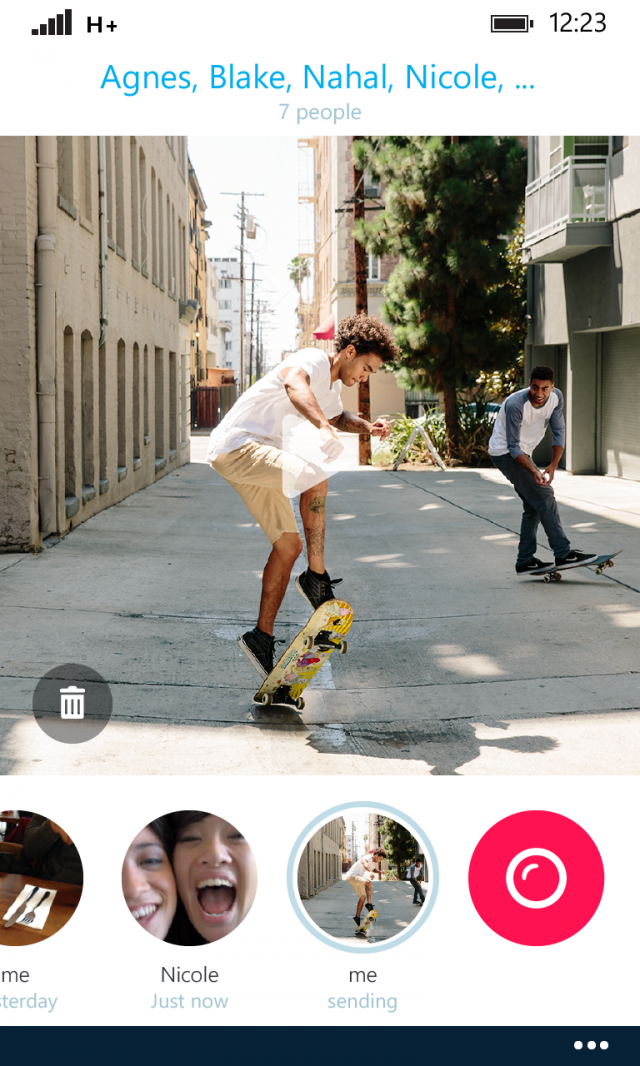
Playing back a conversation, on the Windows Phone version.

You'll be forgiven for having forgotten about Skype Qik, the short video messaging service from Skype that Microsoft launched in October 2014. It offered low friction messaging—no need to create an account, merely having a phone number would do—similar to WhatsApp, SMS, or all sorts of other popular messaging services.

Well, now it's going away. The company says that the major features of Qik have been rolled into the regular Skype apps; video messaging already existed in Skype when Qik was released, and filters were added in October last year. As such, the app isn't really needed any more, and Qik will stop working on March 24.

Skype Qik was a successor to a short video messaging service called Qik that Skype bought in January 2011 for $150 million, just months before Microsoft bought Skype for $8.5 billion. The original Qik service was built around capturing video messages and sharing them with others. It was closed down in April 2014, as Skype introduced its own integrated video messaging capability. In that context, the new Skype Qik was a little strange, as it overlapped strongly with both the previously shuttered service, and the newly-added Skype capabilities.

Read 1 remaining paragraphs | Comments
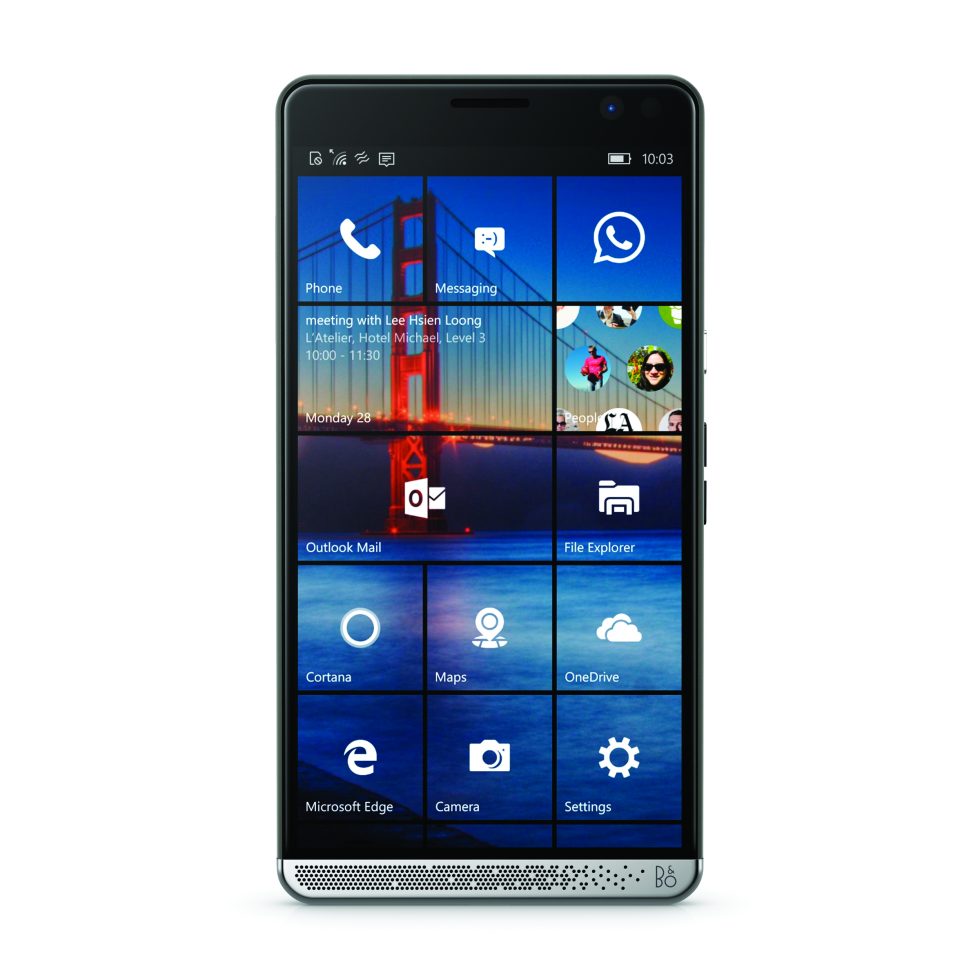
HP Elite x3: A flagship Windows phone that’s unambiguously enterprisey

HP hopes that high specs and Continuum goodness will win over corporate customers.

(credit: HP)

Microsoft has a new partner building Windows-powered phones: HP. HP Inc, the computer and printer portion of the newly split Hewlett-Packard—has announced the HP Elite x3, a high-end flagship spec phone running Windows 10 Mobile.

Hardware-wise, the Elite x3 ticks all the boxes and then some: Quad core Qualcomm Snapdragon 820 running at 2.15GHz, 4GB RAM, 64GB storage, 5.96 inch 2560×1440 AMOLED screen with Gorilla Glass 4, 2×2 802.11a/b/g/n/ac, LTE-Advanced, 16MP rear and 8MP front cameras, both iris recognition and a rear-mounted fingerprint reader, microSD, USB 3 Type-C, dual SIM, a 4150mAh battery with wireless charging using both the Qi and PMA standards, and IP 67 water resistance (safe against immersion in 1 metre of water for 30 minutes).

HP is positioning the machine squarely at corporate, enterprise customers. HP sells a lot of PCs to the enterprise, and some of those corporate buyers have expressed the interest in buying their smartphones from the company too to simplify procurement and support. Accordingly, it's heavily promoting the phone's security credentials: not only the dual biometrics, but FIPS 140-2 cryptography, 256-bit key full disk encryption, TPM 2.0, protection against firmware rollbacks, and so on.

Read 10 remaining paragraphs | Comments

Use Windows Server with Skylake and you won’t have to upgrade in 18 months

Old server platforms will support new processors, unlike the desktop operating systems.

Intel Skylake die shot. (credit: Intel)

In January Microsoft announced that owners of systems using Skylake processors would have to upgrade to Windows 10 within 18 months of the announcement, and that users of Intel Kaby Lake systems, due to be released later this year, would only be supported in Windows 10.

This raised an obvious question: what will the situation be for users of Windows Server 2008, based on Windows Vista, Windows Server 2008 R2, based on Windows 7, Windows Server 2012, based on Windows 8, Windows Server 2012 R2, based on Windows 8.1, and the as-yet unreleased Windows Server 2016, based on Windows 10? Specifically, which versions of the server operating system will support Skylake and Kaby Lake, and will server operators be required to upgrade to Windows Server 2016 to get support for these processors?

Today the company answered those questions, and surprisingly, given that the operating systems share so many underlying components, the answer is different.

Read 3 remaining paragraphs | Comments

More insecure security software: Comodo’s on-by-default VNC app

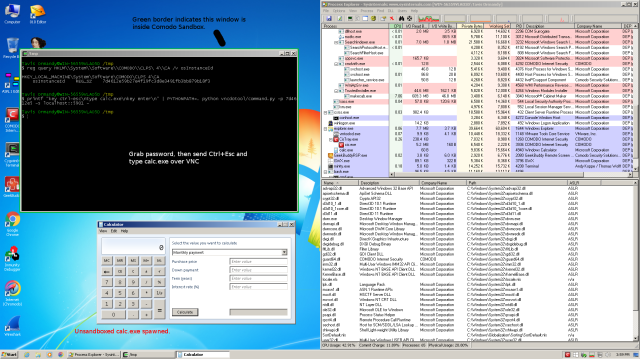
Predictable passwords enable easy privilege escalation.

(credit: Tavis Ormandy)

A reasonable expectation of security software is that at worst it should make your system no less secure than would be without the software. Sadly, it often seems that such hardware fails to meet even this low bar.

Comodo Internet Security is a security suite that includes anti-virus, firewalling, and sandboxing to allow applications to be run in a notionally secure unprivileged environment. By default, it also includes a component called GeekBuddy. GeekBuddy is a VNC server, providing full remote access to your system. In May of 2015 it was pointed out that this VNC server was running without a password—yes, really—providing, at the very least, local privilege escalation. Sandboxed applications such as Google Chrome, or even those running in Comodo's own sandbox, could connect to this VNC server and have full access to your system.

With the right (or rather, in this case, wrong) network configuration, the VNC server might even be exposed to remote attackers.

Read 4 remaining paragraphs | Comments

Encryption isn’t at stake, the FBI knows Apple already has the desired key

The FBI knows it can’t bypass the encryption; it just wants to try more than 10 PINs.

(credit: flattop341)

Apple has been served with a court order at the FBI's request, demanding that it assist the government agency with unlocking an iPhone 5C that was used by Syed Rizwan Farook. Farook and his wife, Tashfeen Malik, killed 14 and injured 24 in an attack in San Bernardino, California on December 2, 2015.

In response, Apple CEO Tim Cook said that the FBI was demanding the equivalent of a backdoor and that complying with the FBI's demand would undermine the security of all iPhones.

Whether you call it a "backdoor" or not, it's important to recognize that the ordered changes to the iPhone operating system would not circumvent the core of the iPhone's encryption. The court isn't asking Apple to defeat the encryption in any way. Nor does the court require Apple to create a vulnerability that would jeopardize the security of any other phone. Rather, it's asking Apple to do the one thing that Apple alone can do: use the iPhone's built-in method of installing firmware written by Apple.

Read 22 remaining paragraphs | Comments

New firmware finally fixes Surface Pro 4, Surface Book bugs, but Microsoft should do better

Surface Pro 4 and Surface Book at last go to sleep properly.

Microsoft has released a firmware update to the Surface Pro 4 and Surface Book that, at long last, fixes significant power management and sleep bugs that saw Microsoft's latest systems draining their batteries and getting extremely hot when they should have been in ultra low power mode. Power management and driver problems are an unfortunately common feature of Windows systems, but these newest Surface devices have been a little more troublesome than most. With Microsoft responsible for both the hardware and the software, this has been a disappointment to many.

The Surface Book was one of my favorite machines from 2015, with its sleek, elegant package, pleasing hinge and solid specs. The review unit had a very raw firmware and driver loadout; in fact, the Windows Hello facial recognition wasn't working in the review system. I also had some issues with detaching the screen. I assumed that all these issues would be ironed out by the time the hardware hit the market, and certainly shipping machines did have proper support for Hello, but niggling issues persisted.

I wasn't alone with this; the Surface Book and Surface Pro 4 have both suffered a range of problems with, among other things, Wi-Fi, sleep, and the display drivers. The sleep problem—which, oddly, didn't seem to affect me with the pre-release firmware—was probably the most serious and persistent issue. The systems are supposed to support Connected Standby, aka S0ix power saving modes, which lets the system sleep while still being able to do things like check for e-mails, fetch new tweets, or receive Skype calls. This mode should be a very low power mode, but Surface Pro 4 and Book owners were finding that their systems would drain their batteries within a few hours. When doing so in laptop bags, they'd get very hot, too.

Read 17 remaining paragraphs | Comments

Department of Defense standardizes on Windows 10, certifies Surfaces

4 million seats will be upgraded over the next year.

The US Department of Defense announced today that it is to standardize on Windows 10. Over the course of the next year, some 4 million systems will be upgraded to Microsoft's latest operating system in what must be the largest enterprise deployment of the operating system worldwide.

This is a followup to a November order to upgrade systems in Combatant Commands, Service Agencies, and Field Activities to the operating system. The rationale is the government's desire to protect better against security breaches and reduce IT costs by streamlining on a single platform. Windows 10 is better protected against security flaws than its predecessors, making it a tougher target for attackers.

In tandem with this, the government has given the Surface 3, Surface Pro 3, Surface Pro 4, and Surface Book all the relevant certifications to allow those systems to be included on the Defense Information Systems Agency (DISA) Unified Capabilities (UC) Approved Products List (APL). This means that DoD agencies can now buy and use Surface family hardware in its deployments.

Read 1 remaining paragraphs | Comments
HGST hard disks still super reliable, Seagates have greatly improved

While the Seagate 1.5TB disks had problems, its new drives look much more reliable.

(credit: Alpha six)

Cloud backup provider Backblaze has published more of its hard drive reliability data, giving a look at the company's experiences with its 56,224 hard disks in 2015.

In 2014, HGST was the standout performer, with all its models showing extremely good reliability. Some Seagate models, on the other hand, showed alarming unreliability and extremely high failure rates.

For 2015, HGST maintained its strong performance. Across all the HGST models that Backblaze used (one 2TB, two 3TB, three 4TB, and one 8TB), failure rates were low across the board. The HGST drives are some of the oldest in Backblaze's collection, with the 2TB units being almost five years old on average. Over the last two and a half years, only 1.55 percent of them have failed.

Read 8 remaining paragraphs | Comments

New Lumia 650 looks nice but misses Windows 10 Mobile’s best feature

Though aimed at businesses, the phone doesn’t have the business-friendly Continuum.

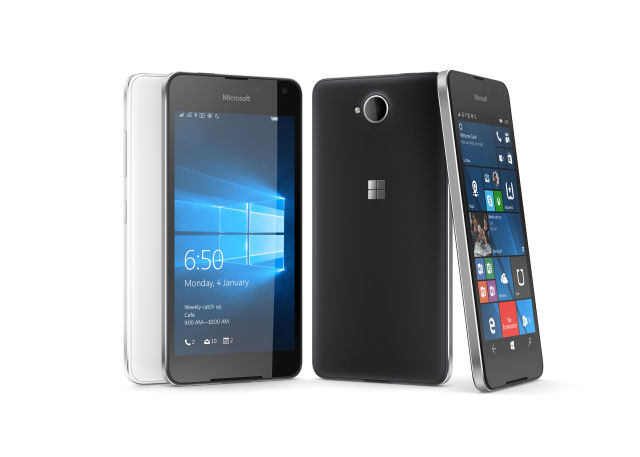
(credit: Microsoft)

Microsoft has announced a new phone running Windows: the Lumia 650. As its name numerically implies, this phone sits closer to the low-end $139 (£100) Lumia 550 than the high-end Lumia 950 and 950XL. On the outside, it has a 5-inch 1280×720 OLED screen and an 8MP camera; the inside contains a quad core Snapdragon 212 at 1.3GHz, 1GB RAM, 16GB storage, and LTE support.

The device will cost around $199 in the US and around £150-160 in the UK. It's available in black and white, and both options look quite nice. With a metal band around the edge, the 650 looks more like the Lumia 830 and 930/Icon than it does the Lumia 950, and it's better for it; it looks smarter and higher-end than the flagship phones.

But those looks are deceiving. The specs and pricing alike are low end. Microsoft is positioning the phone as being a strong choice for business users, but the low specs seem to undermine that positioning. In particular, the phone lacks biometric authentication and doesn't support Windows 10 Mobile's Continuum feature that lets you hook up the phone to a mouse, keyboard, and screen to use it in a desktop-like way. These are the features we'd expect low-end phones to omit, but they're also features that ought to have particular appeal to business users.

Read 3 remaining paragraphs | Comments

64-bit iPhones and iPads get stuck in a loop when set to January 1, 1970

A great new prank to upset friends and family.

Zach Straley demonstrates the problem on an iPhone.

Take a 64-bit iOS device—iPhone 5S or newer, iPad Air or newer, iPad Mini 2 or newer, sixth generation iPod touch or newer—laboriously set its date to January 1, 1970, and reboot. Congratulations: you now have a shiny piece of high-tech hardware that's stuck at the boot screen, showing nothing more than the Apple logo... forever.

Posted on Reddit and subsequently demonstrated on YouTube, it appears that iOS has a rather embarrassing software flaw. Redditors testing the bug have found themselves with unusable phones, and there are reports that vandals have been resetting the clocks of display devices in Apple stores.

So far, taking advantage of this bug requires a few minutes of physical access, as it takes a while to wind the date back 46 years in the settings app. There is concern that Wi-Fi devices could be vulnerable to malicious data from NTP (network time protocol) servers. NTP is used by many operating systems to set the time and date of a device, and its data is both unencrypted and unauthenticated, making spoofing relatively straightforward. NTP clients should not generally change the time and date by such large amounts, so this may not be an issue, but iOS's behavior in this regard is currently unknown.

Read 3 remaining paragraphs | Comments