4U Storage Pods offer 240TB of storage for 3.6¢/GB

Or even less if you can get a discount on the disks.

That's a lot of hard disks. (credit: Backblaze)

For the last few years, we've looked at the hard disk reliability numbers from cloud backup and storage company Backblaze, but we've not looked at the systems it builds to hold its tens of thousands of hard disks. In common with some other cloud companies, Backblaze publishes the specs and designs of its Storage Pods, 4U systems packed with hard disks, and today it announced its sixth generation design, which bumps up the number of disks (from 45 to 60) while driving costs down even further.

The first design, in 2009, packed 45 1.5TB disks into a 4U rackable box for a cost of about 12¢ per gigabyte. In the different iterations that have followed, Backblaze has used a number of different internal designs—sometimes using port multipliers to get all the SATA ports necessary, other times using PCIe cards packed with SATA controllers—but it has stuck with the same 45 disk-per-box formula.

The new system marks the first break from that setup. It uses the same Ivy Bridge Xeon processor and 32GB RAM of the version 5, adding extra controllers and port multipliers to handle another 15 disks for 60 in total. The result is a little long—it overhangs the back of the rack by about four inches—but it's packed full of storage.

Read 2 remaining paragraphs | Comments
New Windows 10 build: New Start menu, notifications, and pen features

New build is out for both desktop and mobile.

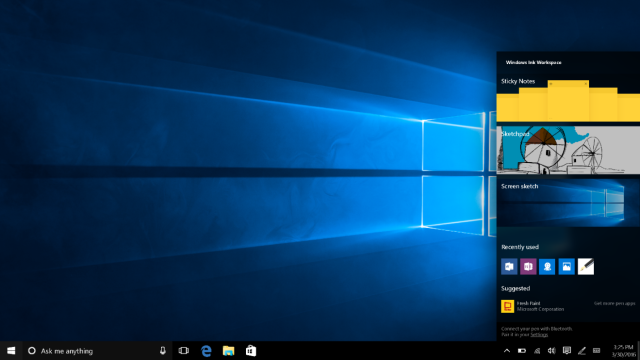
The new Pen Workspace. (credit: Microsoft)

At its Build developer conference a few weeks ago, Microsoft announced the Windows 10 Anniversary Update, a major update for Windows 10 due this summer. One of its biggest aspects was substantially reworked and improved pen support ("Ink" in Microsoft terminology) intended to make pen applications easier to find and use and to make stylus use more powerful. A new Windows build that provides the first access to these new features, version 14328, has just been promoted to the fast ring.

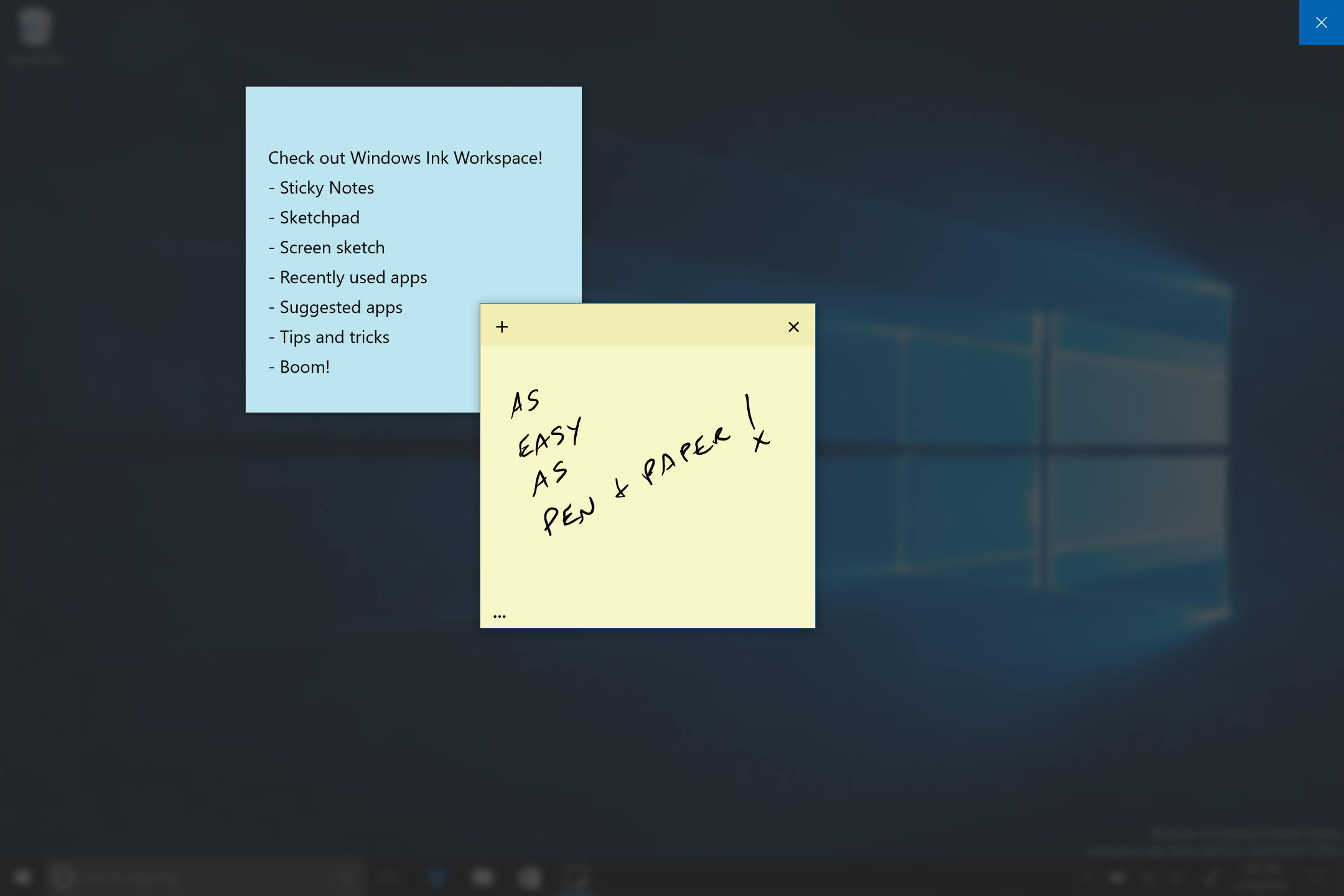
The core of this new support is the Windows Ink Workspace, a panel that provides instant access to pen-powered apps. Pressing the eraser button on a Surface Pen will show the panel instead of its current action (which opens OneNote). The Anniversary Update also comes with a trio of new pen apps: Sketchpad, a sketching app; Screen sketch, a screenshot annotation app; and a new Sticky Note app.

New Sticky Notes. (credit: Microsoft)

The new build contains a lot more than just Ink improvements. The Start menu has been revised to make All Apps permanently visible, and in tablet mode, All Apps is now full-screen. Also in tablet mode, the taskbar can autohide without being autohide in desktop mode. The taskbar clock now shows on all monitors on multihead systems, and the calendar now shows your appointments. The Action Center notification system has had its layout refined to show more notifications and now includes rich Cortana notifications.

Read 3 remaining paragraphs | Comments

Microsoft’s $20.5B quarter: Office up, Surface up, cloud booming

The PC market is still awful, and the US dollar is stronger than the company would like.

Microsoft posted revenue of $20.5 billion in the third quarter of its 2016 financial year, down 6 percent from the same quarter a year ago. Operating income was $5.3 billion, a 20 percent drop, net income was $3.8 billion, down 25 percent, and earnings per share were $0.47, a 23 percent decline.

Over the past few quarters, Microsoft and other tech companies have reported significant impact from the high value of the US dollar, and have offered equivalent financial figures that show what their numbers would have been had the value of foreign earnings not been eroded by this conversion. This currency impact was estimated as reducing revenue by about $0.8 billion. The company also reports that there was a $1.5 billion impact from a combination of revenue deferrals due to Windows 10 upgrades and restructuring charges. Excluding this impact, and assuming constant currency values, the company says that its revenue was $22.1 billion (up 5 percent), operating income was $6.8 billion (up 10 percent), and net income was $5.0 billion (up 6 percent).

The commercial cloud annualized revenue run rate—the forecast number that former Steve Ballmer dismissed as "bullshit"—crept up to $10.0 billion; three months ago, it was estimated at $9.4 billion.

Read 8 remaining paragraphs | Comments

Google’s WebM and VP9 codecs coming to Edge in Windows 10 Anniversary Update

VP9 is preferred on YouTube, but lack of hardware acceleration remains a concern.

The Windows 10 Anniversary Update, due this summer, will expand the range of video and audio codecs that are supported by the Edge browser. Microsoft is adding the VP9 video codec, the Opus audio codec, and the WebM container format.

VP9 and WebM are both spearheaded by Google. Google bought video codec company On2 in 2010 with the intent of opening up On2's VP8 codec to serve as an open source, royalty-free alternative to the open but royalty-incurring H.264. Unfortunately, groups claiming to have patents that covered VP8 emerged. Google ultimately came to an agreement with those groups in 2013 to ensure the codec's royalty-free status, but by then, H.264 was too firmly entrenched to displace.

VP9 is a successor to VP8 that is more efficient and essential for the growing demand for 4K video. Along with Microsoft and others, Google has joined the Alliance for Open Media to promote VP9's development and try to ensure that it remains royalty-free. As with VP8 before it, VP9 is covered by patents, but the companies hope that they own all the relevant patents and hence are in a position to grant a royalty-free license. Microsoft announced in September 2015 that it was starting work on VP9 for Edge.

Read 4 remaining paragraphs | Comments

Plugin-free Skype on the Web a step closer with Edge support

But interoperability is still a bit of a mess.

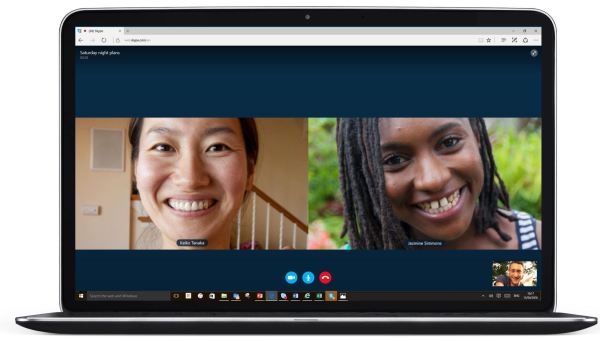
Group video chat without plugins is possible, just as long as everyone is using Edge. (credit: Microsoft)

Since November 2014, Microsoft has been working to build a plugin-free version of Skype that will run in the browser. That work took a step forward today, with support for no-plugin voice and video calling in Microsoft's Edge browser.

However, the support is quite limited. It requires the latest version of Edge, as shipped in Windows 10 version 1511 (build 10586). Both one-to-one and group chats are available in Edge-to-Edge calls without plugins, and one-to-one calls to the very latest version of Skype for Windows and OS X are also plugin-free. But any other combination—different browsers, older versions of Skype, or group calls to the desktop Skype clients—will still need a plugin.

Skype in the browser remains an awkward combination. There are two related specs within the browser for real-time communication (RTC), the earlier WebRTC, and the derived but different Object RTC. Edge has preliminary support for ORTC, and a JavaScript library to provide WebRTC compatibility for audio, but not video, has been developed. After long pushing back against WebRTC, Microsoft has said that it will build partial support for the specification into the browser to enable video support on top of audio in basic one-to-one situations.

Read 3 remaining paragraphs | Comments

Visual Studio Code editor hits version 1, has half a million users

Cross platform, open source editor has been installed more than 2 million times.

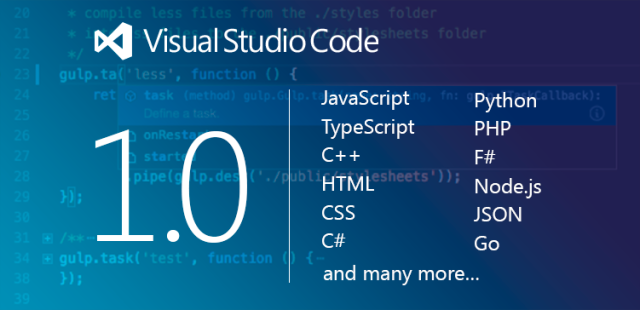
Visual Studio Code, Microsoft's no-cost and open source developer-oriented editor and debugger, has reached version 1.0.

Over its short life, the editor has made itself remarkably popular, with Microsoft saying it has been installed more than two million times, with half a million active users. It has also grown from a Web-oriented text editor geared toward JavaScript and TypeScript developers into a much more capable multi-language development and debugging tool. Extension support was added less than six months ago, and a healthy range of extensions has already been developed. These extensions have been used to greatly extend the number of languages that Code works with, expanding it from its Web origins to handle C++, Go, Python, PHP, F#, and many more options.

Visual Studio Code is arguably one of the projects that most demonstrates the "new" Microsoft. Code is MIT-licensed open source, and Microsoft is continuing to try to do its open source development the right way—not merely dumping periodic code drops on the outside world but actually working with the broader developer community to fix bugs and develop new features. Some 300 outside contributions have been merged in, making it far more than just a Microsoft project. It also continues to be a solid cross-platform app, running on Windows, OS X, and Linux.

Read 1 remaining paragraphs | Comments

It’s time for Microsoft to turn the Xbox into a PC

The Xbox One is currently a Jack of all trades. It’s time to master a few of them.

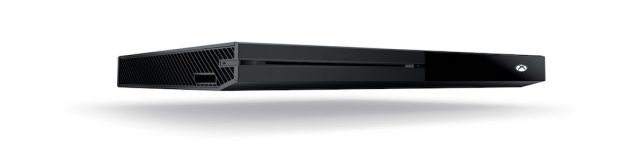
An interpretation of a recently discovered FCC filing from Microsoft. Xbox One Super-Slim! Has a nice ring to it, right? We'll have to wait until late June to find out, if not sooner. (credit: Sam Machkovech)

Microsoft's Xbox One is in a bit of an awkward spot. On the one hand, Sony's PlayStation 4 is substantially outselling it and has clearly won the hearts of gamers everywhere. On the other hand, built as a games machine it's too expensive to take on the plethora of streaming media systems from the likes of Apple and Roku.

But the unique opportunity forced on console companies by the combination of 4K video and virtual reality gives Microsoft the opportunity to solve both of these problems not just now, but forever. By treating its console a bit more like a PC, the company could offer not just the high-end gaming machine that console fans crave, but also a $150 system able to go head-to-head with the Apple TV and every other gadget that's trying to turn the TV into an app platform.

From the moment of its first unveiling, it was clear that Microsoft wanted the Xbox One to be all things to all people. It had games, of course, but it was not merely a gaming system. Microsoft positioned it as an all-in-one entertainment system, with games, music, and movies all as core features. Official TV tuner accessories have been added, along with limited DVR-like capabilities. This summer it will be extended further still, with the Xbox One adding apps built for the Universal Windows Platform.

Read 19 remaining paragraphs | Comments

Windows 10 roadmap: Control everything remotely

Microsoft is trying to broaden the business appeal of the newest version of Windows.

As Microsoft continues to court businesses and encourage them to upgrade to Windows 10, the company has taken the novel step of publishing a roadmap of Windows 10 features. This roadmap describes business-oriented features that are coming to Windows 10. Some, such as biometric authentication in the Edge browser, have already been announced as part of the forthcoming Anniversary Update and are currently available in the Insider Preview.

But others are not. While some are so vague as to tell us nothing—the Passport API used for biometric authentication is being "enhanced" to improve enterprise functionality—other features are rather more concrete. Microsoft plans to add device-based PC unlocking, wherein Windows and Android phones can be used to store authentication credentials, and the feature can be used to both unlock the PC and authenticate apps and services that use Windows Hello and the Passport API.

The same is also being enabled for what Microsoft calls "Companion devices" that integrate with a new API called the "Companion Device Framework." The Microsoft Band 2 fitness device will plug into this framework, and third-party devices will also be able to join in.

Read 6 remaining paragraphs | Comments

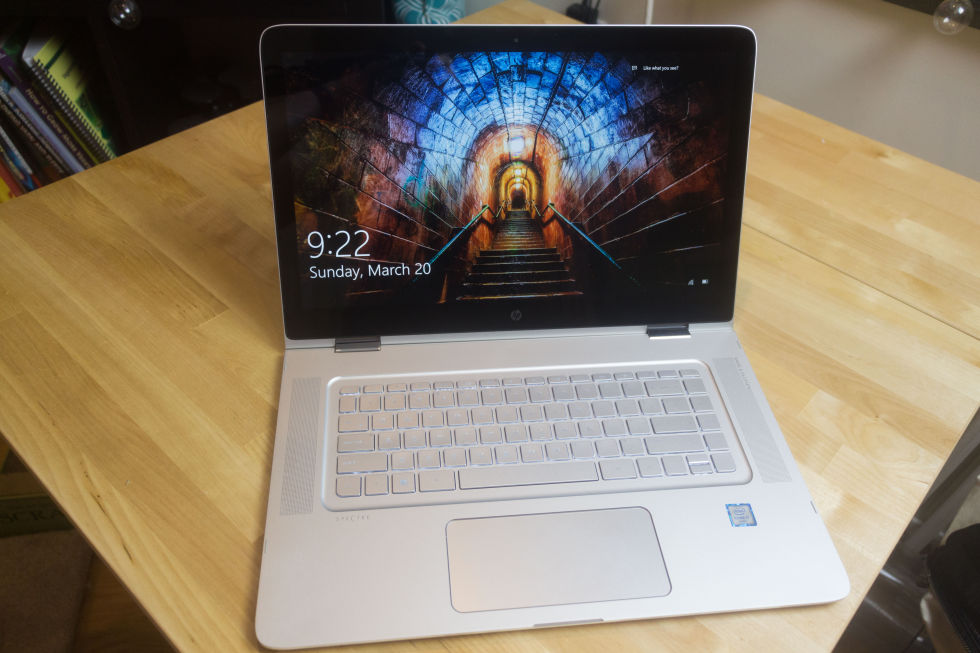
HP’s upsized 15-inch Spectre x360—a high quality device built for the mainstream

HP hits enlarge on its very pleasant 13-inch systems.

It's basically a big version of the 13-inch system. (credit: Peter Bright)

If Dell's XPS 13 was the most striking 13-inch laptop to be released last year, HP's Spectre x360 was a close second. While it didn't have the Dell's stylish narrow bezels, it nonetheless offered good looks, great battery life, and one of those fancy hinges that let you fold the screen all the way back. It also had a webcam that was usably placed, unlike the XPS 13, making it a very solid choice.

Just as Dell made a bigger version of the XPS 13, the new XPS 15, so too has HP revisited the Spectre. The 15.6-inch Spectre x360 is a bigger version of the 13-inch device: a sleek, attractive 4.1lb device with the same 360 degree hinge.

While I personally am a huge fan of the 13-inch form factor for its greater portability, 14- and 15-inch systems are the biggest sellers. Many buyers prefer their larger screens and, generally, longer battery life.

Read 17 remaining paragraphs | Comments

Edge to follow Chrome’s lead, make Flash ads click-to-play

Microsoft looks forward to a future where Flash isn’t a part of the Web.

The Windows 10 Anniversary Update, coming this summer, will change how Flash works in the Edge browser.

Flash content that's deemed to be not central to a page—advertisements and peripheral animations—will be paused automatically on visiting a page. To make the content work, it will have to be clicked first. Videos, games, and similar important content should work without changes.

Google announced an equivalent change to Chrome last year. Since September 2015, Chrome too has tried to pause non-essential Flash content. Google's argument was that this behavior would be much better for battery life and that stopping ads from playing would make the browser less of a power hog. Microsoft also suggests that battery life will improve, but the company is positioning the change as more of a standards-compliance issue. Microsoft says that there are now many standardized alternatives to Flash and that developers should continue to adopt these technologies and phase out their use of Adobe's proprietary platform.

Read 2 remaining paragraphs | Comments