Razer gives its Blades a Kaby Lake, GeForce 10-series bump

The Ultrabook gets a faster processor, the gaming laptop a better GPU.

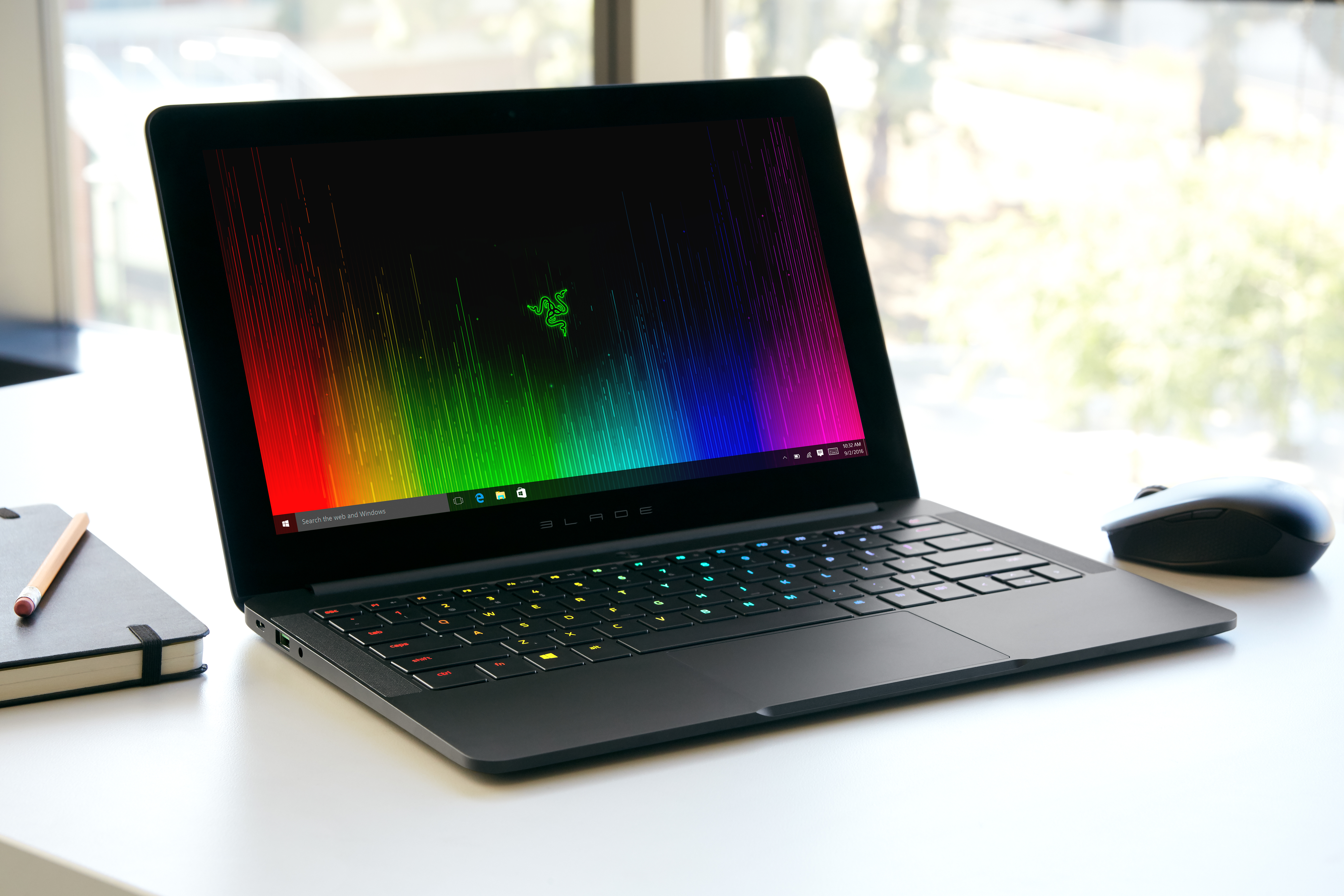
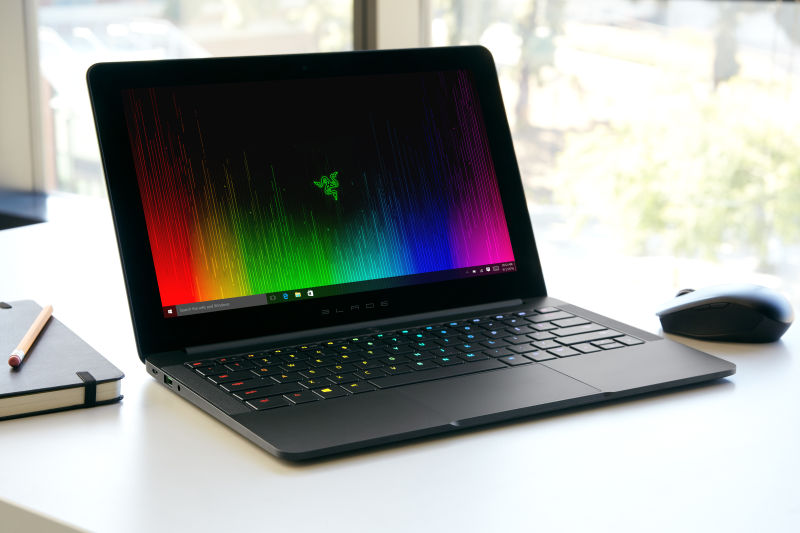
Enlarge / The updated Razer Blade Stealth. (credit: Razer)

Razer has given its gamer laptops a bit of a bump to boost both battery life and performance.

When we reviewed the sleek 12.5 inch Razer Blade Stealth Ultrabook earlier this year we liked the looks, the Thunderbolt 3, and the price. But we weren't so keen on the battery life of the 4K system we tested. The updated version should make good progress in that department. Razer is updating the Blade Stealth Ultrabook to use one of Intel's new Kaby Lake processors. Kaby Lake is, all things considered, a pretty minor update over Skylake, but the new i7-7500U chip (2.7GHz base, 3.5GHz turbo) should offer a bit more performance and a bit more power efficiency than the i6-6500U (2.6GHz/3.1GHz) in the old version.

The update's bigger win comes from a bigger battery: the 45Whr unit in the old system has been replaced with a 53.6Whr one. Even without any savings from the new processor, that almost 20 percent increase in battery should translate directly into a 20 percent increase in battery life. That's enough to get the 4K laptop snapping at the heels of its 1080p competitors. Prices start at $999 for a 2560×1440 system with a 128GB SSD, with shipping due to start on September 14 and preorders available now.

Read 3 remaining paragraphs | Comments
Next Windows 10 looks like it’ll get a night mode that cuts down the blue

Built-in capability should make the popular f.lux tool unnecessary.

With suggestions that bluish lights disrupt our sleep, software that shifts screen white balance towards the red end of the spectrum in the evening—cutting back that potentially sleep-disrupting light—has gained quite a following. f.lux is the big name here with many people enjoying its gradual color temperature shifts.

Apple recently built a color shifting feature into iOS, under the name Night Shift, and there are now signs that Microsoft is doing the same in Windows 10. Twitter user tfwboredom has been poking around the latest Windows insider build and found hints that the operating system will soon have a "blue light reduction" mode. Similarly to f.lux, this will automatically reduce the color temperature in the evenings as the sun sets and increase it in the mornings when the sun rises.

Signs are that the feature will have a quick access button in the Action Center when it is eventually enabled.

Read 1 remaining paragraphs | Comments

HP builds one desktop PC around a speaker, another in slices

HP is trying to make desktop computers as exciting as laptops and all-in-ones.

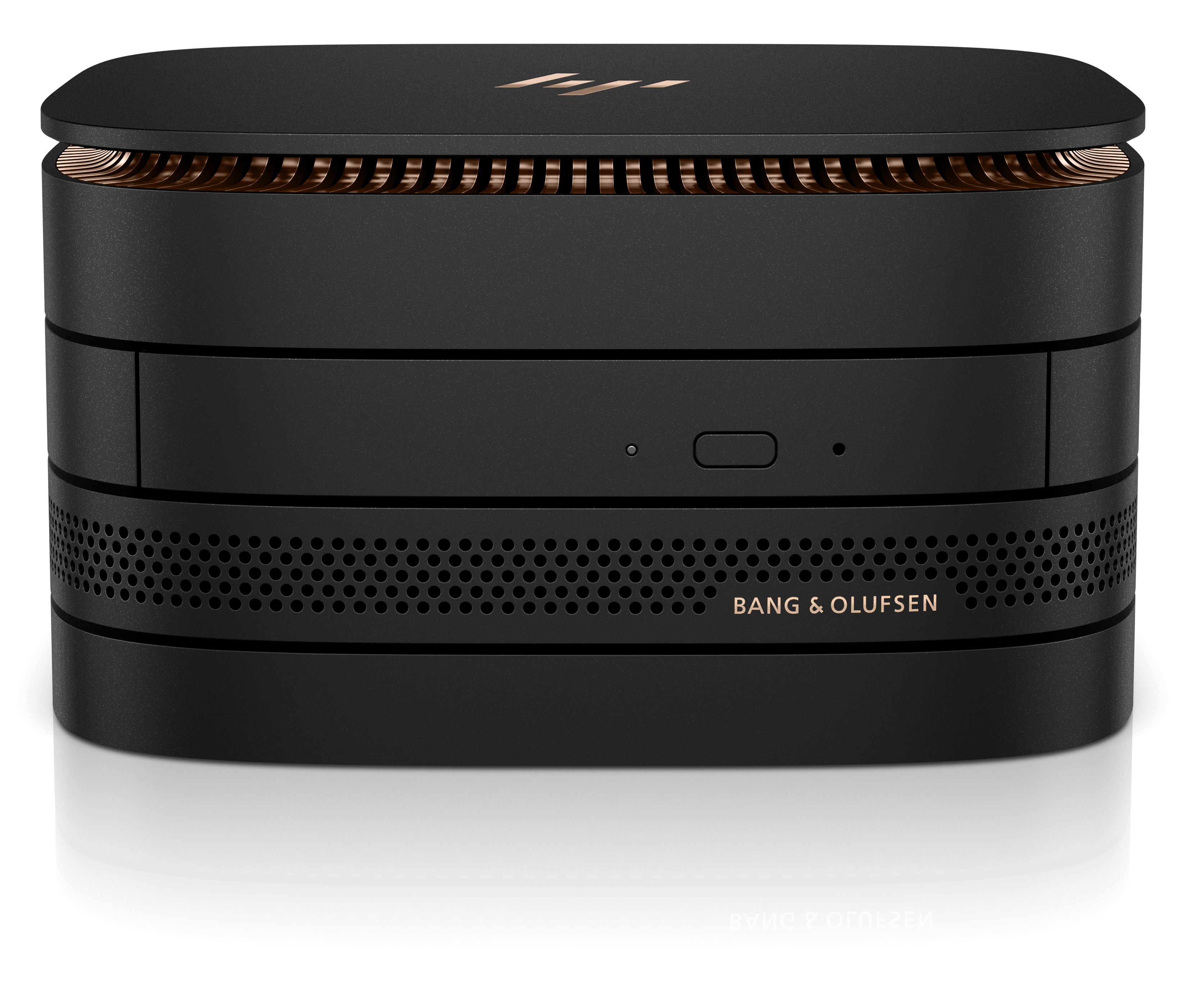
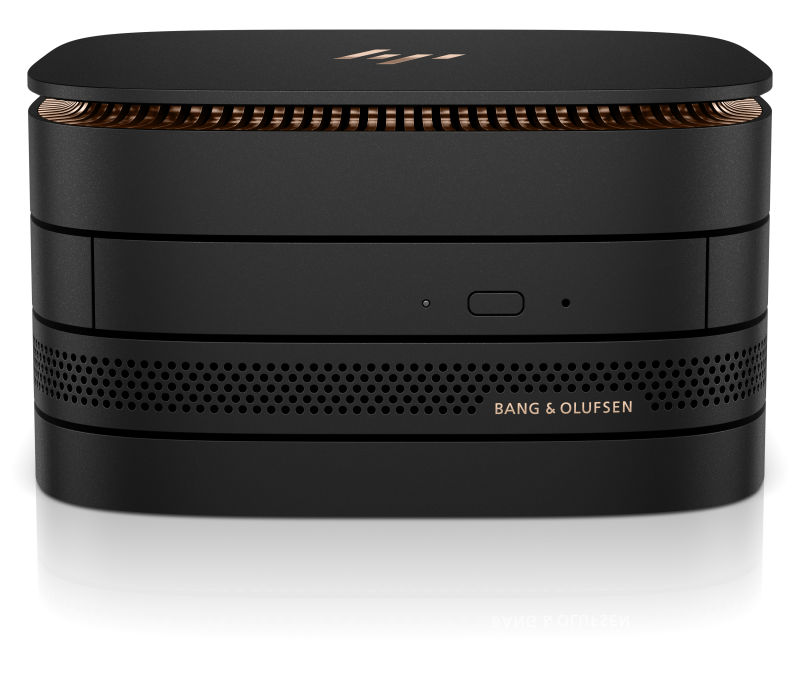
Enlarge / From top to bottom, the Elite Slice main unit, the optical drive, audio module, and VESA mounting plate. (credit: HP)

HP has announced today two new desktop PCs both with some unusual form factors in what it calls the "desktop reinvention." While laptops and all-in-ones have a long history of novel designs and advanced engineering, the traditional desktop has tended to be a rather less exciting category. Some systems have shrunk, to take advantage of the increasing integration and decreasing power requirements that modern processors boast, but the plain old mini-tower PC, still a corporate staple, has had little thought or attention given to its design over the years.

The HP Elite Slice is a corporate oriented machine designed to be modular, taking advantage of USB Type-C for power and I/O. The base unit houses the actual PC in a unit measuring 6.5 inches square, and 1.4 inches tall. This houses all the major PC components—processor up to a 35W Core i7-6700T, RAM up to 32GB, storage up to 512GB NVMe, gigabit Ethernet, 802.11ac Wi-Fi—and a handful of ports. There's a USB Type-C for power, a second USB Type-C that also supports DisplayPort alternate modes, two USB Type-A, one DisplayPort, and one HDMI. Optionally, the side of the unit can sport a fingerprint reader.

The top cover of the main unit is modular, though not end-user changeable. As well as a plain cover, the main unit can have a wireless charging cover, so you can recharge your phone just by setting it on top of your PC, or what HP calls the "collaboration cover," which contains a set of buttons (start/end call, volume up/down, and so on) for controlling a software phone such as Skype for Business.

Read 7 remaining paragraphs | Comments

Lenovo’s new Yoga Book is a 360 degree laptop without the keyboard

Clamshell system drops the keyboard in favor of the touch-sensitive “Create Pad.”

Enlarge

Microsoft's Courier was supposed to be an electronic journal or diary, a piece of hardware purpose-built for applications like OneNote. Two screens with a hinge between them, it opened and closed like a book, supporting both touch and stylus input on both its screens. Lenovo's new Yoga Book looks like a riff on the Courier combined with the company's successful range of 360 degree hinge Yoga-branded laptops.

Like a Yoga machine, it's a more or less clamshell form factor that can be opened right up to turn it into a tablet of sorts. Like Courier, it's got book-like styling with both halves approximately the same size for a symmetrical look. And like the Courier, it's designed for mixed touch and pen input. But it has a twist. A normal laptop has a screen and a keyboard. Courier has a screen and another screen. The Yoga Book does neither of these things; it has a conventional touch screen paired with a special touch input surface designed for a stylus, dubbed the Create Pad.

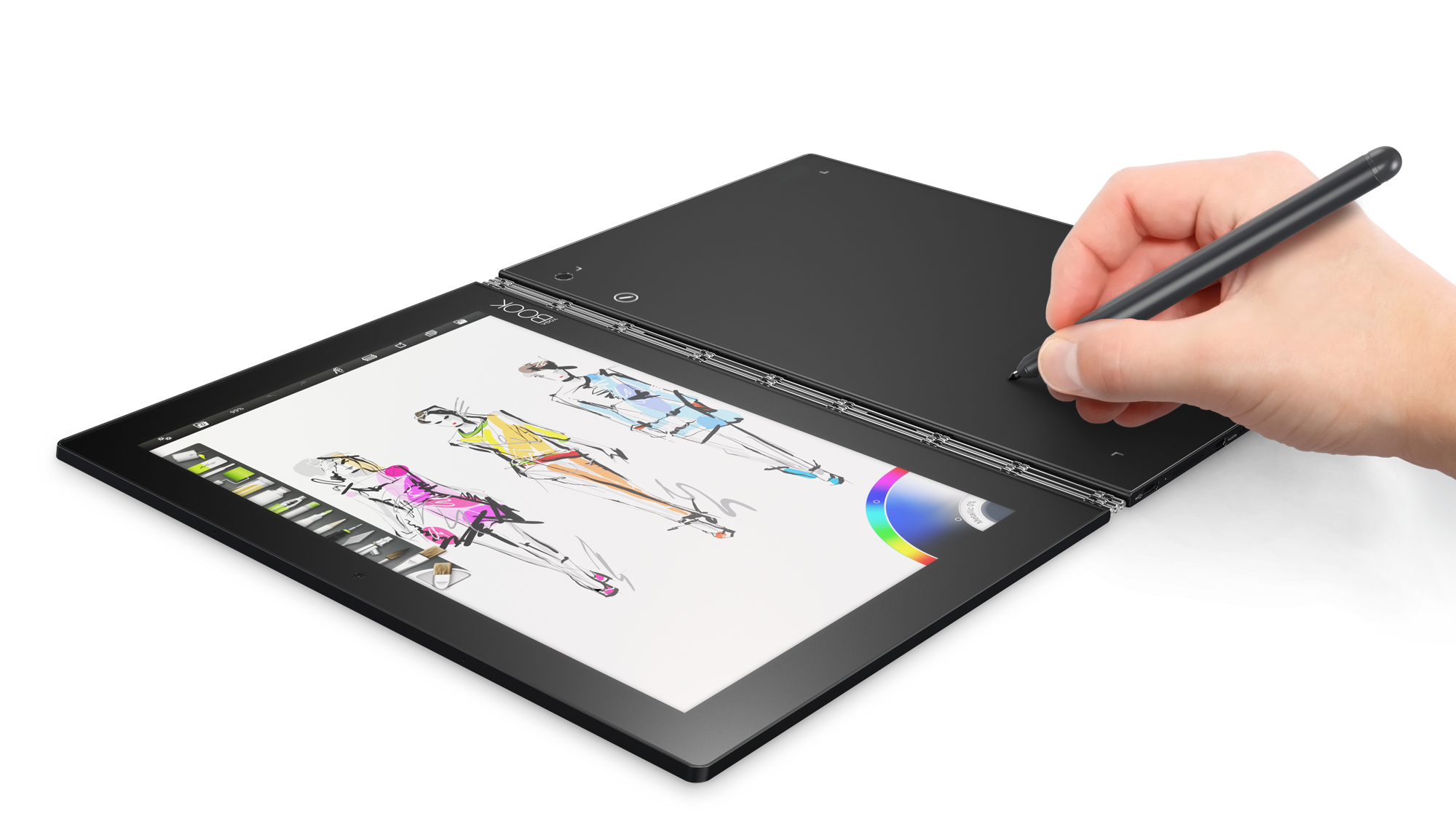
Using the Real Pen to paint.

Using the Real Pen to paint. (credit: Lenovo)

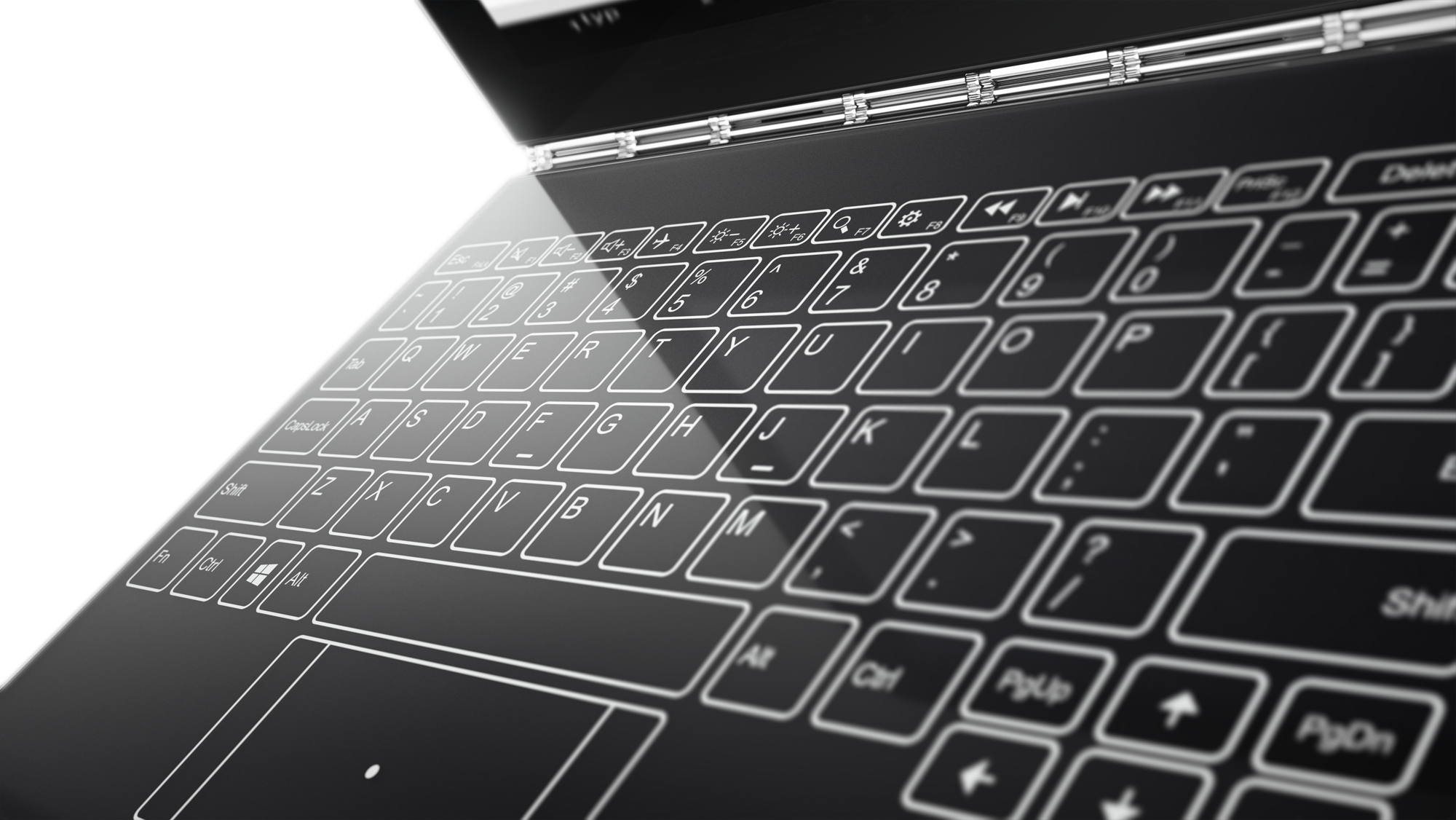
Press a button and the Create Pad turns into a backlit keyboard using haptic feedback to simulate the feedback you'd get from a regular keyboard. In this mode, it has shades of Microsoft's Touch Covers, but the Yoga Book's concept is more versatile—the touch surface isn't just a keyboard—and probably more comfortable, thanks to that feedback. The removal of the physical keys makes this half of the Yoga Book thinner; it also makes it into a drawing surface. Hide the virtual keys and it becomes a stylus workspace for the Yoga Book's battery-free Real Pen, with 2,048 pressure levels and angle detection. Clip a piece of paper to the Create Pad and put some ink into the Real Pen and you can draw with, well, a real pen and real ink, while everything you do gets immediately digitized by the device.

Read 3 remaining paragraphs | Comments
Catastrophic Surface Pro 3 battery life finally has its firmware fix

Initial reports suggest it’s definitely working, at least for some.

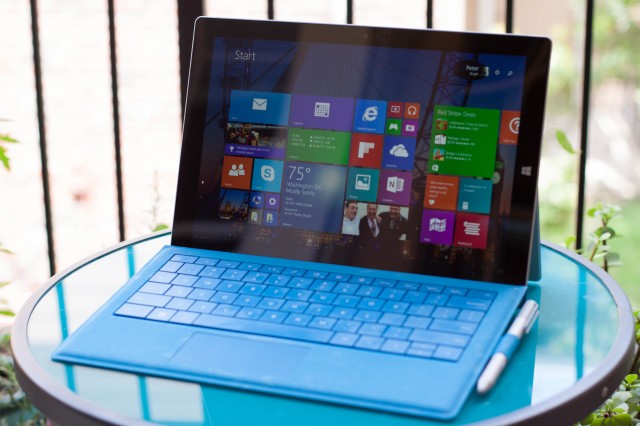
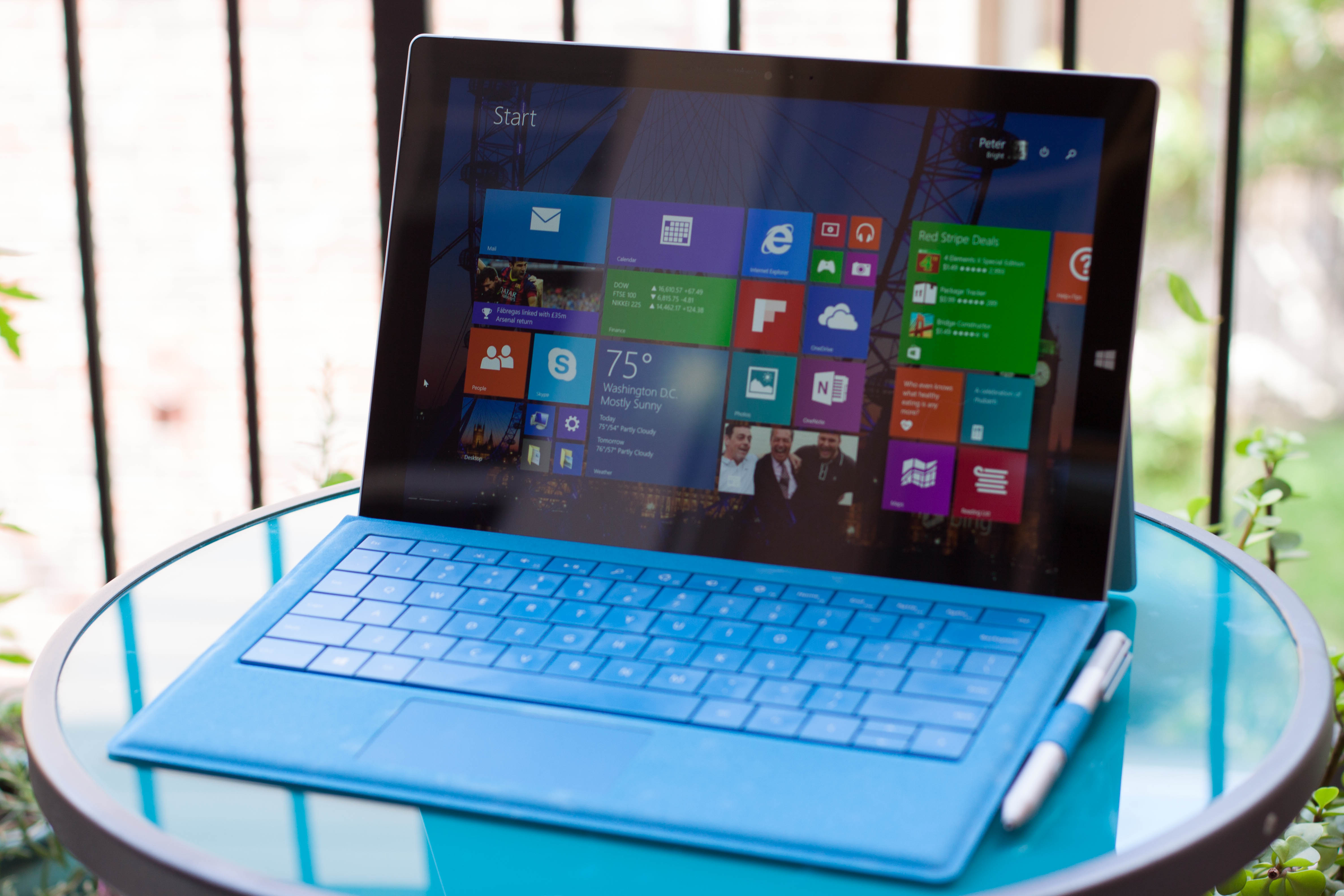
Enlarge / Surface Pro 3. (credit: Peter Bright)

Back in July, Microsoft acknowledged that some Surface Pro 3 systems were seeing their battery life drop to as little as a few minutes, apparently the result of a firmware bug of some kind. The fix for this is now out (via Mary Jo Foley).

The fix is a firmware update dated 29 August that must be installed while the system is charged and plugged in. It apparently takes a couple of reboots to install. Over the course of the following few battery cycles, the batteries will return to their correct charge level. The problem is caused by something in the Surface Pro 3's firmware causing the maximum charge to be improperly reported—meaning, the SP3 mistakenly thinks the battery is full and stops accepting charge accordingly. LG and Simplo provide batteries for Microsoft's two-in-one slabs, and while users have reported issues with LG batteries, the Simplo ones appear to be the main victims of this firmware trouble.

Early reports from Microsoft's support forums suggest that, for many at least, the firmware fix does indeed do the trick.

Read on Ars Technica | Comments

Microsoft’s fancy new outlook.com, planned for this year, now delayed until next

Even after 9 months of beta testing, Microsoft’s upgrade is taking longer than expected.

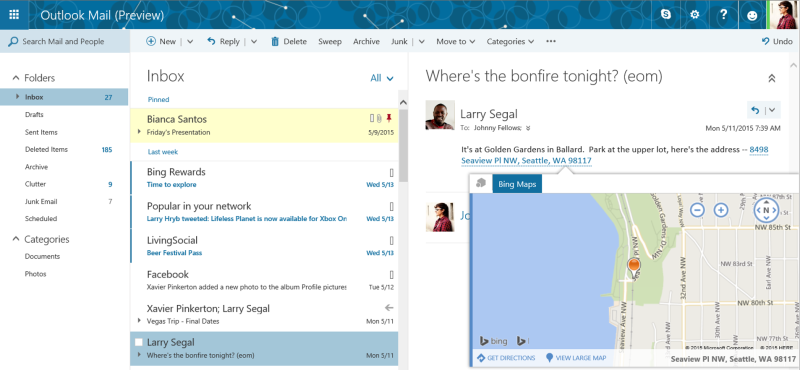
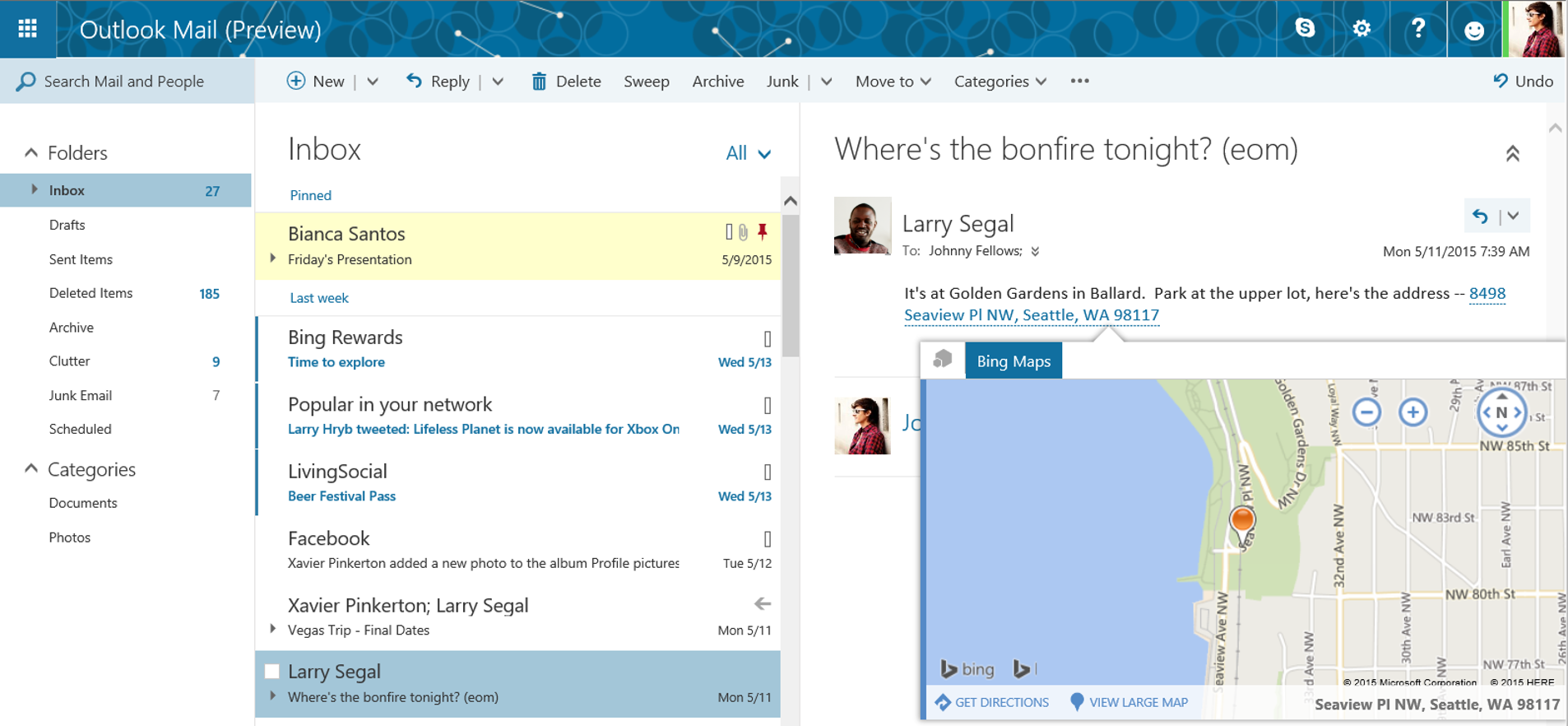
Enlarge / The updated Outlook.com experience that many of us don't have yet. (credit: Microsoft)

In May 2015, Microsoft announced a big overhaul was coming to its Outlook.com free mail service. The new look Outlook.com looked a lot closer to the Outlook Web Access component in Exchange. It had Exchange features like the Clutter folder for handling all those e-mails that aren't quite spam but aren't quite important, pinned and flagged mail, new calendar views, and a better mobile interface that supports swipe-based gestures. In February 2016, this new experience was announced as being out of beta, and Microsoft rolled it out immediately to new users in North America. Everyone else was scheduled to be upgraded by the end of summer.

It looks like that's not the plan any more. The upgrade has been partially performed, and some users have been upgraded while others have not. A new error message (spotted by Twitter user gwydionjhr) suggests that those who don't have the update by now won't get it for quite a while. While attempting to share calendars, users have noticed that sharing between non-upgraded and upgraded users isn't possible, and this situation apparently won't be remedied until the first half of 2017.

It's not clear what the hold-up is or why the roll-out is taking longer than expected. The rollout is a big one behind the scenes, with Microsoft saying that the new system uses "Office 365-based infrastructure" and that there are hundreds of millions of accounts to migrate. Certainly the scale of what Microsoft is doing is certainly significant, but the delays are also frustrating, especially for anyone wanting to share calendars.

Read on Ars Technica | Comments

Kindle crashes and broken PowerShell: Something isn’t right with Windows 10 testing

PowerShell has also been been broken by a patch, though that should be fixed next week.

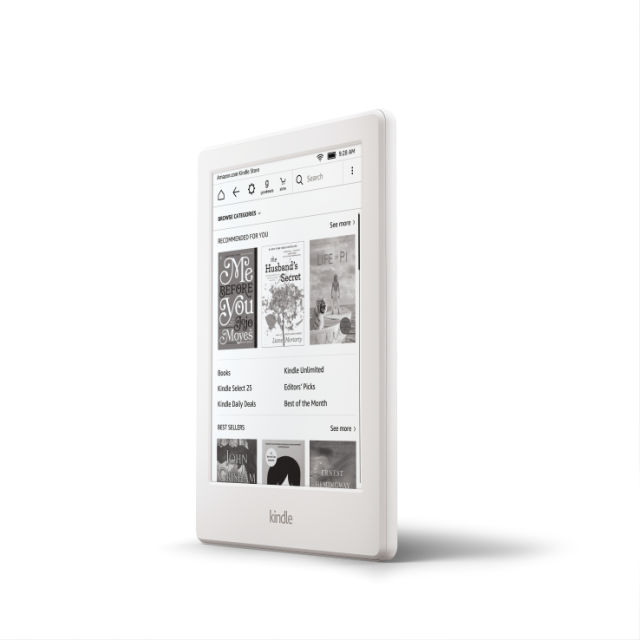
(credit: Amazon)

Last week, we learned that the Windows 10 Anniversary Update caused trouble for many webcam users. Today, it's the turn of Kindle owners to cry foul, with numerous reports that plugging a Kindle into a Windows 10 machine with the update will make the PC crash with a Blue Screen of Death.

This problem has more than a hint of the same feeling as the webcam issue: it's the kind of thing that shows up quickly when using Windows 10 on a primary system but is going to be much more obscure if you only tested the Windows Insider previews in a virtual machine or secondary system—such systems are much less likely to be plugged in to all the many peripherals and gadgets that primary machines are. Microsoft's own advice is that the Insider previews should not be installed on your "everyday computer." That's good advice; the quality of the builds released to the Insider program is far too inconsistent to make it a good option for a machine that you depend on. But that has consequences: the Insider program is going to consistently miss this kind of hardware interaction.

Investigation of the issue and development of a fix is apparently underway.

Read 22 remaining paragraphs | Comments

HP’s Sure View screens strive to stop shoulder surfing

Press F2 and the person next to you on the plane won’t be able to read your screen.

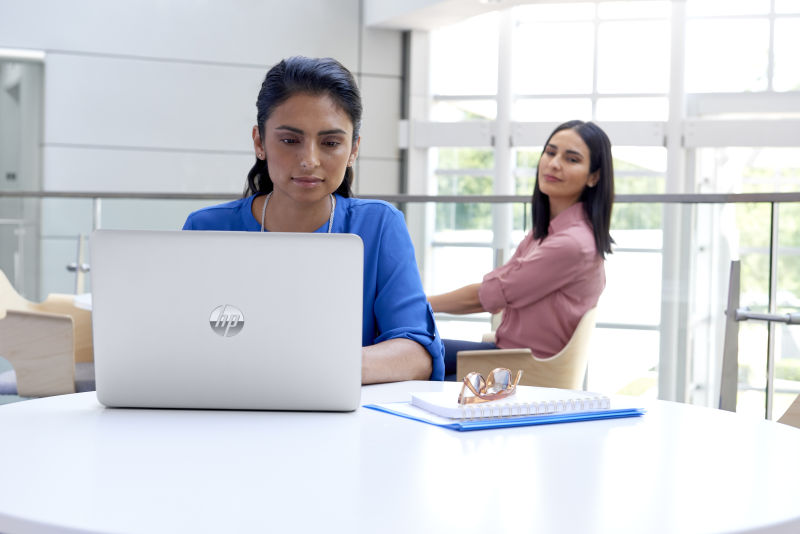
Enlarge / "Say... that's a nice e-mail you're writing." (credit: HP)

I have a dirty secret: I am an inveterate reader of other people's screens. It's a compulsion. I've tried to quit. But I can't. They're invariably more fascinating than my own, so if I'm sitting next to you on the plane I'll be checking out your e-mails, reading your presentations, and tutting at your use of Comic Sans in your documents. As such, I'm not a fan of HP's new Sure View screens—but I certainly understand the justification.

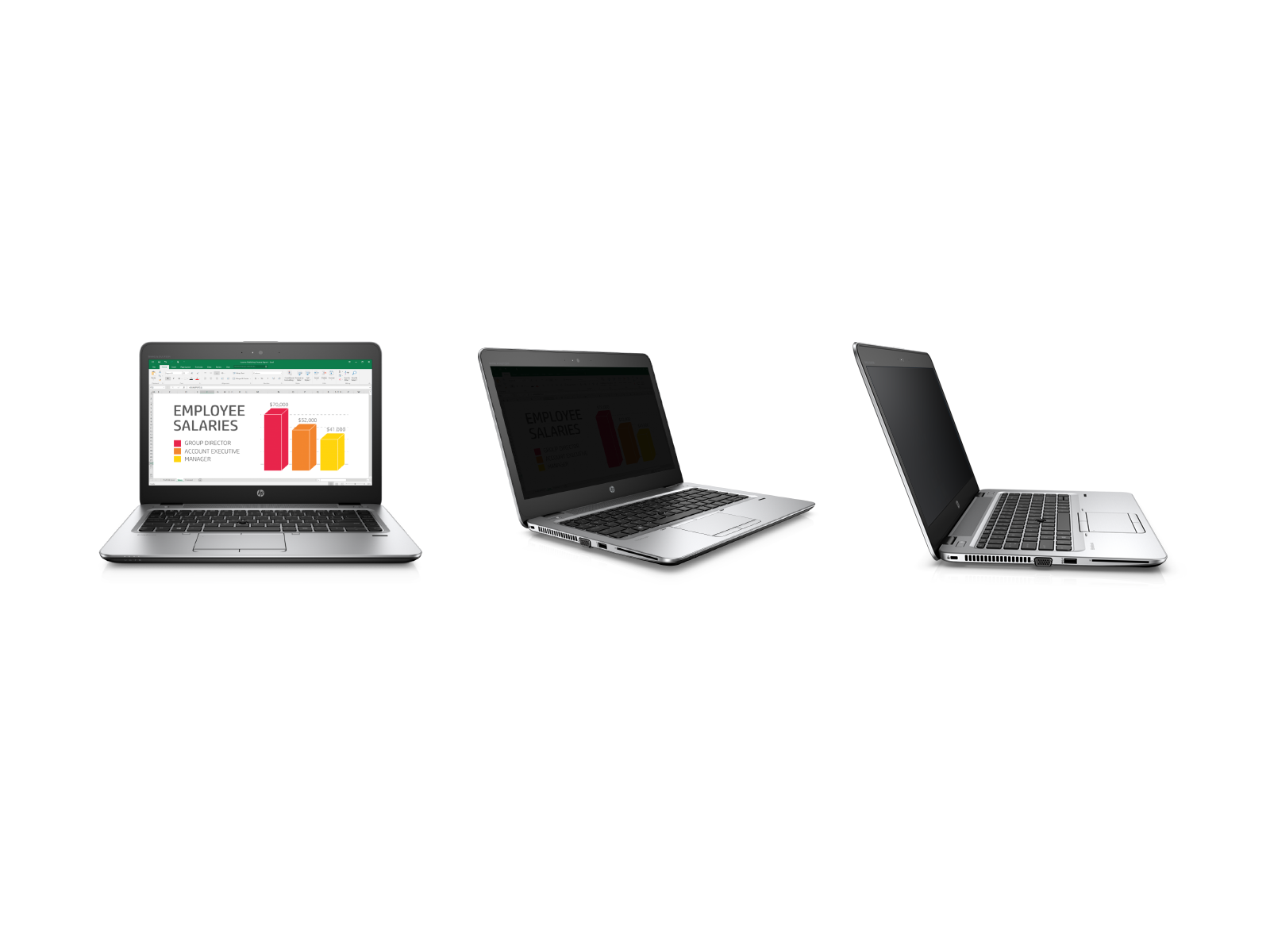
The Sure View option is being offered on the HP EliteBook 1040 and the EliteBook 840; with one press of a button the screens flip from regular wide viewing angle mode into private mode, slashing the off-axis visibility of the devices.

The effect is pretty significant. On-axis visibility drops a little, as the screen gets dimmer, but off-axis visibility drops substantially. It's definitely enough to stop nosy row-mates on your cattle class flight from being able to read your e-mails, and even the people in the row behind are going to struggle to see what you're working on.

Read 3 remaining paragraphs | Comments

Microsoft goes after VMware with free(ish) Windows licenses for Hyper-V converts

Will this be enough to make Hyper-V overtake VMware?

(credit: Wikipedia)

With the imminent release of Windows Server 2016, due to be launched some time in September with its new per-core licensing, Microsoft is making a concerted effort to win over VMware users and get them to switch to Hyper-V.

Accordingly, the company is running a time-limited promotion: switch from VMware to Hyper-V and the company will give you "free" licenses to Windows Server Datacenter. The catch is that you'll need to buy a Software Assurance subscription too, so it's not really free. But it should save some of the costs of migrating.

To help persuade companies to switch, Microsoft has offered a TCO calculator to show off the big savings (Microsoft hopes) that can be had from making the switch.

Read 3 remaining paragraphs | Comments
Microsoft sheds some light on its mysterious holographic processing unit

The current HoloLens hardware only uses half of the chip’s power.

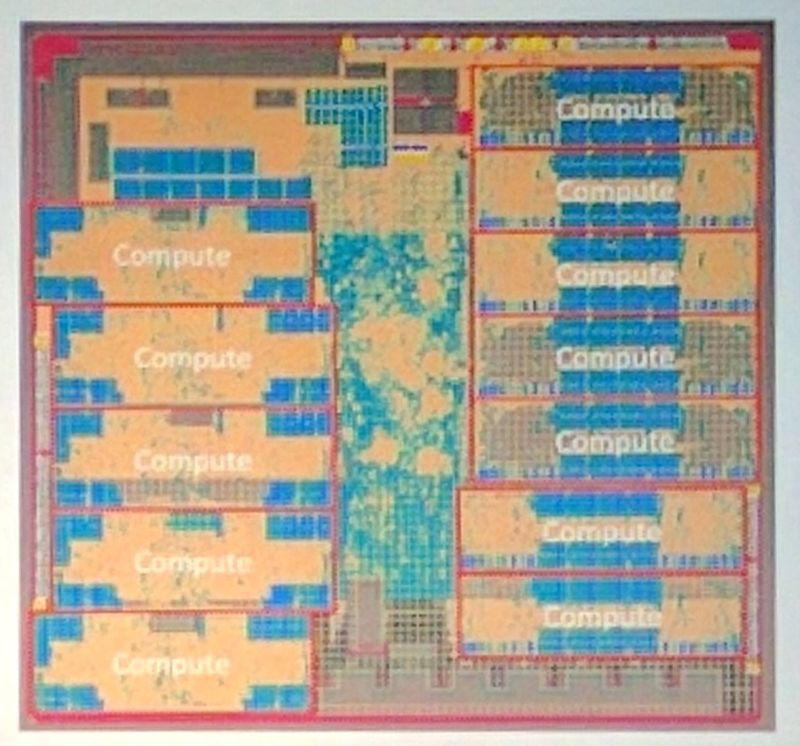
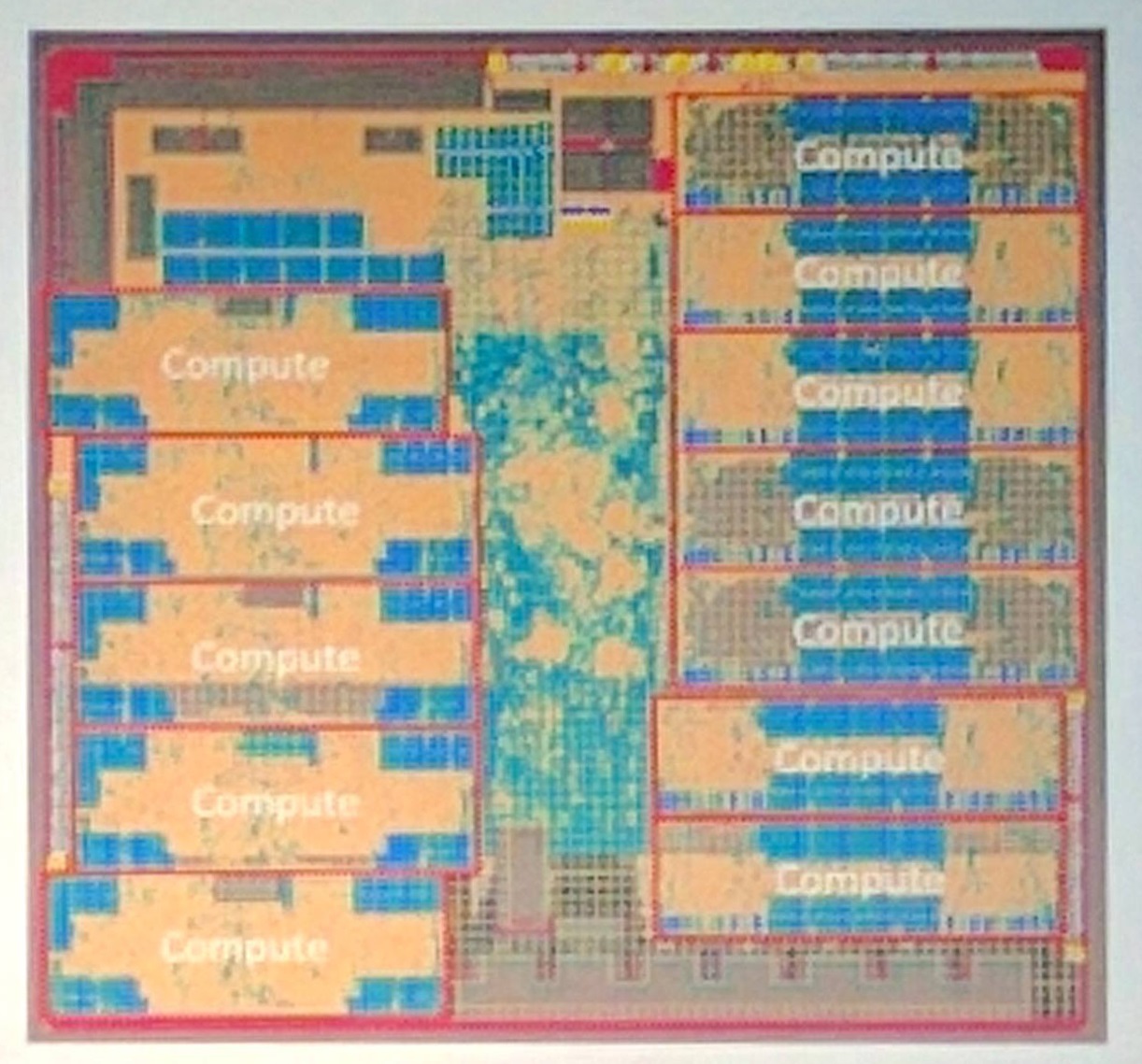
Enlarge / The HPU's floorplan. (credit: Microsoft)

Since it was first unveiled, we've learned bits and pieces about the hardware inside Microsoft's HoloLens augmented reality headset. But Microsoft's custom Holographic Processing Unit (HPU) has always posed something of a mystery. At Hot Chips this week, the company finally shed a little light on what its special chip is doing.

Ever since we first used HoloLens, we knew that it had some special hardware. Our first units weren't the sleek all-in-one devices that are now available to developers and corporations for $3,000. Instead, each of our devices had a bulky chest-mounted unit that contained an FPGA (a kind of chip that can be rewired on-the-fly to change its behavior), fans to keep it cool, and an umbilical cord to provide power.

That FPGA was the precursor to the HPU that the HoloLens headsets now contain. The HPU integrates data from the HoloLens's sensors (accelerometers to detect motion and a Kinect-like camera system to detect depth). The chip uses those sensors to recognize gestures, maintain a map of the environment, and ensure that virtual 3D objects retain their position in the real world.

Read 7 remaining paragraphs | Comments