Google I/O 2016 in pictures: What happens when you make nerds go outside

All the good and bad stuff about Google I/O’s new location.

I'm going on my fifth year in this tech reporting game, and Google I/O 2016 is the only time I've been handed sunglasses, sunscreen, and a protective bandana as part of the welcome pack when I registered at an event.

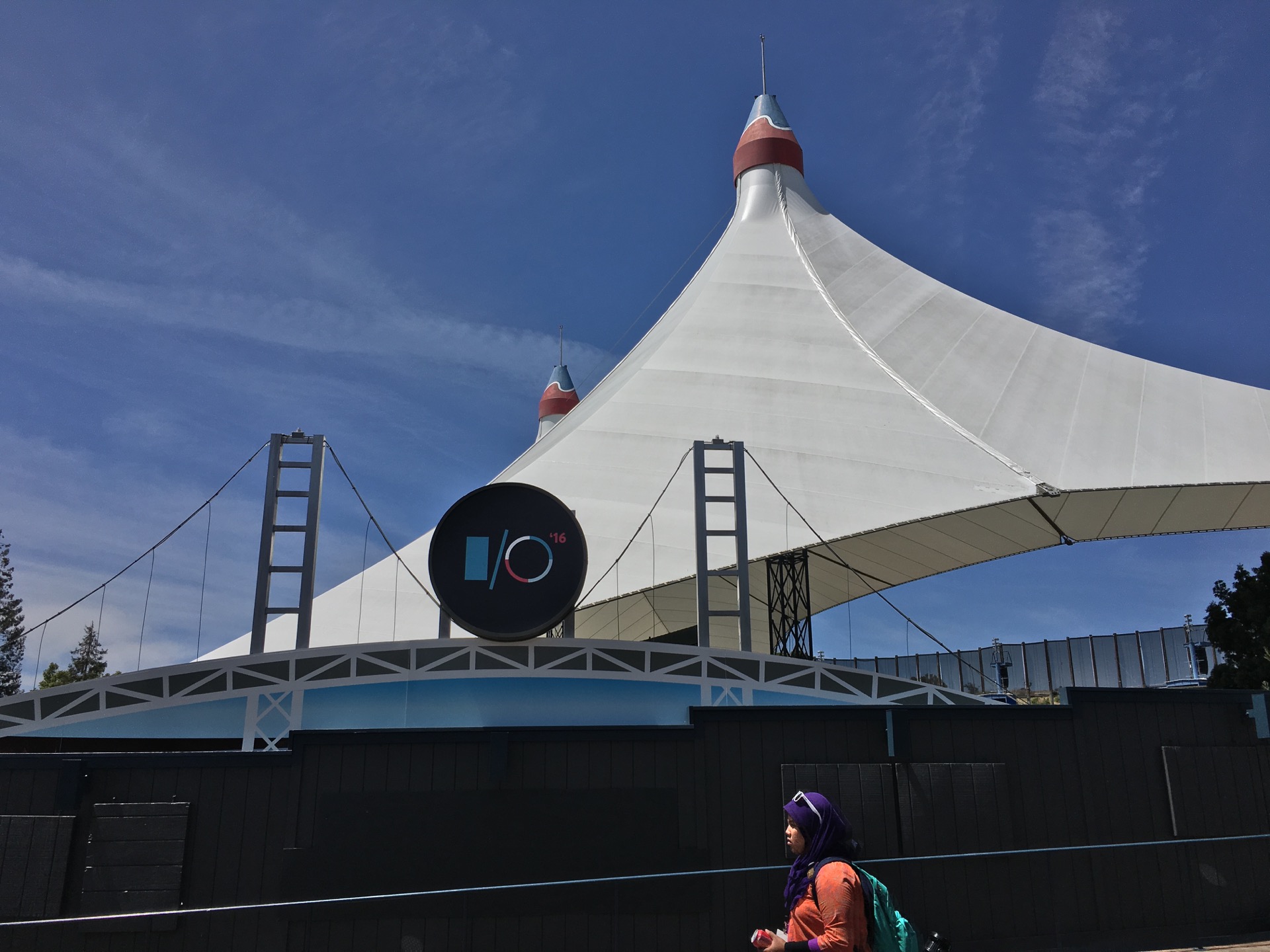
Google's big developer conference this year isn't being held in its normal location at the Moscone Center in downtown San Francisco—it was moved to the Shoreline Amphitheatre in Google's hometown of Mountain View. The keynote actually happened in the amphitheatre, and the rest of it was spread out into various ticket and concession booths and the sprawling parking lots surrounding the venue.

As a change of scenery, the move outside was actually fairly pleasant. The worst that can be said of the weather is that it was a little hot the first day and a little windy the second day. My appreciation of the beautiful weather and California greenery was tempered somewhat by an intense allergy to blooming plants, but that isn't Google's fault.

Read 2 remaining paragraphs | Comments
Older Chromebooks, including the original Pixel, won’t run Android apps

Systems more than two years old may not be supported.

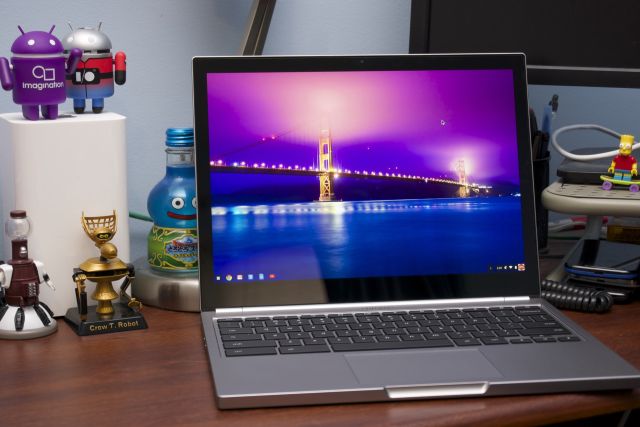
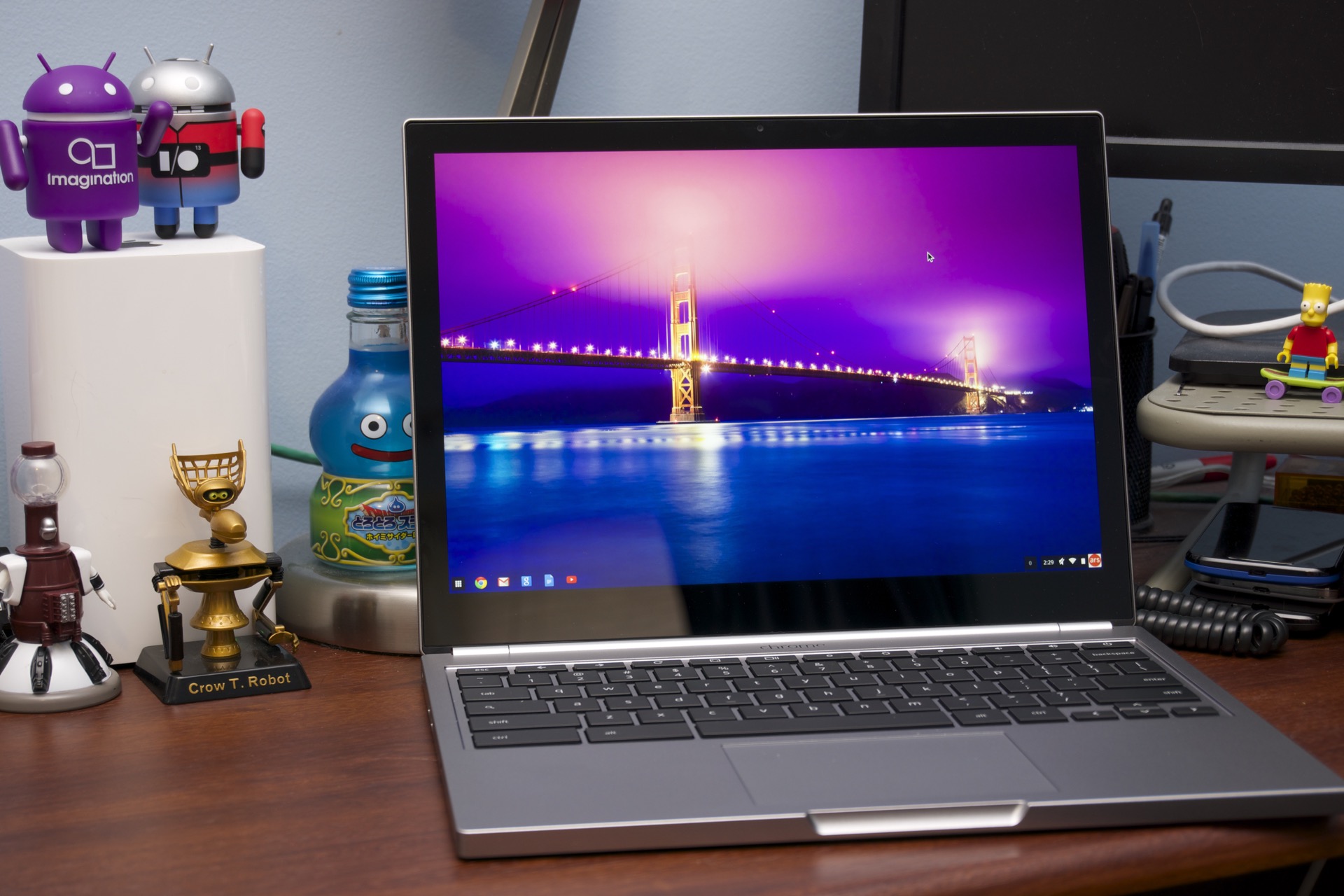
Enlarge / The 2015 Chromebook Pixel will be one of the first to be able to run Android apps. The original 2013 Chromebook Pixel doesn't even make the list. (credit: Andrew Cunningham)

The Google Play store is coming to Chrome OS, and it's bringing every single Android app along with it. That means that every app that runs on Android—everything from Microsoft Word to Hearthstone to Firefox—will be able to run on Chrome OS without noticeable performance penalties. At least, you'll be able to run Android apps if you have a modern Chromebook.

Google has published a compatibility list for the feature, including both the small handful of systems that will be compatible with the early developer channel betas and a longer list of Chromebooks, Chromeboxes, and Chromebases that will be supported later in 2016 as the stable version rolls out. That list doesn't include most Chromebooks more than two years old, which Google tells us is intentional; Android apps should be supported on all new Chromebooks going forward and older hardware going back to 2015 or late 2014, but hardware older than that isn't likely to run them.

The cutoff appears to be mostly age-based and not influenced by the system's OEM, capabilities, speed, price, or CPU architecture. The original Chromebook Pixel doesn't show up on the list, for instance, despite being a Google-made system with a touchscreen and faster hardware than many modern low-end Chromebooks. Many of these systems will continue to get regular Chrome OS updates for some time yet, since Google's Chrome OS End of Life policy guarantees updates for at least five years from a device's release date. And enterprising Chrome OS users may find some way to enable the feature unofficially. But at least for now, newer Chromebooks are going to have access to a whole pile of apps that older Chromebooks just can't use.

Read on Ars Technica | Comments

Hands on with Android Wear 2.0: Better versions of the same basic ideas

We install the Wear 2.0 preview on a Huawei Watch and give it a spin.

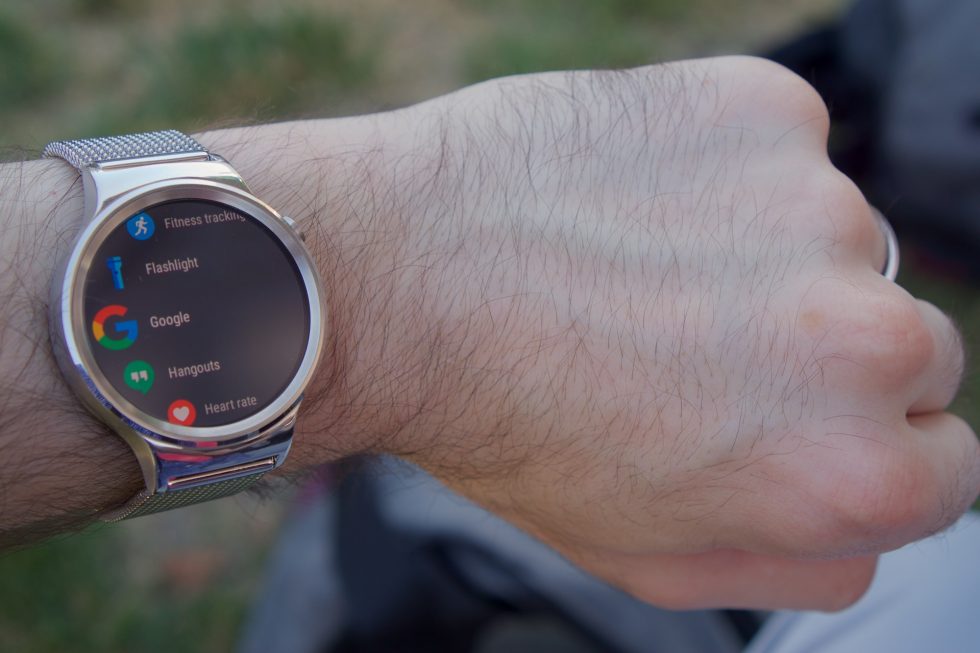
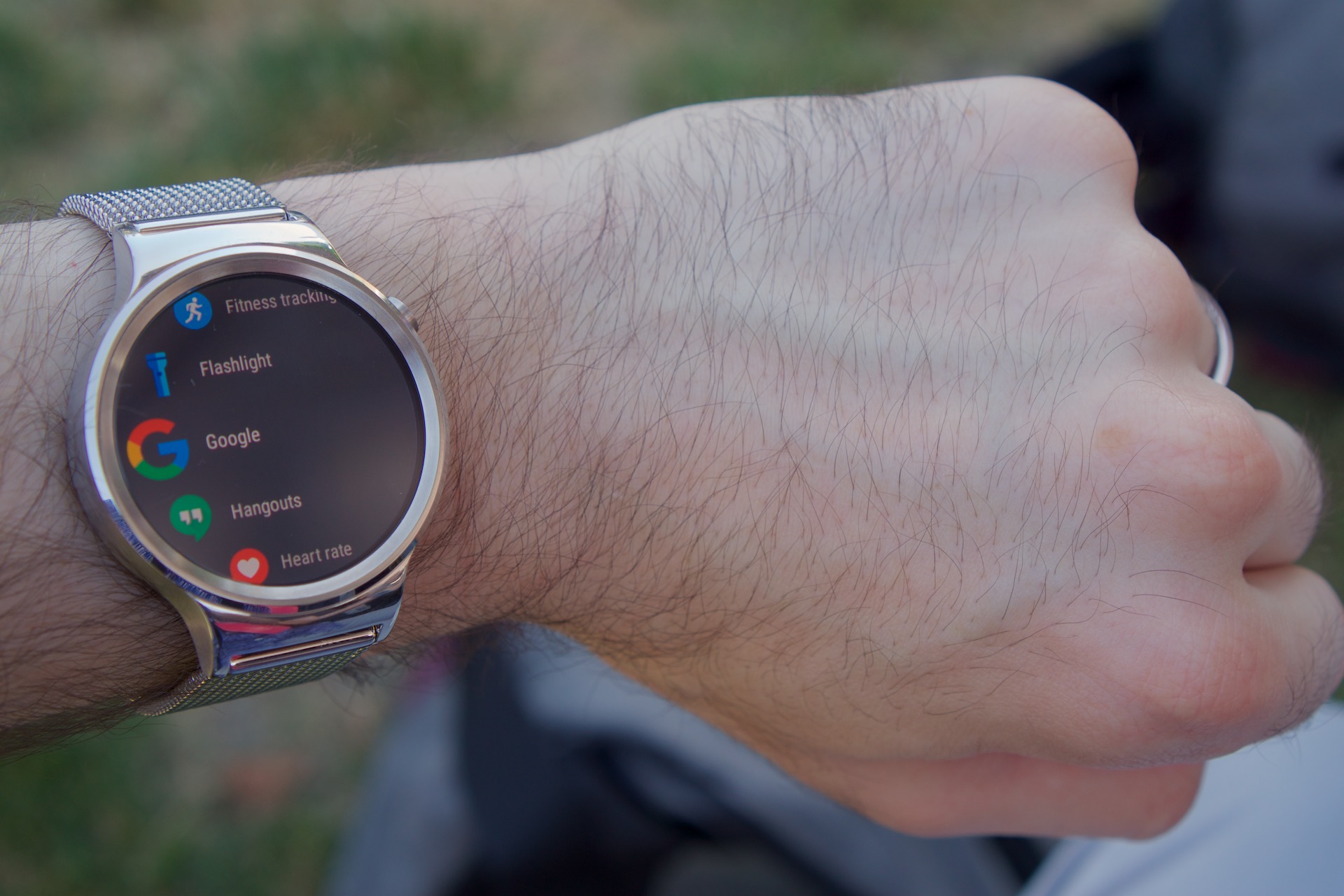
Enlarge / The Huawei Watch running Android Wear 2.0. (credit: Andrew Cunningham)

Yesterday Google put out the first developer previews of Android Wear 2.0, the single biggest update that the software has gotten since it was originally released in 2014—two Google I/Os ago.

The developer preview builds, which only work on two more recent (and expensive) Wear watches and the Android emulator, won’t suddenly convince smartwatch haters that the devices have merit. But Wear 2.0 tweaks Google’s smartwatch platform in some intelligent ways while opening new doors for developers. Here’s what the preview is like running on the Huawei Watch.

New look and feel

The original release of Android Wear existed mostly as a wrist-bound notification delivery system. Notification cards would alert you to their presence by obscuring part of the watch face and hanging out there until you had dismissed them. Wear 2.0 is still notification-focused, but it delivers them in a way that’s less disruptive to your newly useful, complication-equipped watch face.

Read 11 remaining paragraphs | Comments
Boot Camp support comes to aftermarket SSDs for MacBook Air, MacBook Pro

Previous Windows support solution was to install it as the only OS.

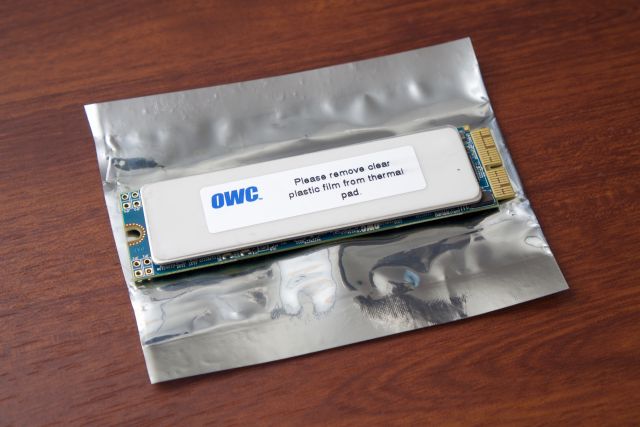
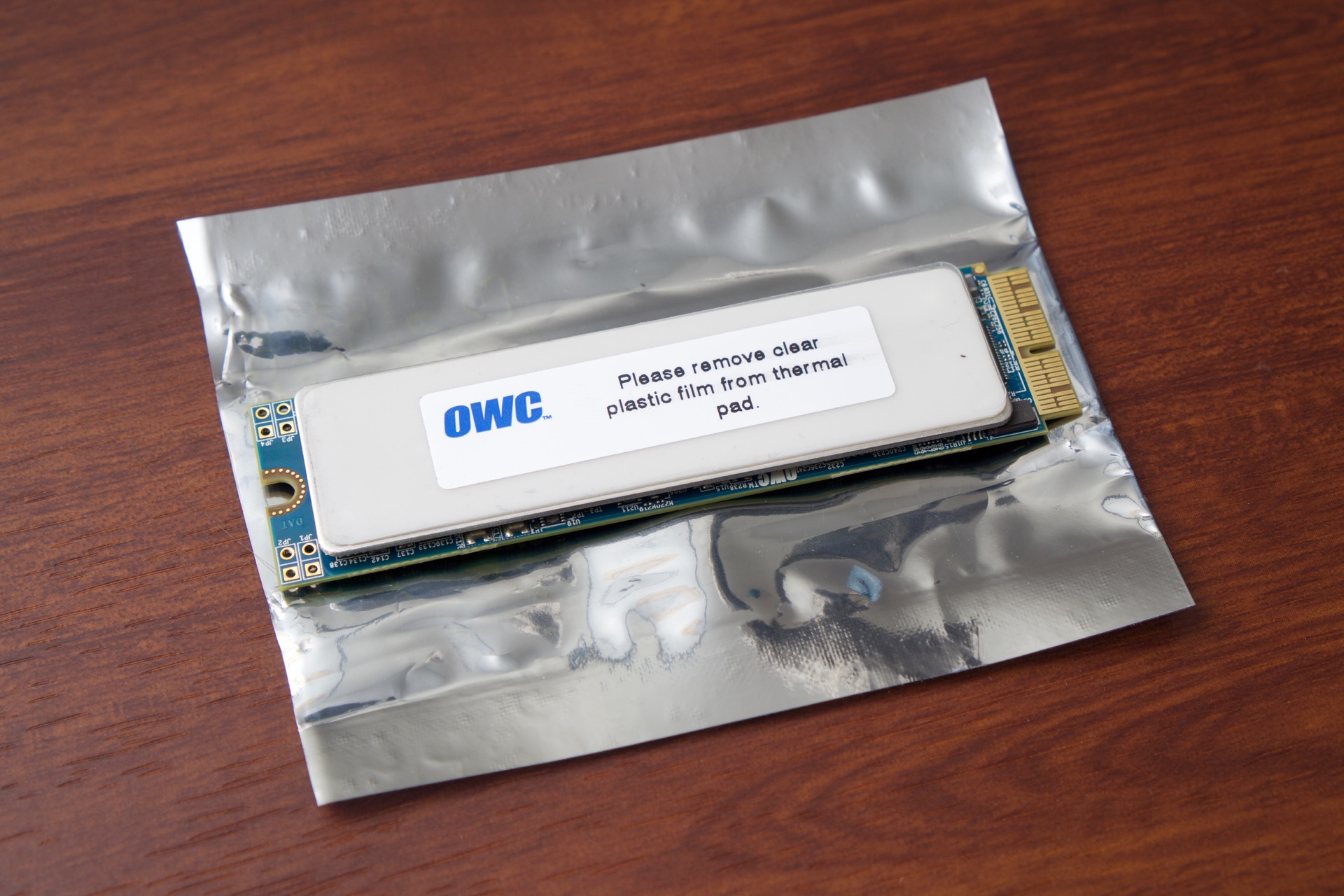
Enlarge / OWC's Aura drive for newer MacBook Airs and Pros. (credit: Andrew Cunningham)

If you're looking for a capacity upgrade for a recent MacBook Pro or Air, you could do worse than OWC's Aura SSDs. The drives come in 480GB and 1TB capacities, and even though they aren't always as fast as original Apple drives, they're fast enough, and they offer capacities beyond what Apple offers on some models.

The major caveat that we discovered in our review of the products is that the drives didn't support Boot Camp, making it impossible to install Windows or other operating systems on the drives. Those disheartened by that news will be happy to know that OWC has just released a Boot Camp Enabler tool for the Aura drives and a few of its other aftermarket Mac SSDs that allows the Boot Camp Assistant tool to work just as it normally does. Once Windows is installed, the enabler tool can be uninstalled without affecting the Windows partition.

OWC will sell you a 480GB drive for $348 and a 1TB drive for $595. An upgrade kit that includes tools and an external USB enclosure for the original Apple drive costs around $50 extra. The drives are compatible with 2013, 2014, and 2015 MacBook Airs and Retina MacBook Pros.

Read on Ars Technica | Comments

Android Instant Apps will blur the lines between apps and mobile sites

Modularized apps offer Android-specific features without installation.

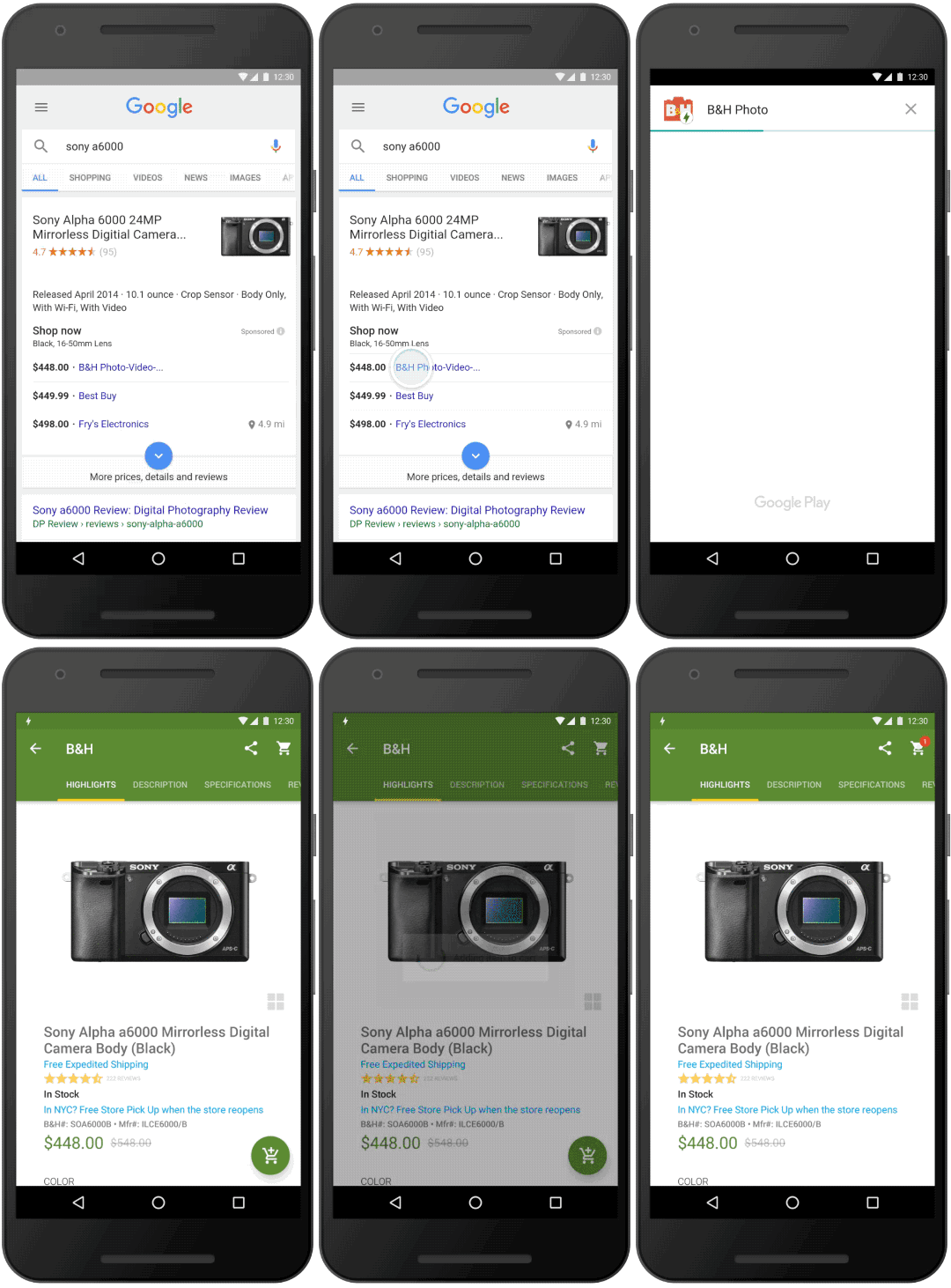
With Instant Apps, clicking a link can give you an app-like experience even if you don't have the app installed already. (credit: Google)

MOUNTAIN VIEW, Calif.—Mobile websites are often more convenient than their desktop counterparts when you're on your phone, but they're also usually missing some important functionality that's available (or just easier to find) on the desktop. Apps can help solve the problem, but only if you have the foresight and/or bandwidth to install them when you need them.

Android's just-announced Instant Apps feature, which should be available to all phones running Android 4.2 or later and via an update to the Google Play Services software coming "later this year," will attempt to bridge that gap. Instant Apps are designed to provide the richer, Android-native experience of an app combined with the convenience and the lower data and storage usage of a mobile website.

When users tap an Instant App URL, they are taken directly to an app that runs without installing. Developers who want to offer Instant Apps will have to modularize their apps so that users don't have to install the entire app just to use certain features of it—this is where most of the data savings come from. Google's examples included museum or resort apps with maps and schedules, along with apps that help you pay for parking. These are the kinds of rarely-used apps that are useful in the moment, though you wouldn't necessarily want to install them on your phone beforehand or keep them around afterward. Developers can, however, can provide "call to action" links that encourage users to download and install apps that they find particularly useful.

Read 3 remaining paragraphs | Comments
Android Wear 2.0 is a major overhaul of Google’s smartwatch OS

Developer preview lets devs play with complications API, a new UI, and more.

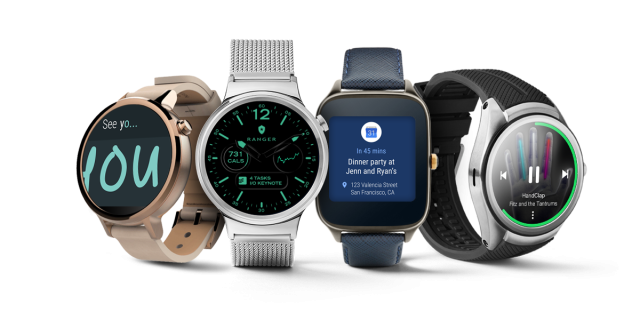
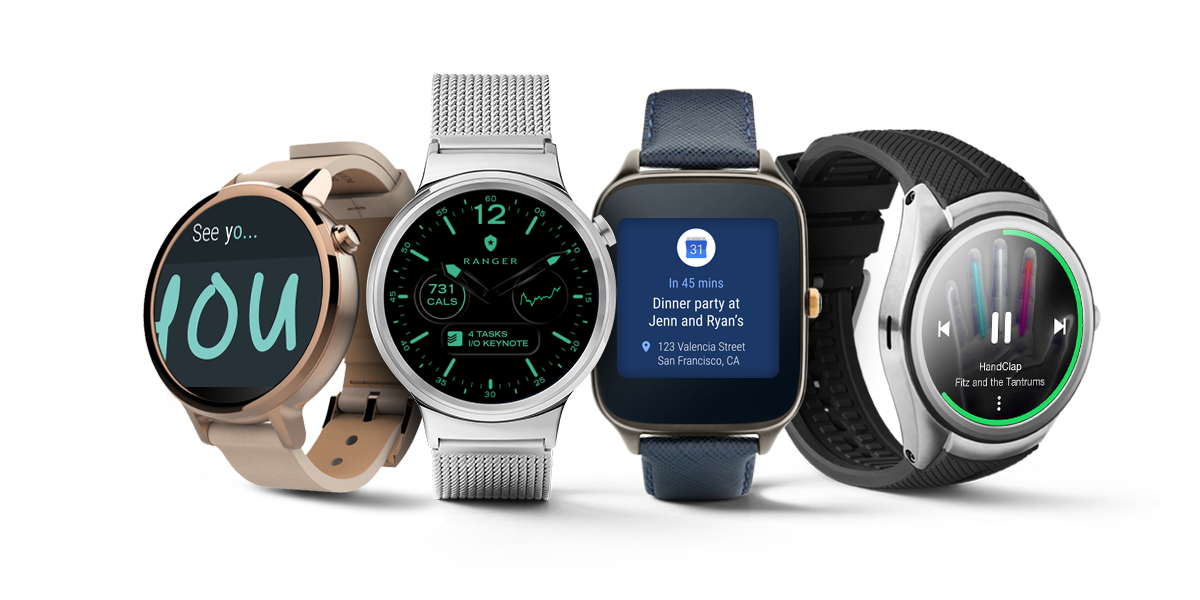
Enlarge / Android Wear 2.0 promises major improvements for Google smartwatches. (credit: Google)

MOUNTAIN VIEW, Calif.—Google has provided three major updates to Android Wear since it came to market two years ago—every time the version of Android that Wear is built on top of is updated, Google also adds Wear-specific features. Android 5.0, 5.1, and 6.0 all had corresponding Wear releases that smoothed out rough edges, refined the interface, and made the watches more capable.

Today at its developer conference, Google is announcing Android Wear 2.0, a version number bump that reflects the magnitude of the changes it introduces. The update gives the UI a comprehensive Material Design-themed overhaul, enables compatible watches to do more without a phone attached, introduces some new input methods to make communication easier, and copies one of the things that the Apple Watch gets right. And since it’s based on Android N, it picks up support for features like Data Saver, Java 8, and new emoji, among other platform features. Here are the highlights.

Standalone apps

Probably the biggest addition to Wear 2.0 is the ability for apps to communicate directly over the Internet via Bluetooth, Wi-Fi, or (for the few watches that have it) cellular, rather than relying exclusively on a tethered phone or cloud syncing between your watch and your phone for communication.

Read 16 remaining paragraphs | Comments
The third Android N preview is here, and it should be stable enough to use

Third of five planned previews hits select Nexus devices and a couple others.

Enlarge (credit: Google)

MOUNTAIN VIEW, CALIFORNIA—Today Google is releasing the third developer preview of Android N, the new version of Google's mobile operating system due this fall. Developer Preview 3 continues to tweak existing features while adding new ones, and stability should also be improved; Google tells us that it considers this build to be "beta" quality, ready for developers and more-ambitious users to use it as their daily driver.

One of the largest additions is something we found evidence of in the second preview builda new Google-developed VR service that will make it easier to turn compatible Android smartphones into modest VR headsets like Samsung's Gear VR. We have more on the feature and its system requirements in a separate article.

Also new to DP3 is a revised partitioning scheme that borrows from ChromeOS in order to expedite the installation of system updates. Android N is already using a combination of just-in-time (JIT) and ahead-of-time (AOT) code compilation to get rid of the lengthy "app optimization" part of system updates. DP3 reduces the amount of time your phone actually shuts down to install updates to the system partition. Theoretically, Android updates should now work more like ChromeOS updates: install them in the background and then do a quick reboot to make the update take effect.

Read 1 remaining paragraphs | Comments
New Moto G lineup brings 1080p and fingerprint sensors to midrange phones

Phones launch in Brazil and India, with US and elsewhere to follow this summer.

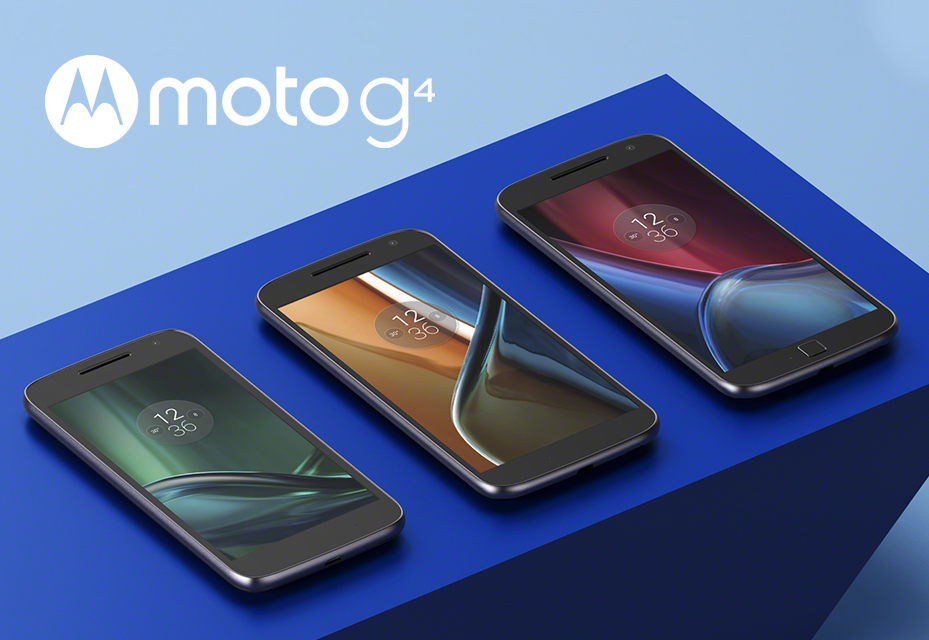
Today Lenovo made the rumors official: the company’s mid-range Moto G lineup has been refreshed with not one but three different phones. The Moto G (hereafter the Moto G4) and the Moto G Plus bring spec bumps inside and out, while the lower-end Moto G Play is more like a redesign of last year’s Moto G. The phones will be available in Brazil and India to start, but all three of them should come to the US, Europe, and elsewhere later this summer.

The Moto G4 is the mainstream option, and for £169 (about $244, though US pricing hasn’t been announced) you get a decent amount for your money. Its larger 5.5-inch display jumps from 720p to 1080p, and it picks up an octa-core Snapdragon 617 SoC. The phone has dual-band 802.11n Wi-Fi, a nice upgrade over the 2.4GHz-only wireless in previous models, Bluetooth 4.1, 2GB of RAM, and 16 or 32GB of storage that can be expanded by up to 128GB with a microSD card. All three of the Motos G continue to use Micro USB rather than USB Type-C.

The phone also includes a 3,000mAh battery, a “water repellent nano-coating,” LTE that should work “on all major carriers,” a 13MP rear camera and 5MP front camera, and a skin-free build of Android 6.0.1. Visually, Lenovo has tweaked the Moto G design to look a bit flatter, and the camera now bulges out slightly from the back. Given the amount of time it takes to develop a smartphone, this is probably the first Moto G designed mostly by Lenovo rather than being a leftover from the Google days, but it doesn’t drastically shake up the formula.

Read 8 remaining paragraphs | Comments
OS X 10.11.5 and iTunes 12.4 updates bring security and usability fixes

El Capitan receives what will likely be its last major update ahead of WWDC.

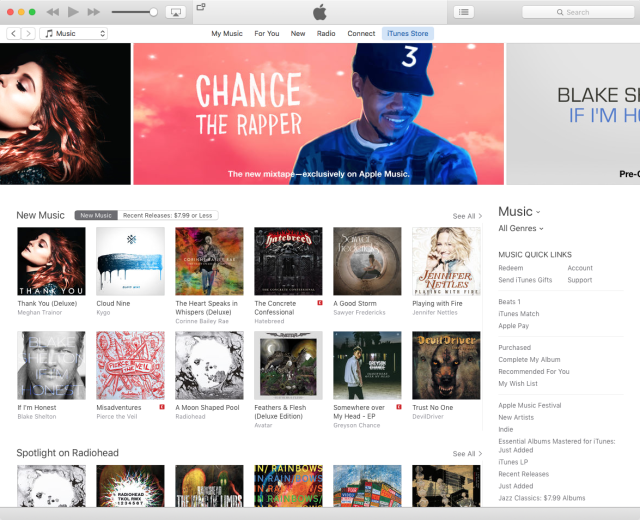
Enlarge / iTunes 12.4. (credit: Andrew Cunningham)

Apple today released OS X 10.11.5, the fifth major update to OS X El Capitan since it was released last September. The company also released iTunes 12.4, a minor update that tweaks the user interface in an effort to simplify it.

The El Capitan update doesn't change much. There are quite a few security fixes and a few tweaks related to enterprise usage, but little in the way of user-visible changes. iTunes 12.4 is more noticeable change. It doesn't fix the core problem with iTunes—that having one program to handle local music, streamed music from Apple Music, TV and movie purchases, podcasts, and iOS device backups and administration makes for lots of clutter and confusion—but it does present a marginally more streamlined version of the app everyone loves to hate.

The top navigation bar has had several buttons removed, and the app uses a persistent sidebar instead of multiple drop-down menus to let you view your media. iTunes versions of yore also made heavier use of sidebars for navigation—sometimes the old ways really are best. Finally, the back and forward buttons now let you "navigate between your Library, Apple Music, iTunes Store, and more."

Read 1 remaining paragraphs | Comments
iOS 9.3.2 is here, fixes iPhone SE Bluetooth problems and other bugs

tvOS 9.2.1 and WatchOS 2.2.1 are also here.

(credit: Andrew Cunningham)

Apple has just released iOS 9.3.2, a minor update to iOS 9 that fixes a handful of minor bugs. The most significant fix is related to the iPhone SE, which "could experience audio quality issues" when paired to Bluetooth headsets. The full release notes are below:

  • Fixes an issue where some Bluetooth accessories could experience audio quality issues when paired to the iPhone SE
  • Fixes an issue where looking up dictionary definitions could fail
  • Addresses an issue that prevented typing email addresses when using the Japanese Kana keyboard in Mail and Messages
  • Fixes an issue for VoiceOver users using the Alex voice, where the device switches to a different voice to announce punctuation or spaces
  • Fixes an issue that prevented MDM servers from installing Custom B2B apps

All of these fixes are for minor edge cases that affect only small fractions of the iOS userbase—major development on iOS 9 stopped with iOS 9.3, at which point Apple presumably shifted its focus to the new version of iOS that we'll see at WWDC next month. The update is available for all devices that support iOS 9, including the iPhone 4S and newer; iPad 2 and newer; all iPad Minis and iPad Pros; and the fifth- and sixth-generation iPod Touches.

Apple also released minor updates for its other iOS-derived platforms, the Apple Watch and the fourth-generation Apple TV. The release notes for watchOS 2.2.1 and tvOS 9.2.1 don't name any specific fixes, but if you want the latest "bug fixes and security updates" you can download both of them now.

Read on Ars Technica | Comments