iOS, “MacOS,” MacBook Pros, and all the other WWDC 2016 rumors fit to print

Everything there is to know about what is said to be a software-focused WWDC.

Enlarge / WWDC time. (credit: Apple)

WWDC starts tomorrow, and Ars will be on the scene this week covering all the action (see our liveblog schedule here). Before the event begins, we're surfacing Andrew Cunningham's spin through the rumor mill so you know what to anticipate from Cupertino.

Apple’s Worldwide Developers Conference kicks off on Monday, and it all begins at 10am Pacific at the Bill Graham Civic Auditorium in San Francisco. While the bulk of the actual developer sessions will be happening at the nearby Moscone Center, Apple has moved the opening-day keynote to a larger venue to make room for more attendees.

Even given the iPhone announcements in the fall, WWDC is usually Apple's biggest event of the year, the one where we see the direction in which Apple's increasingly unified platform is moving for the next 12 months. We already know that we'll be getting our first looks at new versions of iOS, OS X, watchOS, and tvOS, and the show is often good for a handful of product and service announcements as well as some more developer-focused stuff.

Read 29 remaining paragraphs | Comments

Apple is making big changes to the App Store under Phil Schiller’s lead

Better terms for developers, speedier reviews, and better discovery are on tap.

Enlarge / Apple is bringing search ads and other major changes to the App Store over the next few months. (credit: Apple)

We're a few days out from the WWDC keynote, but Apple is already making some announcements. Apple SVP of Worldwide Marketing Phil Schiller was put in charge of the App Store back in December, and today he sat down with The Loop's Jim Dalrymple to detail his first major changes to the App Store.

The single biggest difference is a change to Apple's traditional 70-30 revenue split for in-app subscriptions. Under the new system, 70 percent of revenue will still go to the developer and 30 percent will still go to Apple, but after users have been subscribed for more than a year, the split changes to 85-15 in the developer's favor. This change will apply to all current subscription-based apps as well, so if you've already subscribed to Netflix or Spotify, those companies will start getting a larger share of the money soon.

The 70-30 split remains unchanged for other kinds of apps. For holdouts like Amazon that still don't offer subscriptions through their apps (or any apps at all for the Apple TV), the revenue tweaks may convince them to reconsider their positions.

Read 7 remaining paragraphs | Comments

Back to the Mac? Modernizing Apple’s aging computer lineup

Op-ed: Apple’s aging Mac designs could actually learn a lot from other PCs.

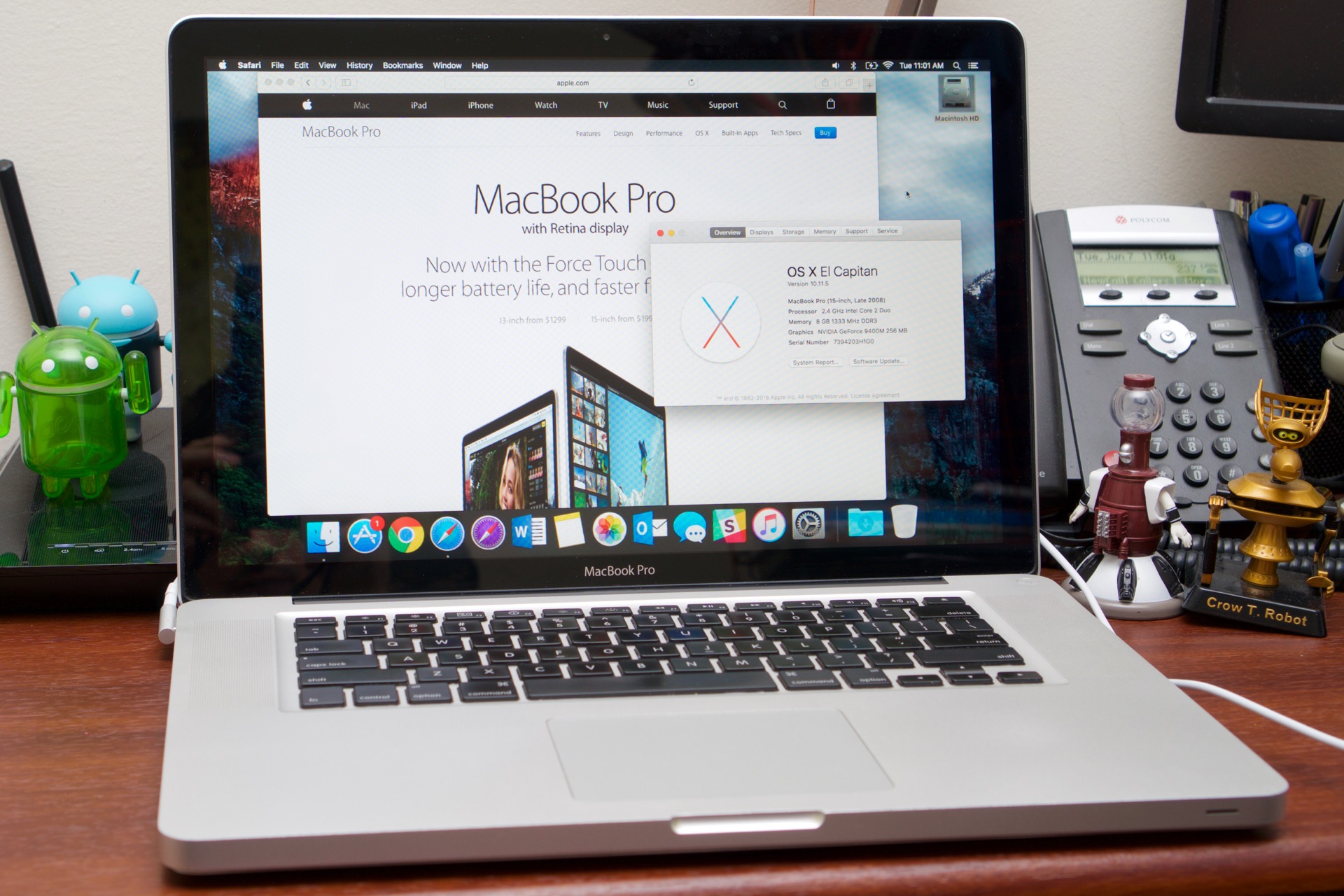
Enlarge / A late 2008 MacBook Pro with El Capitan, 8GB of RAM, and a 256GB SSD upgrade feels a whole lot more modern than it should. (credit: Andrew Cunningham)

I took a vacation last month. I traveled some. I read a lot. And I refurbished an old late 2008 MacBook Pro, one of the original aluminum unibody models. I completely took it apart, dusted it out, put it back together, and stuck in a memory and SSD upgrade. This is the kind of thing I do to unwind.

There are lots of differences between this thing and a new MacBook of any stripe. They’re smaller and they’re thinner and they’re faster and they have better screens, better performance, better batteries. But once you’ve put in a few more modern parts and plunked a fresh install of El Capitan onto the SSD, it feels a whole lot like a modern Mac. Using a Windows laptop from 2008 to run Windows 10 is totally possible, but the screens, trackpads, and general build quality of a laptop from the last year or two will feel way better.

Upgrading and using an old-ish Mac for a bit drives home a point I’ve been trying to articulate for a while—Apple’s Mac lineup simply doesn’t feel ahead of the curve in the ways that it used to. Starting especially with those late 2008 Macs, Apple started some trends (big, multitouch trackpads; chiclet keyboards; aluminum unibody designs) and properly identified others before the rest of the industry could jump on them (SSDs, the death of the optical drive, high-resolution “Retina” displays). Apple led with the MacBook Air and Retina MacBook Pros, and the PC industry largely followed.

Read 37 remaining paragraphs | Comments

Report: Apple may use a separate GPU to drive new 5K Thunderbolt Displays

External GPUs could get around DisplayPort 1.2’s bandwidth limitations.

Enlarge / The current (chunky, old) Thunderbolt Displays. (credit: Apple)

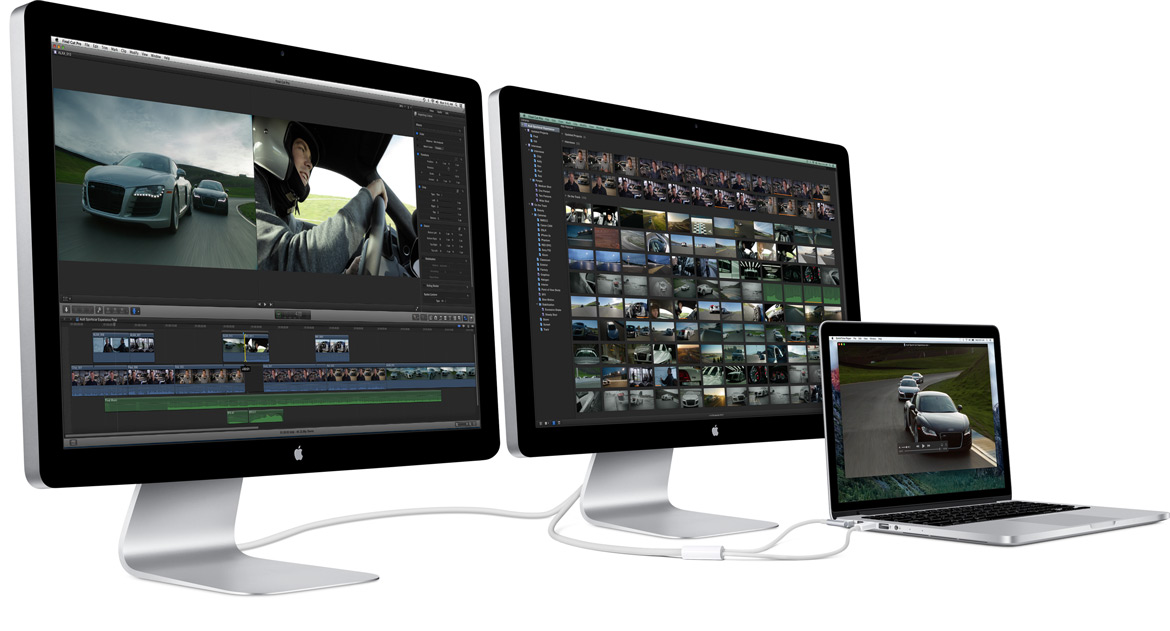
Remember the Thunderbolt Display? Because sometimes it seems like Apple doesn't; it's been nearly five years since the last time the monitor-plus-laptop-dock was updated, and it's increasingly an anachronism as high-resolution Retina displays take over the lineup. For some time now, the Thunderbolt Display has actually been larger and heavier than the 27-inch iMac, which has a whole computer inside of it.

One of the roadblocks to releasing a new 5K Retina-capable version of the Thunderbolt Display is the DisplayPort graphics interface, which in its current iteration (1.2) is only capable of driving a 4K display at 60Hz over a single cable. Even if Macs picked up Thunderbolt 3 ports, they still wouldn't support DisplayPort 1.3. Apple had to develop its own timing controller to make the built-in display work on the 5K iMac, but it can't drive an external display of the same resolution, nor can any current Apple laptop.

One potential solution, according to a report from 9to5Mac, is to put a dedicated GPU in the display itself—this would allow Apple to use the same timing controller from the 5K iMac to drive a 5K Thunderbolt display. This might have seemed like a strange solution a year or two ago, but Thunderbolt 3's adoption in the wider PC industry is already making it possible to use external graphics enclosures like the Razer Core to add dedicated graphics to thin-and-light Ultrabooks and mini PCs. Changes coming to OS X will allegedly allow hot plugging of one of these displays, switching seamlessly from the integrated GPU in the laptop to the dedicated GPU inside the monitor. Whether that dedicated GPU could simultaneously drive the Thunderbolt Display and the laptop's built-in panel isn't clear, but it should at least be technically possible since none of Apple's current laptops have 4K-or-greater displays.

Read 2 remaining paragraphs | Comments

Intel’s post tick-tock “Kaby Lake” CPUs definitely coming later this year

“7th-generation Core” CPUs will launch in a few months, and that’s all we know.

Enlarge (credit: Intel)

Intel's main Computex announcement was the launch of its high-end (and high-cost) Broadwell-E chips, but the company also made a passing mention of a couple of next-generation architectures for mainstream and low-end systems that will ship in finished systems by the end of the year.

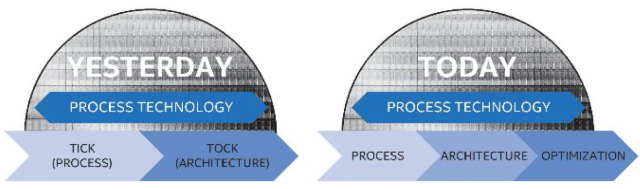
The most significant of these two architectures is Kaby Lake, the replacement for Skylake. Kaby Lake breaks from the "tick-tock" schedule that Intel has followed for most of the last decade; that schedule has been replaced by something Intel calls "Process, Architecture, Optimization," in which it introduces a new process (formerly a tock), introduces a new architecture on that process (formerly a tick), and then tweaks the architecture without changing the process. Kaby Lake is an "optimization" and will be built on the same 14nm process as Skylake.

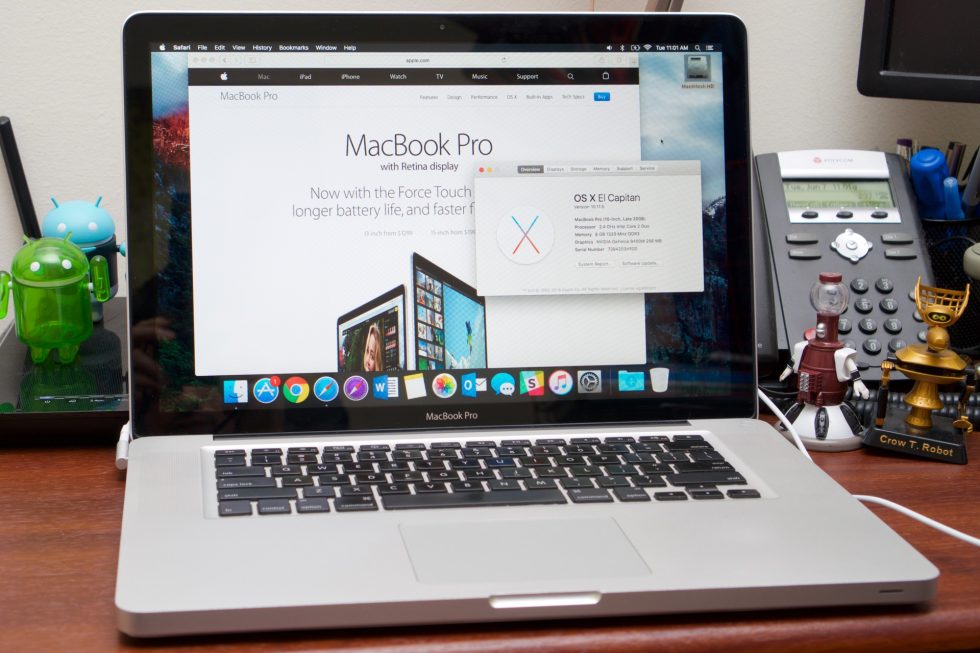
Intel has said very little about Kaby Lake, and aside from confirming that the CPUs will be called "seventh-generation Core" processors and that they'll definitely be shipping later this year, it didn't reveal much new information at Computex. Previous rumors and leaks point to expanded 4K video playback capabilities, including support for HDMI 2.0 and HDCP 2.2 and hardware decode support for 10-bit HEVC and VP9 videos. The processors should also be socket-compatible with Skylake, provided your motherboard OEM provides a BIOS update to add support. Rumors say the Kaby Lake launch will start with low-voltage Core i3/i5/i7 and Core m3/m5/m7 CPUs for laptops and convertibles first and come to desktops later—Asus is already showing off a Surface clone with a Kaby Lake CPU, suggesting that the chip is already sampling to Intel's partners. This bodes well for its availability.

Read 3 remaining paragraphs | Comments

Broadwell-E arrives: Testing Intel’s 10-core, $1700 desktop CPU

New enthusiast CPUs include new tech and more cores but stick with old chipsets.

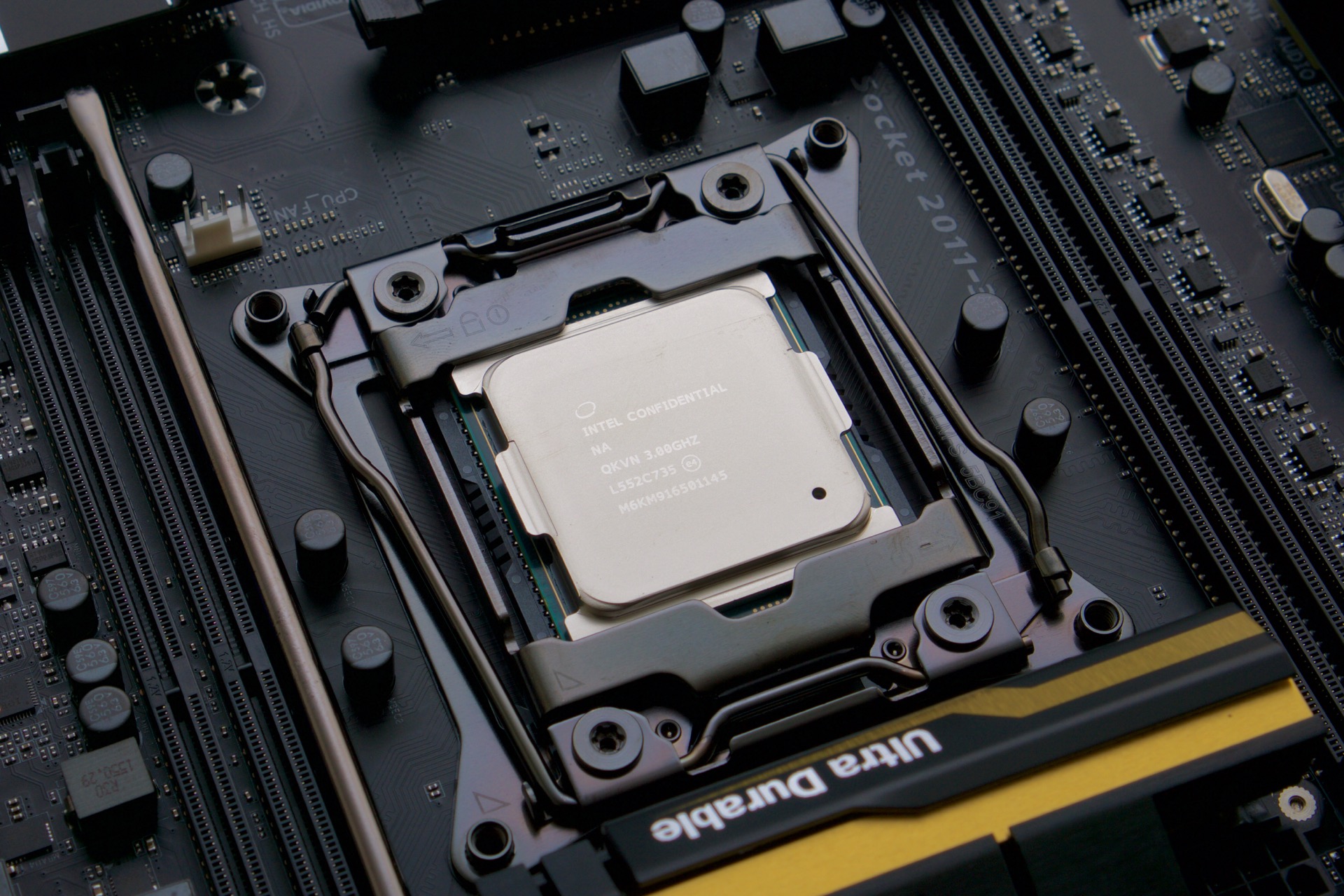
Enlarge / Intel's Core i7-6950X, its first 10-core consumer desktop CPU. (credit: Andrew Cunningham)

Many desktop users are going to be just fine with Intel’s standard desktop Core i5 and i7 CPUs. The company offers a wide range of quad-core chips with different levels of performance and power consumption, and there are tons of motherboards in all different shapes and sizes that offer different features for different prices. The Skylake-based Core i7-6700K is Intel’s standard desktop flagship, and for many people it offers more than enough speed.

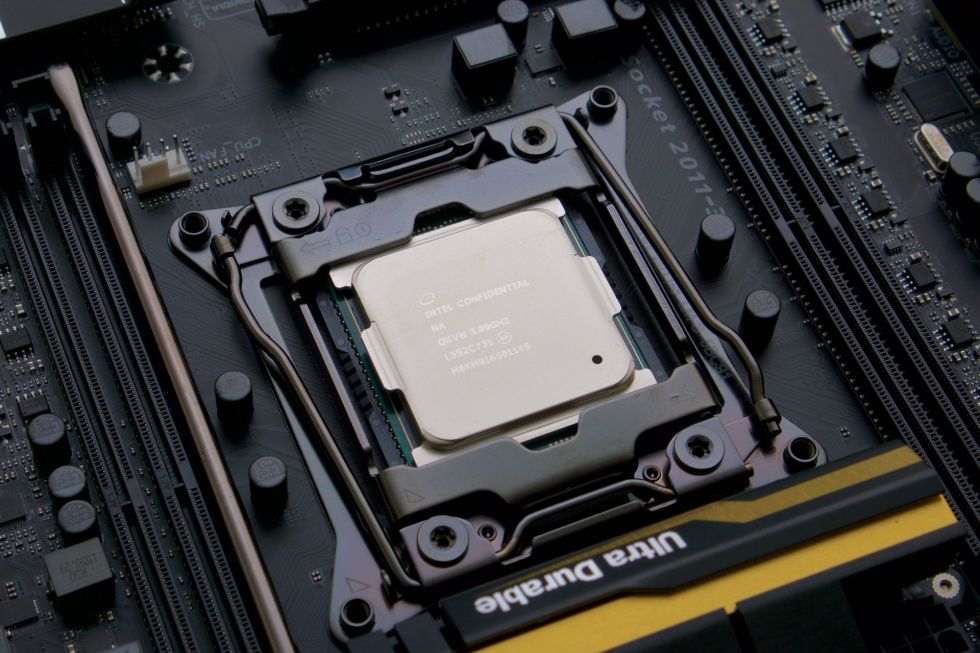
People who need more performance (and have more cash) can look to Intel’s “enthusiast” lineup, a crop of Core i7-branded CPUs that actually have more in common with the company’s server processors than the rest of its desktop and laptop chips. Intel is refreshing that lineup today with four new CPUs based on the Broadwell-E architecture, which replaces the current Haswell-E CPUs but uses the same socket, motherboards, and chipsets.

The main thing these CPUs offer over the normal Skylake desktop parts is more cores: there are new 6- and 8-core CPUs to replace the analogous Haswell-E chips, and it’s offering an all-new, ludicrously expensive 10-core Extreme Edition CPU as well. And as is often the case, these chips showcase some technology that will eventually trickle down to the more economical processors that most people actually buy. Let’s take a look.

Read 29 remaining paragraphs | Comments
ARM’s newest CPU design wants to make throttling a thing of the past

New high-end CPU architecture and Mali G71 GPU were designed with VR in mind.

Many companies, Apple, Samsung, and Qualcomm included, like to rely on their own custom ARM CPU architectures for their chips, but the CPUs and GPUs that ARM itself designs for other companies to use are still important. They let commodity chipmakers like MediaTek and Rockchip offer chips with good performance for less money, and they serve as a sort of pace car for the rest of the mobile industry.

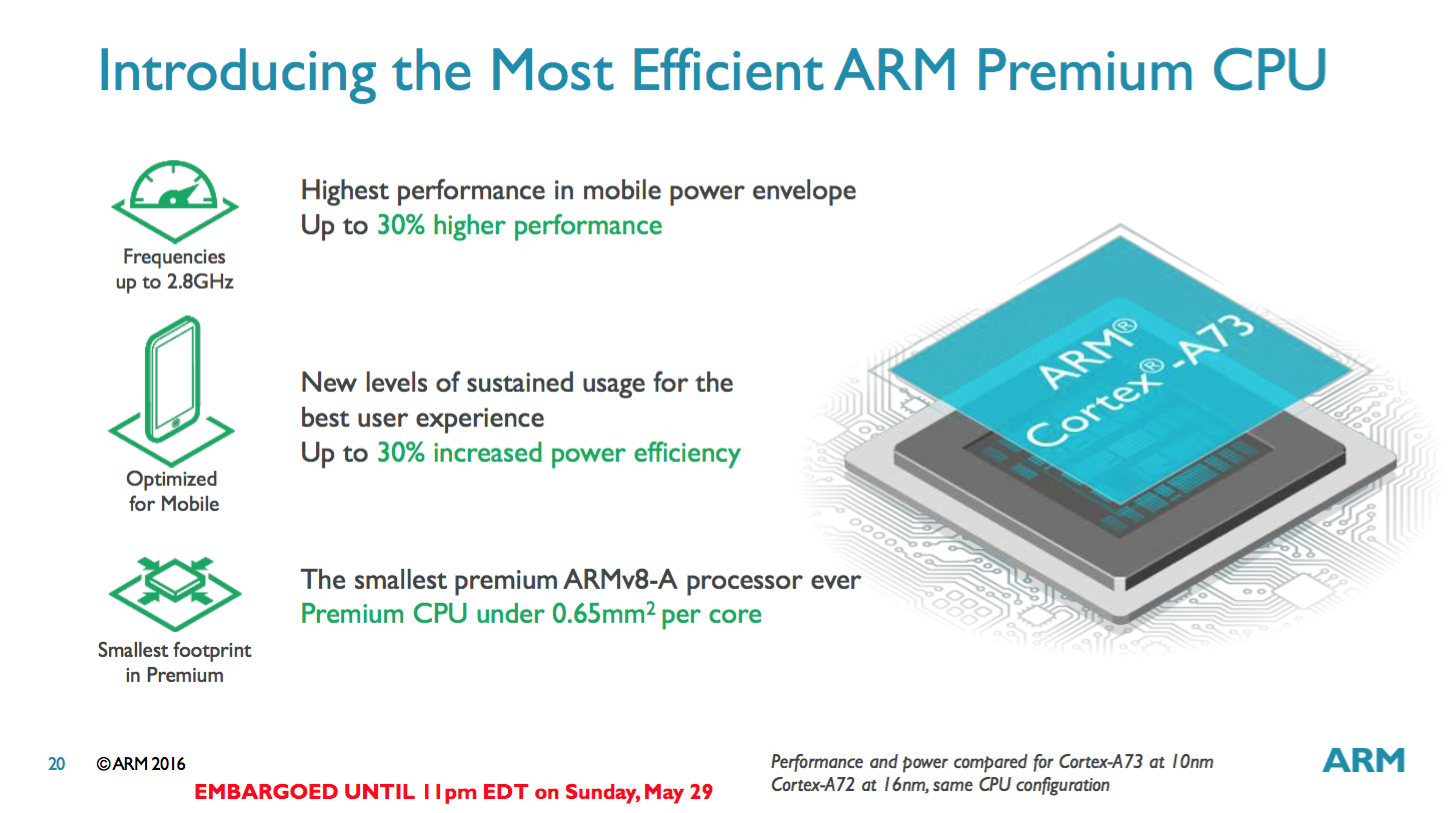
Enter the new Cortex A73 CPU architecture and the Mali G71 GPU. These are new high-end designs that target 2017’s flagship phones and tablets, but they’ve also been designed with virtual reality and augmented reality in mind.

Cortex A73: A new “big” core

Cortex A73 is being positioned as a replacement of sorts for Cortex A72, which in turn replaced Cortex A57. Like its two predecessors, it’s a high-end 64-bit CPU design, and it can be paired with with “little” Cortex A53 or A35 cores that handle light or idle tasks to reduce power consumption.

Read 11 remaining paragraphs | Comments
Intel’s quad-core “Skull Canyon” NUC is a workstation for the size-obsessed

Review: Pricey PC has Thunderbolt 3 and Iris Pro, but it’s not for everyone.

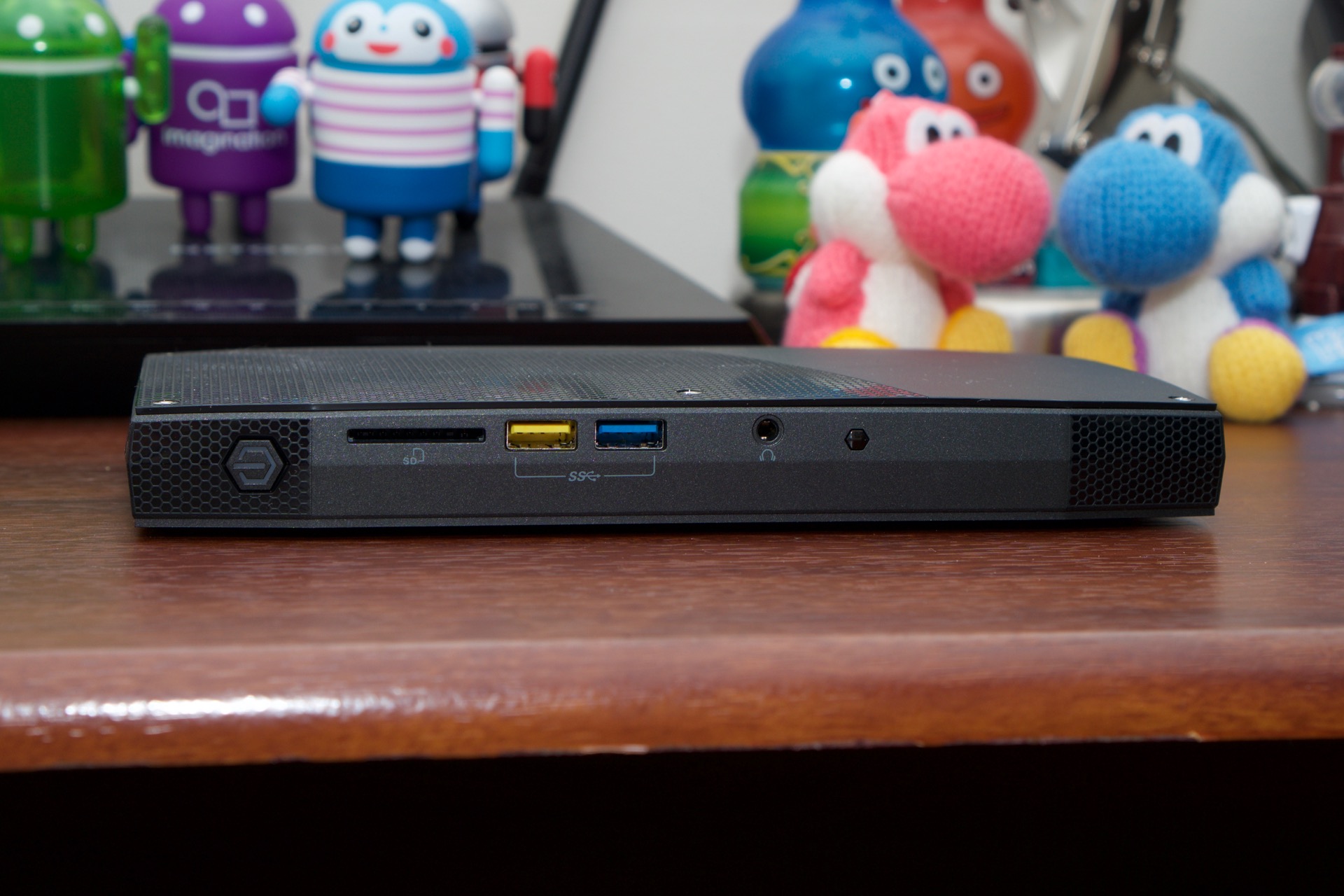
Every year when Intel refreshes its NUC mini PCs, it releases more models meant to cover a wider range of needs. There are cheap fanless NUCs, NUCs that can fit in full-size hard drives, and mainstream NUCs that are essentially little Ultrabooks inside boxes. This year is the first where Intel has tried to release a quad-core workstation-class NUC itself instead of leaving that field to OEM partners.

This PC, also known as “Skull Canyon” because of Intel’s history of using skulls to promote performance-focused products, is quite a bit different from the other NUCs. It needs more space for cooling, so it’s around twice as wide as standard NUCs (though it’s a little shorter). But with that increased size comes a lot more flexibility and performance.

Pricing and building

Like other NUCs, the Skull Canyon version is sold as a “PC kit,” which means you have to add your own RAM, SSD, and operating system before you can actually use the thing. Assuming you want to equip it with fast PCI Express SSDs and a healthy amount of RAM, you’ll end up spending near $1,000—around $650 for the NUC itself, another $180 or so for a 256GB Samsung 950, $60-ish for 16GB of DDR4 RAM (Skylake supports up to 64GB), and $100 for your Windows 10 license if that’s the operating system you prefer to use.

Read 21 remaining paragraphs | Comments
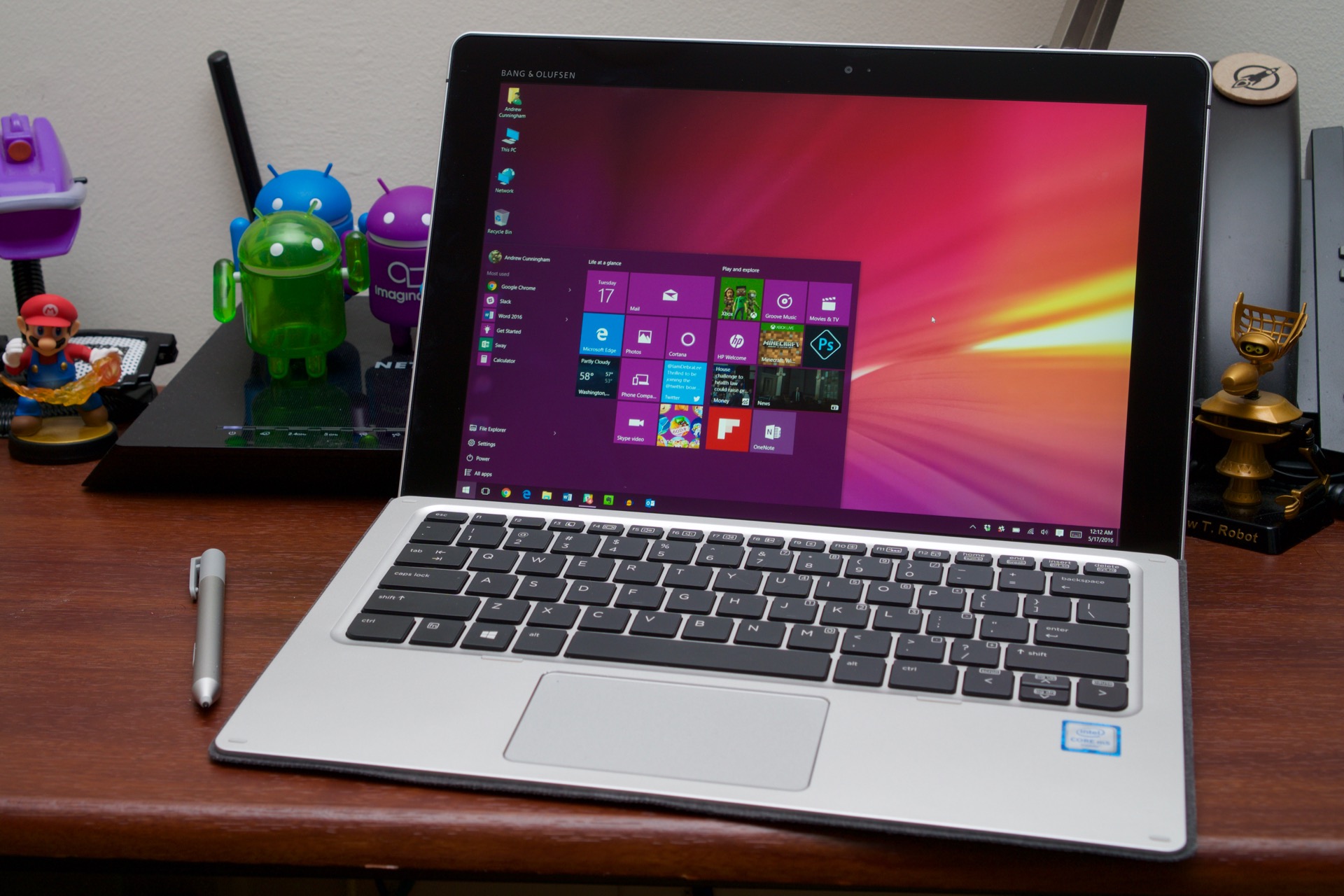
Review: HP’s Elite x2 is a Surface clone you can actually upgrade

Surface Pro 4 is better in many ways, but you’ll want the x2 when things break.

Just as high-end, thin-and-light PCs from the last five or six years have mostly been cast in the mold of Apple’s MacBook Air, convertible PCs from the last year or two have been redefined by Microsoft’s Surface. After a few less-than-satisfying versions of the idea, Microsoft found an acceptable balance between tablet and laptop with the Surface Pro 3, and it carried that design forward into the Surface 3 and Surface Pro 4 with few fundamental changes. Since then, the Surface division has consistently been a small, but bright, spot in Microsoft’s earnings reports, helping to offset the near-complete collapse of Windows Phone (or Windows Mobile or whatever we’re calling it this year).

As a result of the Surface success story, most of the PC OEMs have delivered some riff on the tablet in the last year or so. Dell has the XPS 12 and the Latitude 12 7000. HP has the Spectre x2, and Samsung has the Galaxy TabPro S. Apple’s iPad was around for years before the Surface, but the iPad Pro is clearly following Microsoft’s lead. Even Lenovo, whose Yoga lineup is also widely imitated, has hopped aboard the Surface train with its ThinkPad X1 tablet.

Most of these devices are attempting to fill gaps and address needs that the Surface lineup doesn’t, which brings us to the HP Elite x2. This is a business-focused Surface clone that can’t match the Surface Pro 4 spec-to-spec, but it does offer users something that the Surface doesn’t: you can actually open it up and repair or replace parts without much effort as long as you have the right tools. It makes other tradeoffs, of course, but if you’ve been waiting for a Surface that you can actually upgrade and fix, this might be the tablet for you.

Read 24 remaining paragraphs | Comments

After bricking saga, Apple re-posts iOS 9.3.2 update for 9.7-inch iPad Pro [Updated]

Original update only bricked 9.7-inch devices; no word on if affected iPads can be fixed.

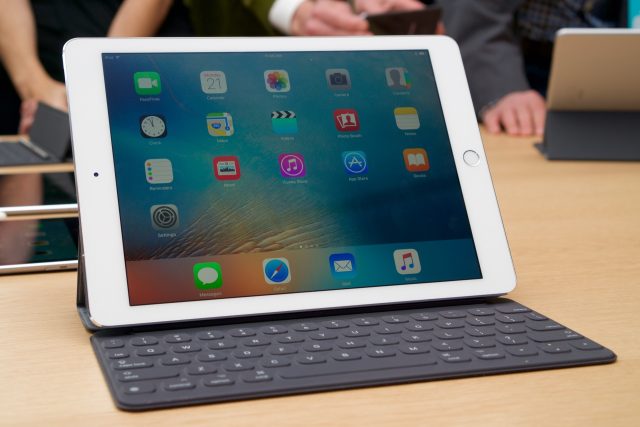
Enlarge / iPad Pro and Smart Keyboard. (credit: Andrew Cunningham)

Update: Apple has re-posted the update as of today. Fixing an iPad bricked by the old update may be possible if you connect your tablet to a Mac or PC running iTunes, but we'll need to wait for reports from affected users to know for sure.

Original story (5/20/16): Apple is pulling iOS 9.3.2 for the 9.7-inch iPad Pro following reports that tablets were being bricked by the update. Affected tablets show the "connect to iTunes" message that iDevices display when put into recovery mode, but iTunes only displays an "Error 56" message and can't actually be used to restore the tablets. The bug doesn't appear to affect any other supported iDevices and the update hasn't been pulled for any other iPhone, iPad, or iPod.

Apple's statement on the issue offers no real insight about what the problem is. The company says it is "working on a fix" and will "issue an update as quickly as possible." Whether the update will resuscitate already-bricked iPads isn't clear, but 9to5Mac reports that at least a few users had affected tablets replaced at Apple Stores.

Read 1 remaining paragraphs | Comments