Hands-on: Sizing up the 4-inch iPhone SE and the 9.7-inch iPad Pro

They might not be “exciting” but they both seem like great upgrades.

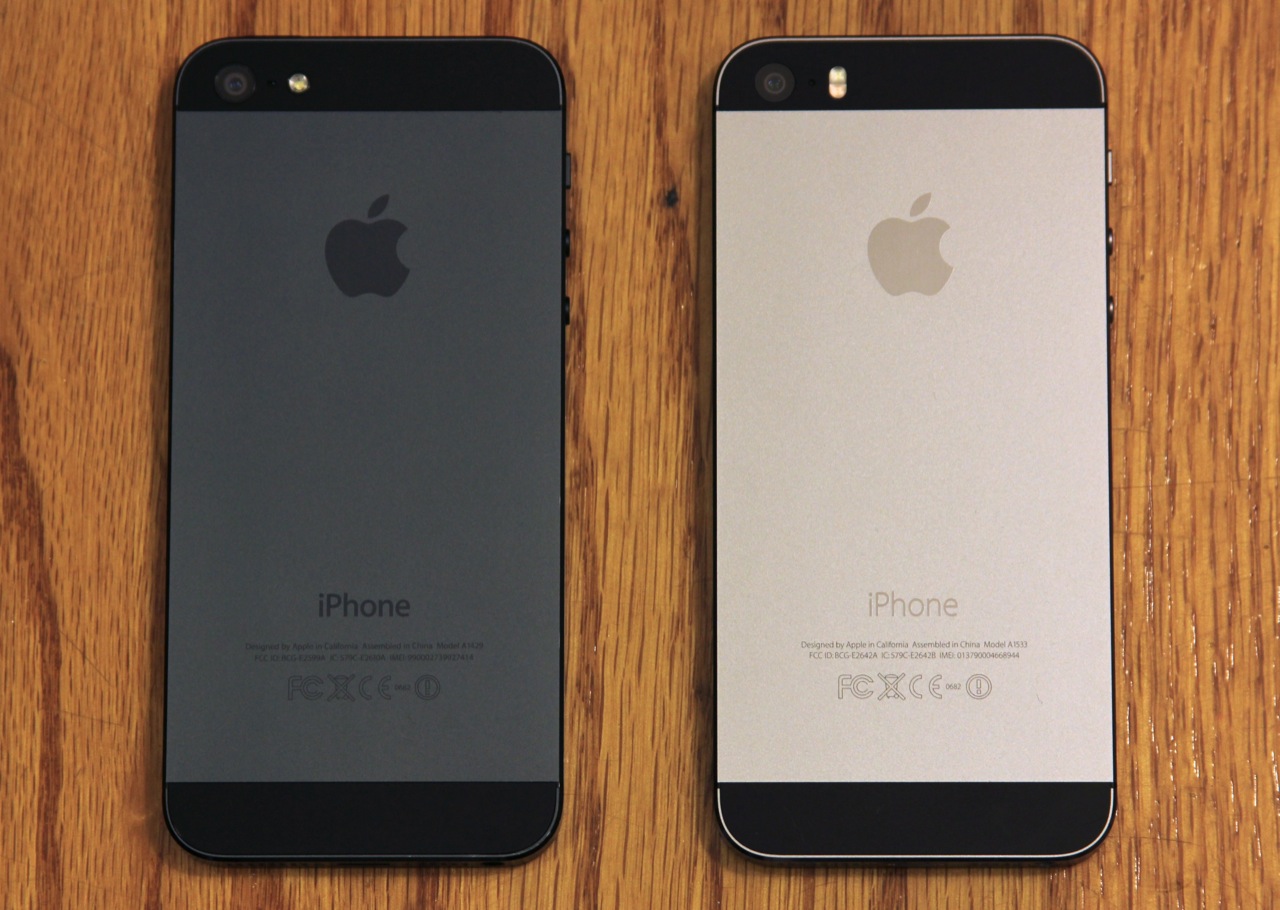
Have you ever held an iPhone 5? How bout an iPhone 5S? If you have, you really probably don't need me to tell you what it's like to hold an iPhone SE. They're close enough that you'll have trouble telling them apart if you don't know what you're looking for.

Let's focus on the physical differences: the chamfered edges of the phone, previously shiny, are now matte. Those shiny edges were prone to getting scratched and losing their finish in extended use, so a change to a matte finish may help out a bit. Also, the Apple logo on the back is now a separate, inset piece of metal rather than a shiny patch of finish as it is on the 5 and 5S. This is the end of the list.

And that's not really a bad thing; by sticking with an iPhone 5-era design, Apple has avoided some of the common complaints about the 6 and 6S design. There are no awkward visible antenna cutouts, because the wireless signals can escape through the glass cutouts at the top and bottom of the rear case. There’s no camera bump, since the phone is a little thicker. There are no slippery rounded edges, making the phone a bit easier to hold.

Read 11 remaining paragraphs | Comments
Update time: iOS 9.3, tvOS 9.2, and WatchOS 2.2 are here

Apple pushes out medium-sized updates to its major platforms.

(credit: Apple)

CUPERTINO, Calif.—As part of its big product event today, Apple is dropping a handful of significant updates to its platforms. The final versions of iOS 9.3, tvOS 9.2, and WatchOS 2.2 are all available to download for all supported devices. Apple began beta testing the updates back in January.

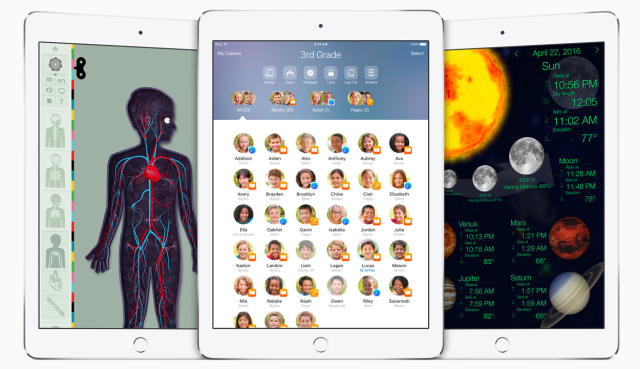
iOS 9.3 is the biggest update. It brings a new multi-user mode for iPads being used in schools, a more secure Notes app that lets you secure the app with its own password, an easy-on-the-eyes Night Shift screen mode, a few device-specific enhancements for the iPhone 6S and the iPad Pro, and other bug fixes and enhancements.

The tvOS update fixes a lot of the platform's most glaring omissions, including voice dictation for usernames and passwords and folder support for the home screen. Bluetooth keyboard support is also back. WatchOS 2.2 mainly adds a new version of the Maps app with support for searching for nearby locations. It also supports pairing multiple Apple Watches to a single iPhone if that happens to be something you feel the need to do (it might be popular among developers, at least).

Read 2 remaining paragraphs | Comments
Apple announces new 4-inch “iPhone SE,” starting at $399

It’s the first new, small iPhone since 2013. Pre-orders start 3/24, available on 3/31.

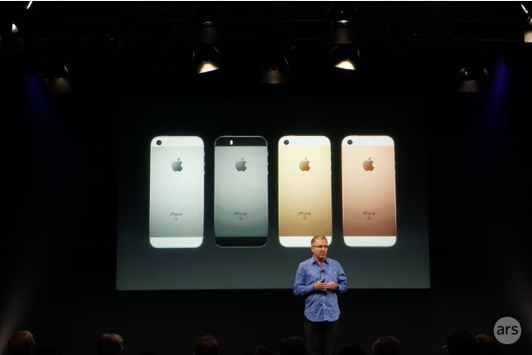
CUPERTINO, Calif.—It's a big day for small phones. Today, Apple announced its anticipated “iPhone SE,” Apple’s first new 4-inch phone since the iPhone 5C and 5S were released in the fall of 2013. 

The phone is a throwback in a lot of ways. It's got the same 1136x640 resolution screen as the iPhone 5 family, and its general design borrows much more from those older phones than it does from the thinner, more rounded 6 and 6S. It looks like and is probably best described as “an iPhone 5S but faster.”

Apple VP Greg Joswiak introduced the device, noting that there was great demand for a smaller iPhone. "We sold 30 million 4-inch iPhones in 2015," he said.

Read 4 remaining paragraphs | Comments
Mini-review: tvOS 9.2 fixes all the Apple TV’s biggest problems

Text input and the home screen layout get most of the attention.

CUPERTINO, Calif.—The new Apple TV and tvOS are mostly superior to the hardware and software they replaced, and they began the work of building the Apple TV into a platform rather than just a streaming box. That platform mostly seems solid, and its biggest problems are mostly the same ones that every streaming box has—battles between content creators and content providers make it hard to get everything you want, when you want, in the way you want it.

At today's product event, Tim Cook announced a free update for tvOS. The tvOS 9.2 update goes a long way toward fixing the problems that are within Apple's ability to fix. These mostly fall into three categories: improving text input and the sign-in/setup experience, decluttering the home screen, and improving navigation. On all three accounts, things have markedly improved.

Text input

This was my single biggest complaint with the Apple TV as it shipped—the new software keyboard required a ton of laborious swiping back and forth on the Siri Remote, and it made signing in to apps and setting the box up a giant pain. Using an old Apple TV remote or universal remote could restore the old software keyboard grid, but it was barely better.

Read 10 remaining paragraphs | Comments
Liveblog in progress: Apple’s March 21 iPhone and iPad event (10am PT/1pm ET)

Join us at 10am Pacific for announcements, photos, and commentary.

(credit: Apple)

View Liveblog
2016-03-21T12:00:00-05:00

Apple's next press event happens on Monday, March 21 at the company's campus in Cupertino, California. We're going to be in the audience to report all of the announcements as they happen.

We've already talked about what to expect, but to recap: Apple is expected to announce a new 4-inch iPhone that combines the size of the iPhone 5S with features from the iPhone 6 and 6S. It will also supposedly be upgrading the 9.7-inch iPad, giving it updated internals, a Smart Connector, and Apple Pencil support imported from the iPad Pro. The Apple Watch may get some love in the form of new band colors and combinations, but rumors say not to expect a full hardware refresh just yet.

We'll probably also hear about a smattering of minor software updates, including iOS 9.3, OS X 10.11.4, tvOS 9.2, and WatchOS 2.2. Follow along by visiting the link below. The event begins at 10am PDT (1pm EDT, 5pm GMT).

Read on Ars Technica | Comments

Let us loop you in: What to expect from Apple’s March 21 event

A smaller iPhone, a smaller iPad Pro, and a shotgun blast of smaller reveals.

Apple CEO Tim Cook takes the stage at the company's September 2015 product event. (credit: Andrew Cunningham)

Apple's having an event next Monday. We're going to be on the ground to cover everything the company has to offer, but as usual leakers and rumor sites have outed most of the biggest potential announcements.

To get you prepared for the big event, we've rounded up the most likely rumors and added our own educated guesses and commentary. Check back on Monday to follow along with our liveblog and all of our post-event coverage.

Return of the 4-inch iPhone

Fans of smaller phones ("smaller" in this case meaning "less than 4.7 inches") haven't had many flagships to look forward to in the last couple of years, aside from stuff like the Xperia Compact series. Apple's larger phones have been great for sales, but people who actually liked the size of the iPhone 5 and 5S haven't had anything to upgrade to in a while.

Read 12 remaining paragraphs | Comments

Intel’s high-end quad-core NUC ships in May for $650

“Skull Canyon” includes a 45W Core i7, Iris Pro GPU, and Thunderbolt 3.

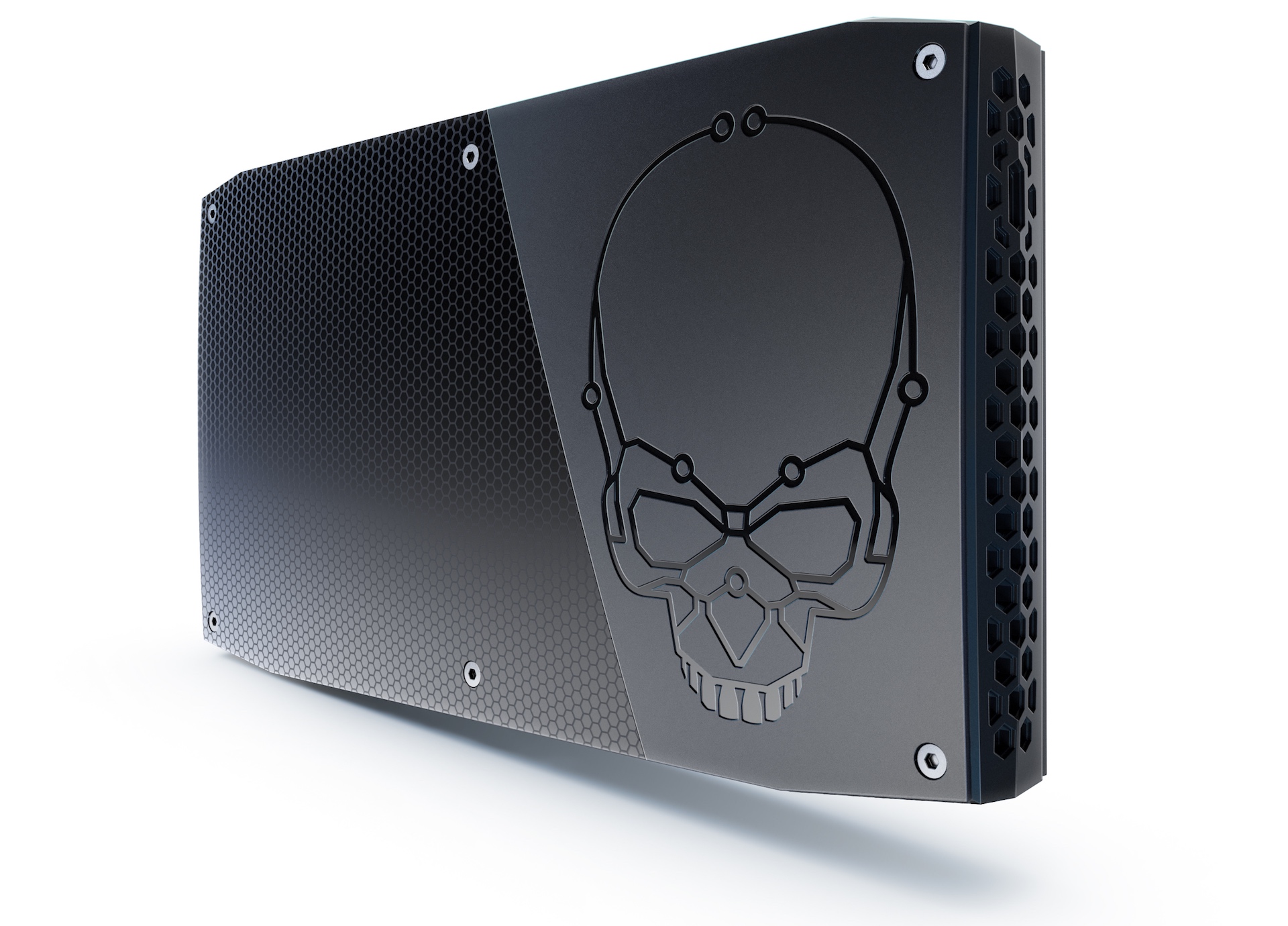
Enlarge / The "Skull Canyon" Core i7 NUC. (credit: Intel)

Intel talked a little about its new high-end Core i7 NUC mini PC at CES earlier this year, but today at GDC the company revealed what the final model will look like along with its specs, release date, and cost.

The new NUC6i7KYK, codenamed "Skull Canyon," includes a 2.6GHz (3.5GHz Turbo) 45W quad-core Core i7-6770HQ—not the fastest Skylake laptop chip that Intel can sell you, but definitely one of the fastest. The other main draws are the Iris Pro 580 GPU, which includes 78 of Intel's graphics execution units and a 128MB eDRAM cache (compared to 48EUs and 64MB of eDRAM in the standard Core i5 NUC we just reviewed), and the Thunderbolt 3 port which also supports full USB 3.1 gen 2 transfer speeds of 10Mbps. It takes DDR4 memory, M.2 SATA and PCI Express SSDs, and comes with a built-in Intel 8260 802.11ac Wi-Fi and Bluetooth adapter, just like the Core i5 NUC.

It's got a good port selection, including a full-size HDMI 2.0 port, a mini DisplayPort 1.2 output, four USB 3.0 ports, a headphone jack, an SD card slot, a gigabit LAN port, and an IR sensor for use with remote controls. The HDMI 2.0 port ought to make some HTPC fans happy, since the standard NUCs are still stuck on version 1.4 and can't view HDCP 2.2-protected content. And this is all in addition to the aforementioned Thunderbolt 3 port; this will be the first NUC since the original to support Thunderbolt, which opens up possibilities for external graphics cards down the line.

Read 2 remaining paragraphs | Comments
Why are so few Android phones encrypted, and should you encrypt yours?

Performance concerns may keep some from encrypting, but newer phones will be OK.

If encryption isn't the default on your phone, when should you enable it? (credit: Andrew Cunningham)

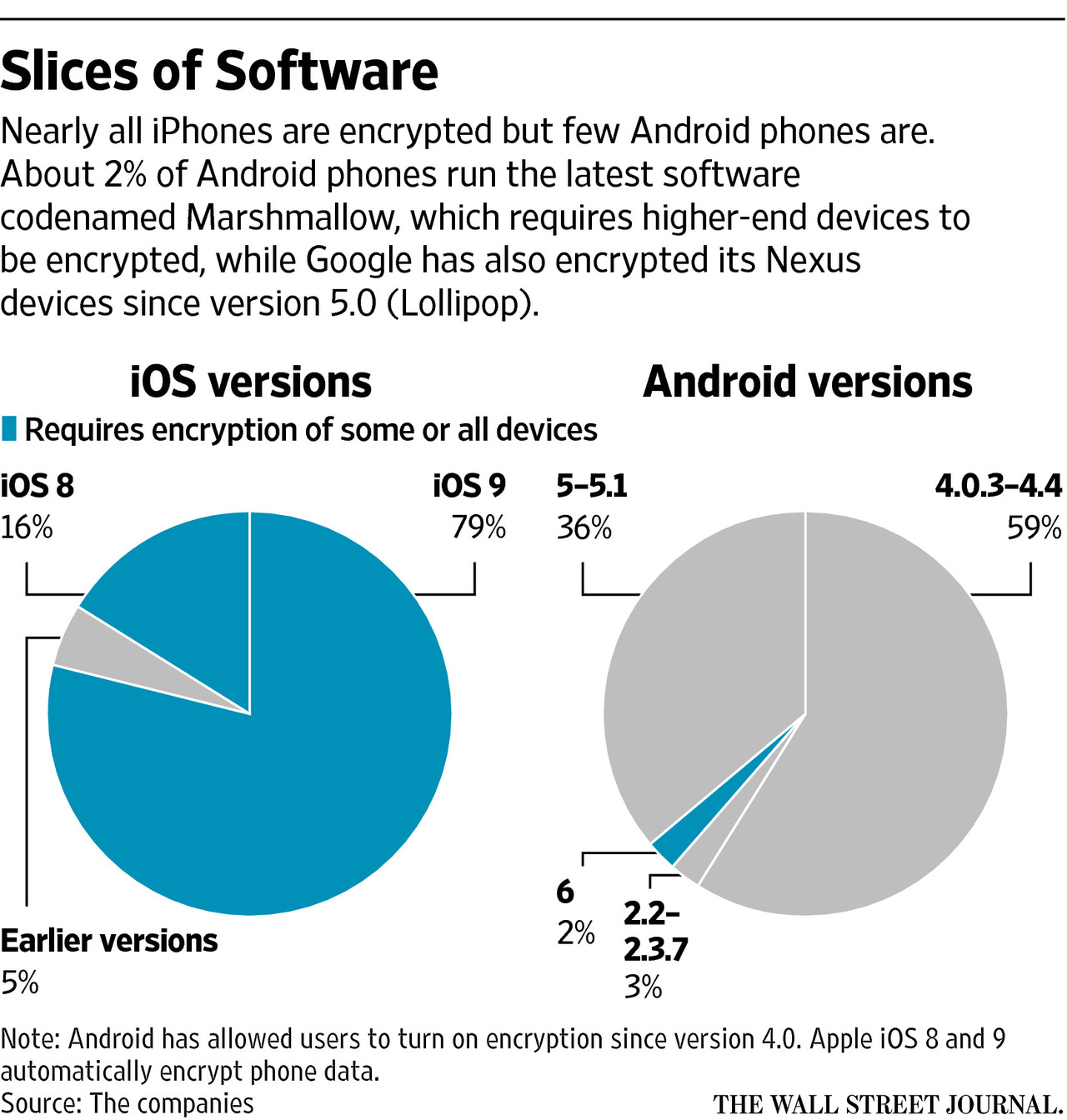
On Monday, experts speaking to The Wall Street Journal about the ongoing smartphone encryption debate estimated that roughly "10 percent of the world's 1.4 billion Android phones were encrypted," compared to 95 percent of all iPhones. For iPhones, that estimate is based on data provided by the company's OS distribution chart—this isn't a perfect source since it also includes iPods and iPads. In any case, the vast majority of iDevices are running iOS 8 or 9 and thus all data on them is encrypted in a way that makes it impossible for Apple or others to directly access data on them without their passcodes.

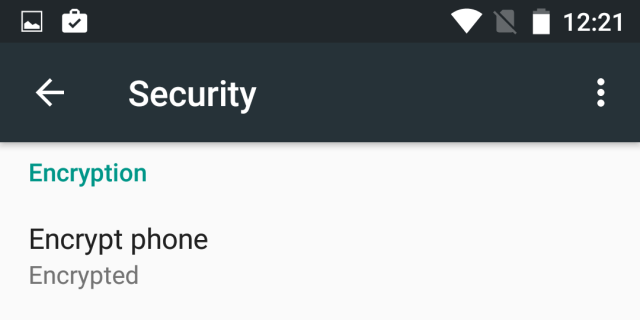
The figure for Android phones is likely an estimate based on other sources, since it's impossible to get similar data from the Android distribution chart. Google has historically had trouble getting its hardware partners to encrypt their phones and even had to backtrack on promises that Android 5.0 phones would be encrypted by default because of performance concerns. Ultimately, the company was able to make encrypted storage a requirement for Android 6.0 phones that meet the required specs (Nexus devices have been encrypted by default since the Nexus 6 and 9 came out in 2014), but currently only 2.3 percent of all Android phones run Marshmallow. Even worse, only new phones that ship with Android 6.0 need to be encrypted, and it's still optional for those that upgrade.

Most people just stick with whatever default settings their stuff comes with, which is what makes default settings so important—almost all Android phones support encryption, but few actually use it. Assuming that people don't begin encrypting their Android phones en masse or that Google doesn't change its policies, it means that it could easily be another two or three years before even a plurality of Android devices are encrypted.

Read 4 remaining paragraphs | Comments

Six under-the-hood Android N features you should know more about

If your phone or tablet gets it and your OEM doesn’t remove them, anyway.

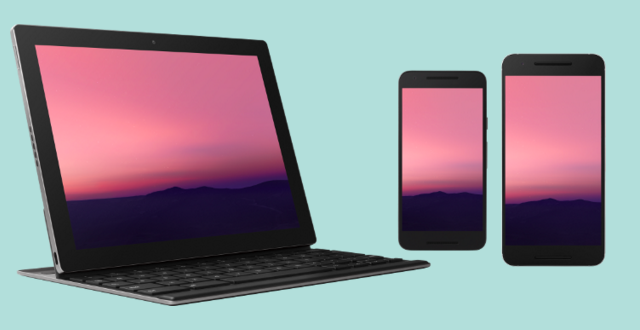
Android N isn't all about notifications and multi-window mode, even if they are the biggest and most noticeable features. (credit: Google)

Android N has a bunch of big new features in store for its users—the ones who eventually receive the update and don’t have those features torn out or replaced by their phone’s manufacturer, anyway. We’ve already covered a lot of the biggest user-facing stuff, including the multi-window multitasking mode, the revamped notifications and quick settings, and the new UI customization options.

But every year there are a few smaller or hidden features that are important to the platform but don’t get as much of a spotlight, either because they’re hidden under the covers or they appeal to a narrower audience. As we’ve done for Android L and M, we’ve looked at the developer docs and come up with a handful of new additions that you ought to know about as you’re playing with these early developer builds.

ART JIT

Google formally switched from the Dalvik Java runtime to the Android Runtime (ART) back in version 5.0, and it has continued to make new changes and optimizations since. Android N introduces a big one with far-reaching consequences—after switching entirely to ahead-of-time (AOT) code compilation in the first versions of ART, this version re-introduces just-in-time (JIT) compilation under certain circumstances to speed things up in areas where ART slowed down.

Read 15 remaining paragraphs | Comments

Western Digital makes a $46, 314GB hard drive just for the Raspberry Pi

“PiDrive” is based on WD Blue, has intro price of $31.42.

(credit: Western Digital)

The Raspberry Pi 3 was released earlier this month with some significantly improved hardware, including a quad-core 64-bit ARM CPU, an upgraded GPU, and embedded wireless—updates that will let people use it for a wider variety of tasks than before. For people whose use cases require a decent amount of storage, Western Digital has just announced a specialized low-profile hard drive called the PiDrive.

The 314GB drive, which will normally cost $45.81 but is currently available for $31.42, is a 7mm-high drive based on the basic Western Digital Blue drives that still ship in many budget and mid-end laptops and PCs. The difference is the interface, which has been changed from SATA to USB and is designed to connect to the Pi directly without drastically increasing the footprint of the device. WD says it has customized the drive in order to "reduce the electrical power load of the hard drive on Raspberry Pi while still maintaining sufficient performance to deliver maximum USB data transfer rate." It's also a cheaper solution than the 1TB PiDrive kit the company already sells for $79.99.

Western Digital says that the 314GB PiDrive will come with the BerryBoot bootloader to make it as easy as possible to install and run multiple operating systems from the same drive. The new PiDrive is compatible with WD's existing PiDrive cables and enclosures and is available for purchase today.

Read on Ars Technica | Comments